



The Difference Between Talk-to-Tasks™ and Traditional AI Agents
Most AI agents automate tasks in isolation, while Talk-to-Tasks aligns every action with real ownership, real tools, and your actual workflow.
Ai automations are supposed to make work easier, yet most teams end up with more noise, more confusion, and more manual cleanup than before.The promise sounds great. The reality feels familiar. After every meeting, you still open the transcript and dig for the real action items. You still scroll through Slack to remember who committed to what. You still rebuild tasks in the right tools. And you still fix the things the AI misunderstood.
AI agents can classify, summarize, and react, but they often miss the part that matters most. They do not understand how your team is structured or how ownership works. They cannot tell the difference between a quick comment and an actual commitment. They generate activity, not progress. They add more tasks instead of surfacing the right ones.
If you have tried AI automations and still feel like you are doing the heavy lifting yourself, it’s not just you. There is a real difference between tools that produce information and tools that move work forward. Talk-to-Tasks was built to bridge the gap between those two worlds.
What AI Agents Can (and Can’t) Do
Sales and Lead Qualification
An agent can sort inbound messages, enrich lead data, and decide whether someone looks promising. It can draft outreach and move deals into the CRM. What it cannot do is understand the nuance of your sales process or the real intent behind a prospect’s message. It handles the easy parts and hands you everything else.
Scheduling and Calendar Management
A scheduling agent can check availability, compare time zones, send invites, and shift meetings when conflicts appear. It is great at logistics but not so great at interpreting context. It cannot recognize priorities that matter to your team or understand why certain meetings should not be moved.
Customer Support and Ticket Flow
Support agents classify issues, open tickets, escalate problems, and sometimes resolve simple requests. They streamline volume but still depend on humans to decide what is truly urgent and what requires clarity, follow-up, or cross-team coordination.
Decision and Routing Agents
More advanced agents can evaluate transactions, detect unusual patterns, assign actions, and notify the right team. Yet they often lack the real-world understanding of how your internal systems, people, and responsibilities interact.
AI Agents Still Do Not Lighten the Load
Most AI automations operate as if every organization runs the same way. They treat ownership as a guess. They treat a mention as an assignment. They treat context like an optional detail. This leads to duplicated tasks, missing tasks, wrong tasks, and tasks that float in limbo with no real owner. Teams spend more time correcting the AI than benefiting from it.
AI agents cannot see the structure of your team or understand the relationships between people, tools, and decisions. They do not know why a quick comment in a meeting is not a deliverable. They do not understand why two similar tasks belong in different systems. They react to data without understanding the meaning behind it.
This is why work gets stuck. Tasks sit in a backlog waiting for clarity. Ownership is questioned. Deadlines drift. People spend more time managing the output than moving the work forward. AI agents create motion, but not momentum, because they miss the layer that actually drives progress.
AI That Puts You Back in Control
While many AI automations focus on generating tasks, Talk-to-Tasks focuses on generating motion. It listens for meaning and intent. It recognizes commitments, decisions, and dependencies. It understands your team structure and routes each task to the right person, inside the correct project, within the tool they already use. Instead of handing you a pile of activity to clean up, it organizes the work in a way that feels natural to your existing workflow.
This is the part most teams notice right away. You run your meeting as usual. You upload the link. Talk-to-Tasks interprets the conversation with real context. The tasks show up where they belong, and you stay in control of every move. Instead of more cleanup, you get clarity. Instead of sorting tasks, you get momentum. The work moves because the meaning moves with it.
The Hidden Reason Most Automation Efforts Fall Short
Work slows down when tasks are created without context. Projects stall when ownership is unclear. Teams lose time when they need to reorganize tasks that the AI did not understand. The gap is not in speed. The gap is in understanding. Once that becomes visible, it is easy to see why traditional AI tools produce motion without creating momentum.
Talk-to-Tasks approaches automation from the layer that actually drives progress. It focuses on the decisions that shape a workflow, not just the tasks that appear within it. It captures intent, recognizes commitments, and aligns each item with your team’s actual structure. This is what turns conversation into movement. This is what transforms a meeting into organized work.
When you choose tools, the question is not how many tasks they can automate. The question is whether they help your team move forward. Outcomes depend on clarity, not volume. Teams move faster when meaning is correctly interpreted and routed. And that is the shift that changes everything.
How It Work?

Record your meeting the way you normally do
Use Zoom, Google Meet, Teams, or any platform you already rely on. Just record — nothing in your workflow needs to change.0


Choose where your recording is coming from
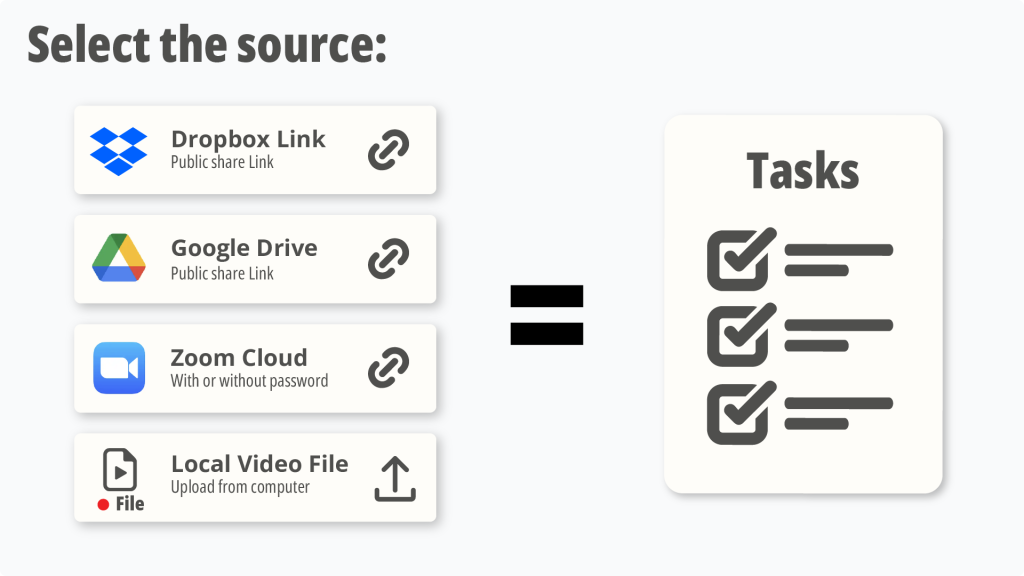

Upload your recording to Talk-to-Tasks
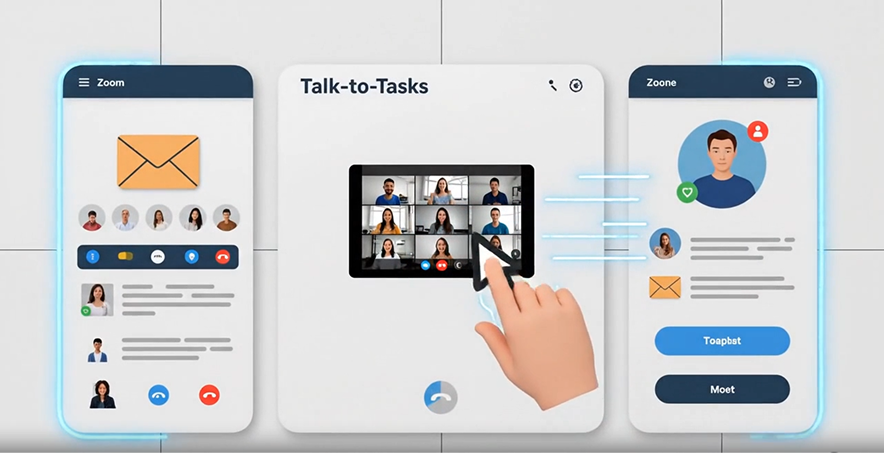

Let the system identify the real work from the meeting


Review and refine the tasks so they’re clear, complete, and ready to execute
Even when the AI captures the main points well, there are always small notes, clarifications, or missing context that only you can add. This is where you make each task yours: rewrite or tighten the description, add extra details, adjust the priority, assign the right department, or include missing steps. In a few seconds, you turn raw AI output into high-clarity, human-ready tasks your team can act on immediately.

Assign each task to the right place and the right person
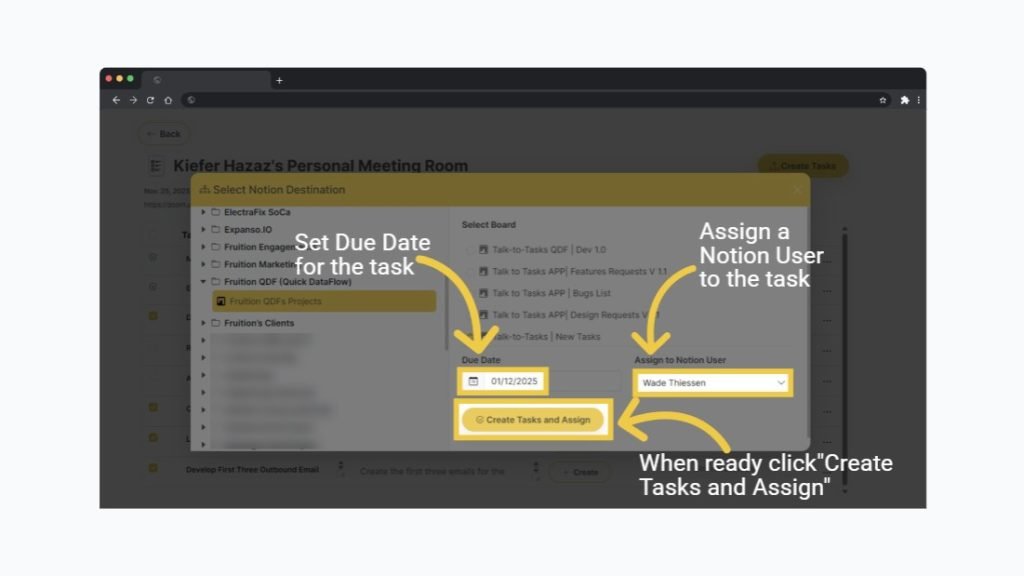

Access your direct task link immediately

Let your project system notify the right team members
Try Talk-to-Tasks QDF Free for 7 Days
Upload one meeting. Watch the difference. See how quickly a conversation becomes organized motion when your AI understands meaning, ownership, and structure.
One recording is all it takes to see what organized work feels like.
