

Turn Zoom Recordings Into Tasks Before They Rot
Create clear follow-ups from Zoom recordings instead of rotting links and loose notes.
Zoom Recordings Alone Aren’t Enough
After the meeting ends, the recording gets shared, dropped into a doc, or forwarded in Slack or email with good intentions. Someone will “circle back.” Someone will “pull action items later.” But later rarely comes.
The problem isn’t that teams don’t record meetings. Most already do. The problem is that meeting recordings require extra effort to become useful, and that effort usually falls on the busiest person in the room.
The Vicious Cycle Teams Fall Into With Zoom Recordings
Share Recording
The Zoom recording is dropped into Slack, email, or a shared folder. Everyone assumes it can be revisited later when there’s time.
No One Has Time to Rewatch
Rewatching zoom recordings means scrubbing timelines, scanning transcripts, and hunting for the right moment. With back-to-back meetings, this step gets postponed.
Action Items Scatter
Follow-ups end up in different places. Some live in personal notes. Others are mentioned in chat but never assigned. A few exist only in someone’s head.
Context Fades
As days pass, decisions lose clarity and urgency. Tasks feel disconnected from the conversation that created them.
Work Slows or Gets Repeated
Teams schedule extra meetings to clarify what was already discussed, duplicate tasks “just in case,” or hesitate because no one is sure what’s in motion.
Breaking the Cycle Zoom Recordings Create
Instead of asking someone to rewatch meetings, scan transcripts, and manually translate discussion into tasks, this approach treats the recording as a signal. The goal isn’t to preserve the meeting. It’s to capture what the meeting created.
When a Zoom recording is added, the focus shifts immediately to what needs to happen next. Tasks are identified based on how work was discussed, not just what words were used. Ownership and intent are preserved while the conversation is still fresh, before context fades or urgency slips.
This removes the fragile handoff that usually follows meetings. No one has to remember to “pull action items later.” No one has to decide where tasks belong after the fact. The work discussed in the meeting becomes visible, reviewable, and ready to move forward.
Zoom recordings stop being a reference point and start acting like a trigger.
The meeting still ends. The recording still exists. But instead of kicking off a slow cycle of delay and rework, it creates clarity immediately, while the momentum is still there.
Turn Zoom Recordings Into Actionable Work
Rather than treating a meeting as something to archive or revisit later, TALK-to-TASKS™ treats recordings as a handoff point. The recording captures the conversation. TALK-to-TASKS™ captures what the conversation created.

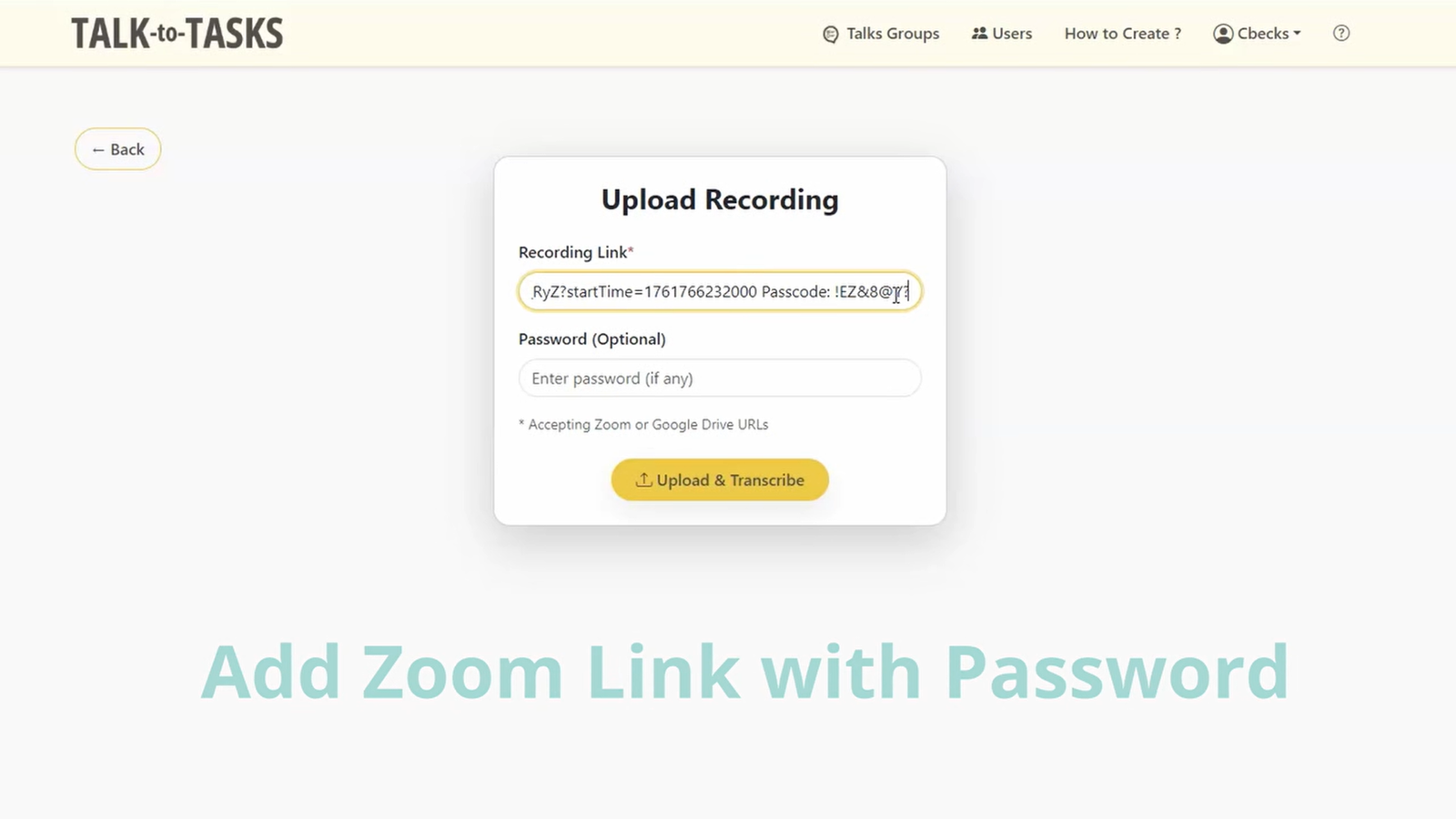
Step 1: Add the Zoom Recording
After the meeting, add the recording to TALK-to-TASKS. No need to change how you run meetings or structure conversations differently.
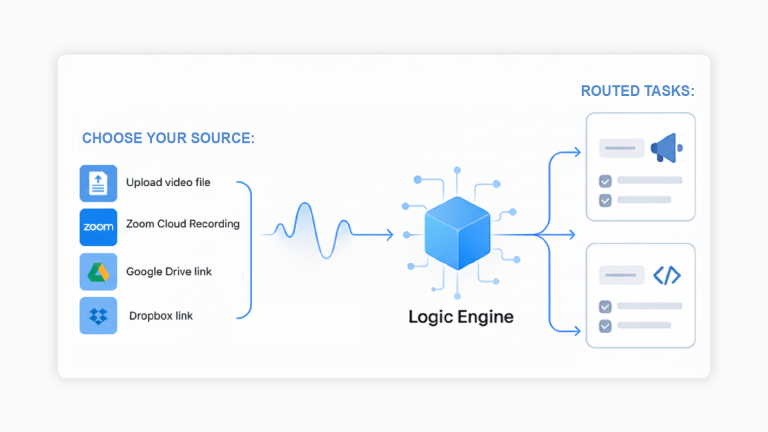
Step 2: Identify What Actually Needs to Happen
TALK-to-TASKS looks for moments where people discuss work. It identifies tasks, decisions, and follow-ups based on intent and context, not just keywords or speaker labels.
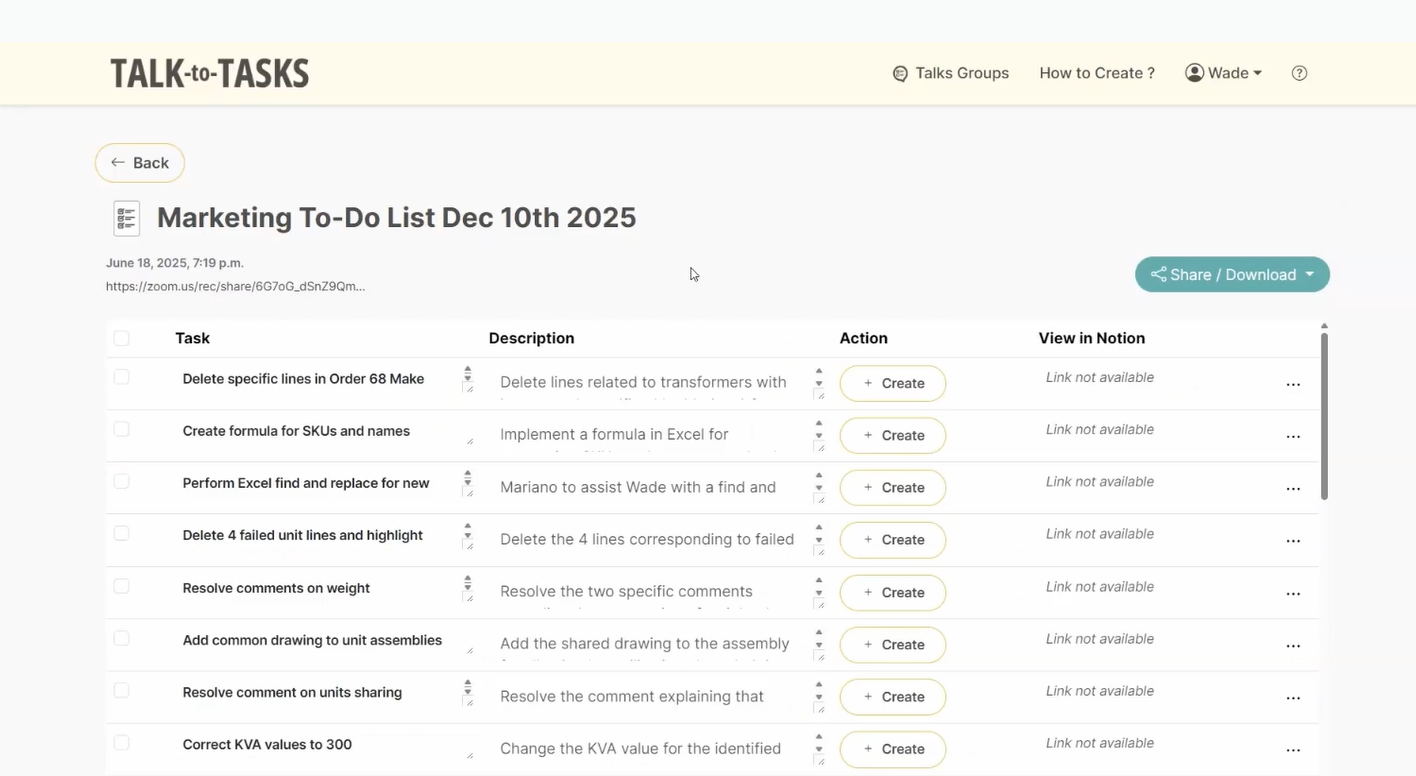
Step 3: Review and Confirm Tasks
Your dashboard presents extracted tasks clearly for review. Teams stay in control and confirm what should move forward before anything gets created downstream.
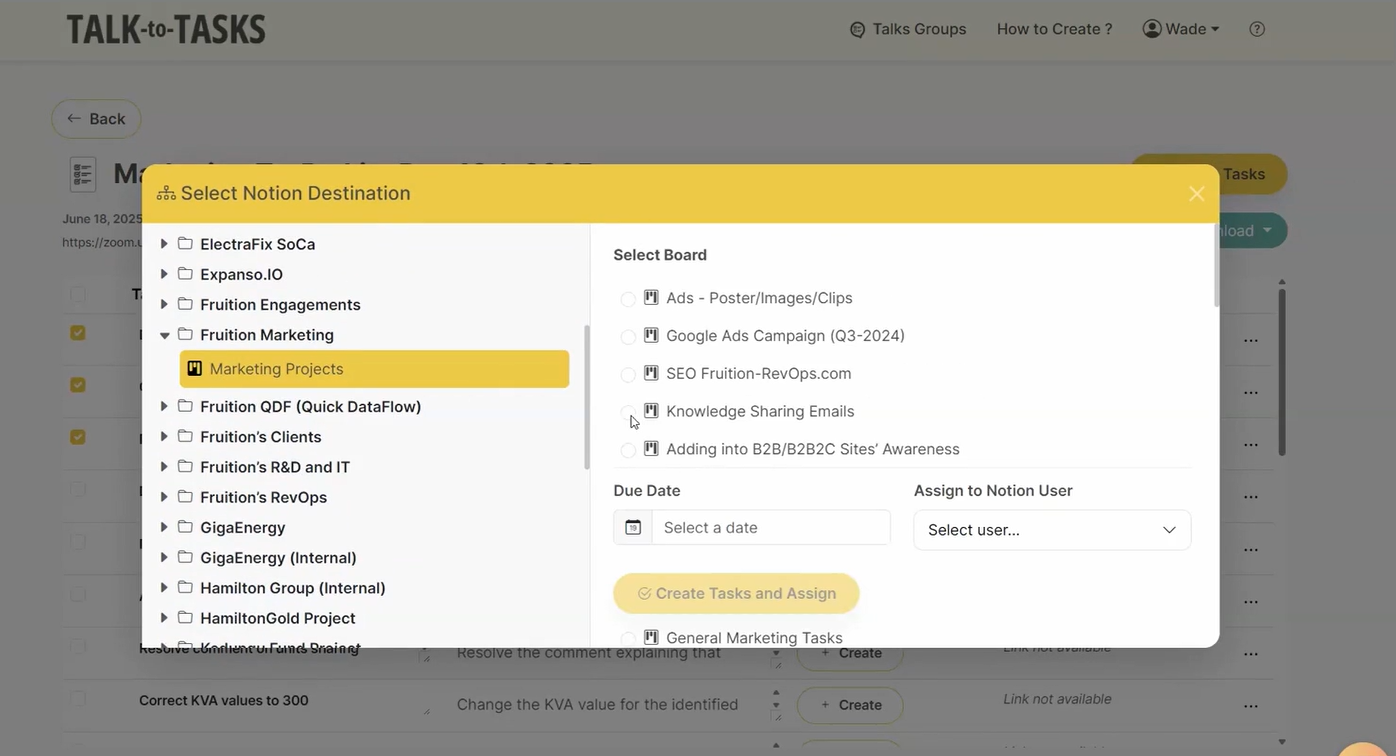
Step 4: Route Tasks Into Existing Systems
After confirmation, TALK-to-TASKS™ routes tasks into the tools your team already uses. Follow-ups move into real workflows instead of staying attached to a recording or living in a separate system.
Step 5: Let the Recording Fade Into the Background
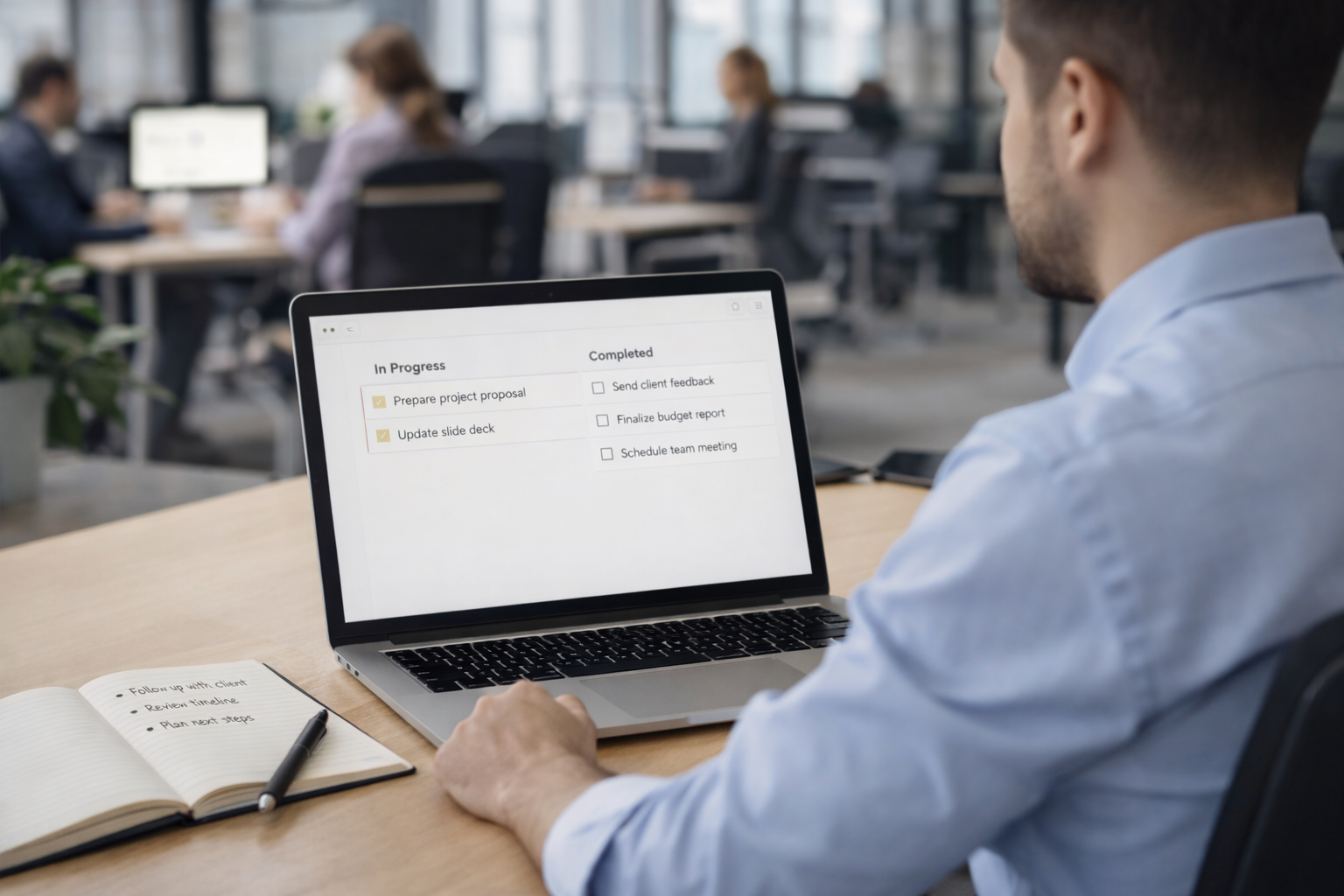
The Zoom recording remains available if needed, but it’s no longer the center of gravity. The work discussed in the meeting is already visible, owned, and moving forward.
This removes the most fragile step in post-meeting work: asking someone to remember to translate conversation into action later.

What’s Different About TALK-to-TASKS?
Most tools
- Zoom recordings turn into transcripts, summaries, or searchable notes.
- Someone has to rewatch the meeting or scan the transcript to figure out what matters.
- Action items stay tied to the recording or live in a separate meeting tool.
- Follow-through depends on memory, manual effort, and good intentions after the meeting.
- Zoom recordings act as an archive teams plan to revisit later.
TALK-to-TASKS
- Zoom recordings turn into tasks, decisions, and follow-ups that teams can act on.
- The system identifies where work is discussed and pulls out what needs to happen next.
- Tasks move out of the recording and into the tools teams already use.
- Zoom recordings act as a handoff point between conversation and execution.
- The difference isn’t more AI or more features.
Who TALK-to-TASKS Is (and Isn’t) For
This Is a Good Fit If You…
- Run frequent Zoom meetings that generate real follow-up work
- Work across multiple tools and systems, not just one
- Lose time translating conversations into tasks after the meeting
- Want follow-through without adding another place to check
- Care more about execution than perfect documentation
This May Not Be the Right Fit If You…
- Only need transcripts or searchable meeting notes
- Want a tool focused solely on documentation or recall
- Expect automation to replace human review entirely
- Don’t generate meaningful follow-ups from meetings
What Happens After Your Next Zoom Meeting Is Optional
Teams already spend hours meeting. The question is whether that time produces clear follow-through or more cleanup work later. TALK-to-TASKS helps teams turn conversation into action without changing how meetings run. The easiest way to understand it is to see it once.
