


Route Tasks. Stop Tasks Rot.
Routing to the right workspace and team in seconds.
Turn meetings into clear, actionable tasks
AI extracts the tasks. You route them.
Nothing gets lost.
Free Trial · Starts at $1.99/month · Cancel anytime
How it Works?
Where Does It Catch You?
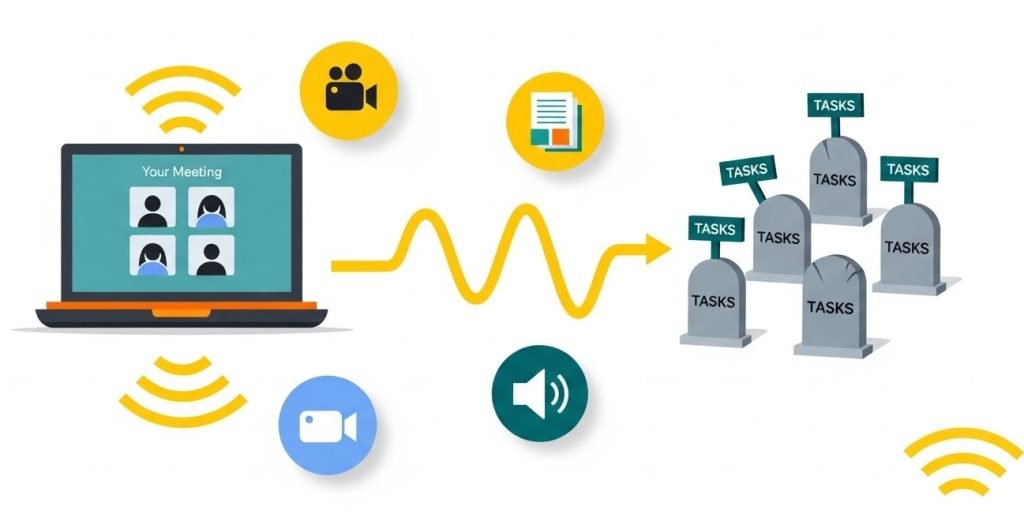
- Every team has the same story: the meeting was great, everyone agreed on next steps… and then nothing happened.
- Tasks disappear into inboxes. Notes get buried. Action items float around in different tools.
- And the AI tools that promise to help? They summarize beautifully- but they dump everything into one place, leaving you with another list to clean up.
Here is the real problem:
Not extracting tasks… but putting them where they actually belong.
Where AI TASKS meet human accuracy. And go exactly where they belong.
- You know who should own each task.
- You know where it belongs.
- Talk-to-Tasks lets you add that “missing human step” — and then the system handles the rest automatically.
- This is the moment your meetings finally turn into real execution.
Routing Perfectly Your Tasks
Without accurate routing, even the smartest AI becomes noise your team has to sort through. Meetings are supposed to be clarifying. However, more often than not, they create ghost tasks: decisions no one writes down, follow-ups no one assigns, commitments no one tracks.
The real failure point isn’t creating tasks. It’s assigning them correctly.
Where Teams Lose Time
TALK-to-TASKS Gives it Back.
TALK-to-TASKS QDF (Quick Data Flow) bridges the gap between your meetings and your workflow, turning every recording, like Zoom, Google Meet, Teams, and more, into actionable tasks and routing them to exactly where they belong, such as, Notion, Monday.com, Asana, Trello, and beyond.
Who get What
and Where?
Which use case is yours?
It simply removes the bottleneck every team has: the messy space between talking about work… and actually doing the work.
Everyone gets exactly what they need, and nothing they don’t.
Marketing Director
A marketing manager drops a Drive link → tasks land in the Campaigns board.
Product Team
A founder uploads a Zoom call tasks go into Product. A designer gets tagged — without ever joining the meeting.
Campaigns
A marketing manager pastes a Drive link tasks land in the Campaigns board.
Support Team
A support team adds a recording tasks appear for the right agent instantly.
Engineering
A developer review call is uploaded → tasks sync into the Engineering sprint board.
Leadership
A leadership meeting recording is added → tasks populate the company-wide strategic initiatives workspace.
Operations
An ops lead uploads a weekly sync → tasks are routed into the correct operational projects.
Sales Manager
A sales rep uploads a discovery call → tasks flow straight into the Sales pipeline workspace.
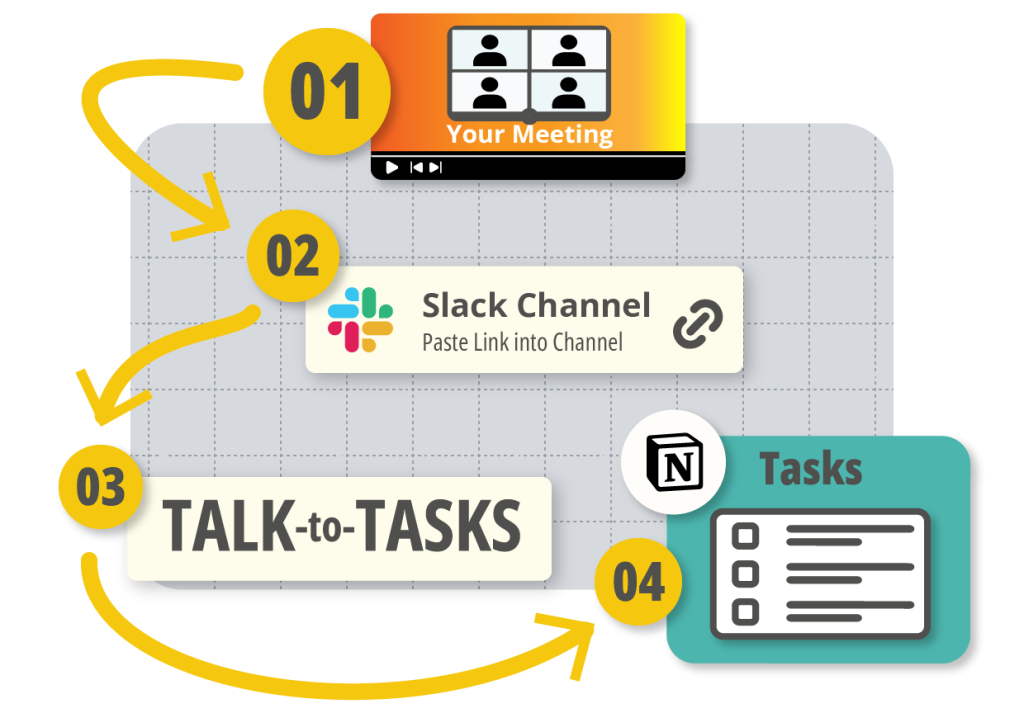
1. Record
You record your meeting the way you always do- Zoom, Google Meet, Teams, whatever.
2. Generate the Actionable Tasks
Talk-to-Tasks takes your recording, breaks it down into clean, actionable tasks, and presents them to you in one place.
3. Choose to Whom/Where to Allocate
You glance through them, pick the right project, choose the right owner… and with one click everything goes exactly where it belongs.
4. Project System Board been Updated
Your project board (ex, Notion) updates. Your team gets notified.
And the meeting actually moves forward instead of turning into another forgotten list.
How To Route Your Meeting's Tasks?
TALK-to-TASKS doesn’t try to be your assistant or your project manager.
Everyone gets exactly what they need, and nothing they don’t.
Simple Plans. Predictable Costs. Real Results.

Start with $1.90/Month, and choose the plan that fits your workflow and size!

Upgrade anytime as your team grows.

7-day full trial included with every plan.

Need more Talks or an extra Talks Group? No worries! We’ll never force you to upgrade your plan. Simply add the extra capacity you need, and you’re good to go.
