



Stop Tasks Rot.
Route it Correct.
TALK-to-TASKS routes meeting tasks to the correct workspace, board, and team- before they rot.
Turn meetings and calls into clear, actionable smart tasks, placed exactly where your team already works.
Try it for Free | Full access for 7 days.
Then $1.99/month unless you upgrade.
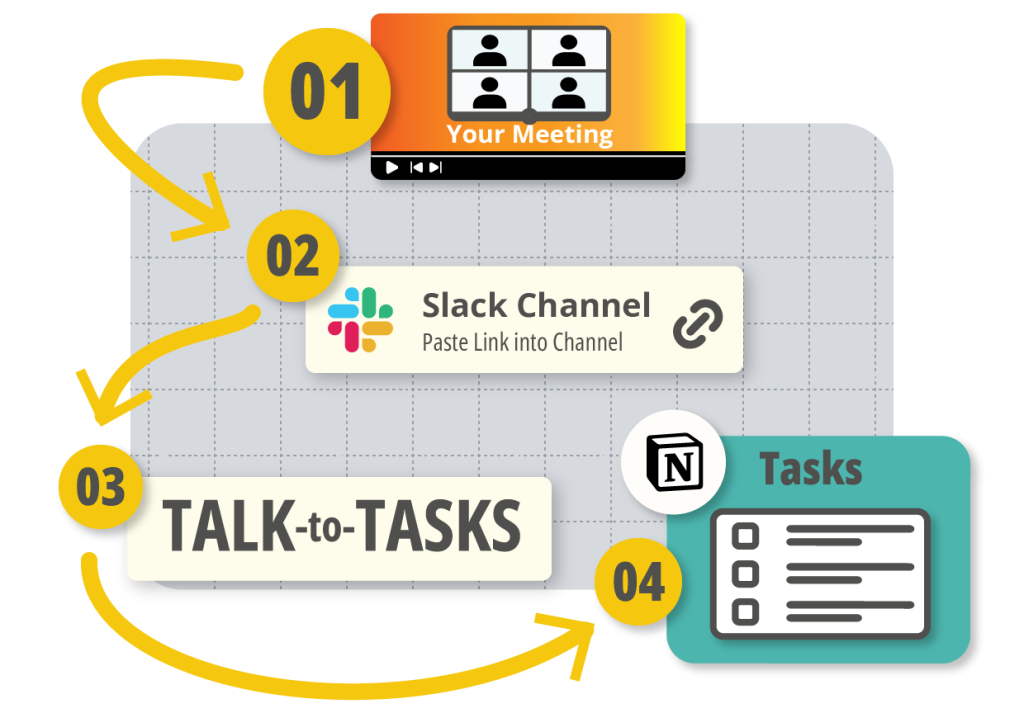
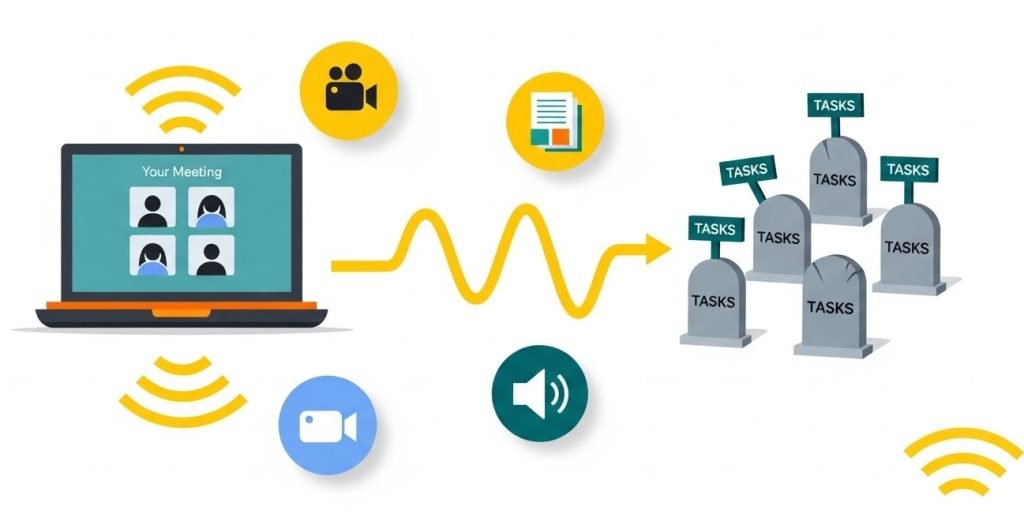
Don't Turning Your Project Tools
Into Task Graveyards
Right now, your tools are full of abandoned tasks. Nobody remembers who said what in the meeting. Nobody knows which project a task belongs to or when it is due. TALK-to-TASKS cleans this up at the source.
It listens to the conversation, understands who owns each action, and puts every task in the right place so work does not disappear.

The Ghosted Task Effect
Meetings are supposed to be clarifying. However, more often than not, they create ghost tasks: decisions no one writes down, follow-ups no one assigns, commitments no one tracks.
On average, employees spend ~11.3 hours per week in meetings, and 35% of that time is considered wasted. But the meetings aren’t the problem.
Someone says, “Let’s send this to Marketing,” “We should loop in Finance,” or “Let’s fix that before launch.” Then everyone leaves the call, and nothing gets captured in a reliable system. A few notes end up in someone’s notebook, a few action items get dropped in chat, and the rest simply disappear.
The hand-off from talk-to-tasks is where everything collapses.
If you’ve ever wondered how to automate tasks so nothing gets lost between the conversation and the work, this is exactly the gap Talk-to-Tasks QDF fills.
What TALK-to-TASKS Is Built
to Do Your Workflow
Without accurate routing, even the smartest AI becomes noise your team has to sort through. Meetings are supposed to be clarifying. However, more often than not, they create ghost tasks: decisions no one writes down, follow-ups no one assigns, commitments no one tracks.
TALK-to-TASKS solves the problem at its source. It doesn’t just show you how to automate tasks. It ensures every task flows to the right project, department, and person the first time.
TALK-to-TASKS turns meeting recordings into structured tasks and routes them to the right project, team, and person automatically. It keeps decisions from rot in your notes and turns every important moment into work that actually moves. Instead of busywork and messy follow-up, your team gets clear ownership, clear context, and clear next steps.
Why AI Assignments Break Your Workflow
Just about all AI tools can listen to your meetings. Many can summarize. Some even dump a list of “action items” into a project tool. But not a single one of them understands where those tasks actually belong. They don’t know your teams, your structure, your workflow logic, or who should own what.
So instead of clarity, you get a cluttered backlog of generic tasks, all waiting for someone to open them, figure out the context, choose an owner, and move them into the right project. That cleanup is slow. It’s repetitive. And it turns “automation” into even more manual work.
The real failure point isn’t creating tasks. It’s assigning them correctly.
The Broken Promise of AI Task Tools
AI task tools promised to make work easier. For most teams, they did the opposite. They create long lists of half-baked tasks, send them to the wrong people, and drop them into tools that no one checks. Your project boards fill up, your note apps fill up, and your team still has to ask who owns what and what needs to happen next. The problem is not the ideas in your meetings. The problem is that AI creates more noise than action.
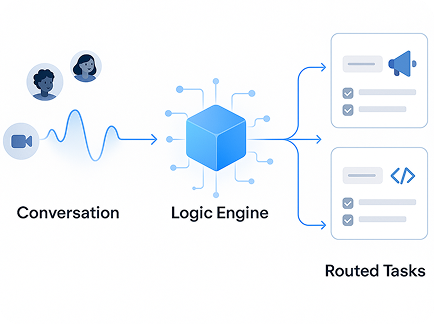
AI Assignment VS TALK-to-TASKS
AI creates tasks without clarity or context. Talk-to-Tasks QDF assigns tasks with ownership, context, and the correct workflow. Here is how the two approaches compare.
AI Assignment
AI Assignment 1
Wrong Owner
A decision is made in the meeting and the AI assigns the task to the wrong person. They ignore it because it is not their job. The work stalls before it even starts.
AI Assignment 2
No Context
The task shows up with no link to the project, no clear description, and no due date. The assignee has to go back to the recording or give up and guess. Either way, the task loses momentum.
AI Assignment 3
Lost in the Wrong Tool
AI drops the task into a tool that the team barely uses. It never reaches the board where the real work happens. The task is technically created but functionally invisible.
TALKS-to-TASKS.app
Talk-to-Tasks Assignment 1
Right Owner
Talk-to-Tasks maps each action to the person who actually owns that part of the work. Tasks land on the right plate and move forward without back and forth.
Talk-to-Tasks Assignment 2
Full Context
Every task carries the project, the related conversation, and the next milestone with it. Nobody has to rewatch the meeting to remember what to do.
Talk-to-Tasks Assignment 3
The Right Tool
Tasks appear inside the tools your team already uses to run projects. Work stays aligned with the real workflow instead of disappearing into side systems.
Where Teams Lose Time, and How TALKS-to-TASKS Gives It Back
Meetings consume time—nearly 11 hours a week for the average employee. However, the real cost isn’t the time spent talking. It’s the time spent figuring out what happens next. When follow-ups disappear, or ownership isn’t clear, work stalls. Accountability slips. Projects slow down. And leaders spend valuable attention chasing status updates instead of driving outcomes.
Most teams feel this breakdown as they grow. Manual task routing simply doesn’t scale. The more people involved, the easier it is for decisions to get lost, duplicated, or delayed. Work becomes reactive, not predictable.
Talk-to-Tasks QDF closes this gap. It turns meeting decisions into clean, structured execution, with everything instantly assigned, properly routed, and connected to the right workflow from the start. This is how teams finally learn how to automate tasks in a way that preserves clarity instead of creating more noise. It’s not just about efficiency. It’s about giving your team a system that eliminates ambiguity and keeps momentum moving forward.

Send a marketing follow-up to Railey in Events

Assign a development fix to Roy in Web Dev

Log an operational update for Finance
Where TALK-to-TASKS Works
Talk-to-Tasks QDF works where your team already works so nothing needs to change for the system to start helping
Meeting & Recording Systems
Capture your meetings and turn the recordings into clear, structured tasks. Decisions from calls flow directly into the systems that run your projects. (Examples: Zoom)
Communication Systems
Convert team chatter and standup notes into real work items. Instead of scrolling through threads to remember decisions, tasks appear in the right place automatically. (Examples: Slack)
Project Management Systems
Send tasks into the workspaces that matter. Every follow-up is organized by project and owner, so notes finally translate into progress. (Examples: Notion)
Why Teams Choose Talk-to-Tasks
Every meeting becomes execution.
Tasks route to the right owner automatically.
Routing logic learns your rules.
Works across your existing systems.
Less noise. More action.
Explore More
Explore comparison guides, pricing, and deep dives that show how TALK-to-TASKS QDF fits into your stack. Each resource focuses on a specific question so you can move from curiosity to action without sorting through generic AI claims.
Explore More
How It Works
The 4-step flow from conversation to completed task.
Comparison Guide
See how T2T QDF differs from Supernormal, Fireflies, Zapier, Notion AI and others.
Pricing & Trial
Start your 7-day free trial; simple pricing, no complexity.
The Evolution of AI Agents
Why agentic workflows need a routing layer to make sense.
Where AI TASKS meet human accuracy. and go exactly where they belong.
7 days free. Then $1.99/month unless you upgrade.
Cancel anytime.
