




























How-to Create and Assign Task to Projects
In this guide, you will learn how to create and assign tasks for Notion.
Go to qdf.cdhsystem.solutions
1 Select tasks
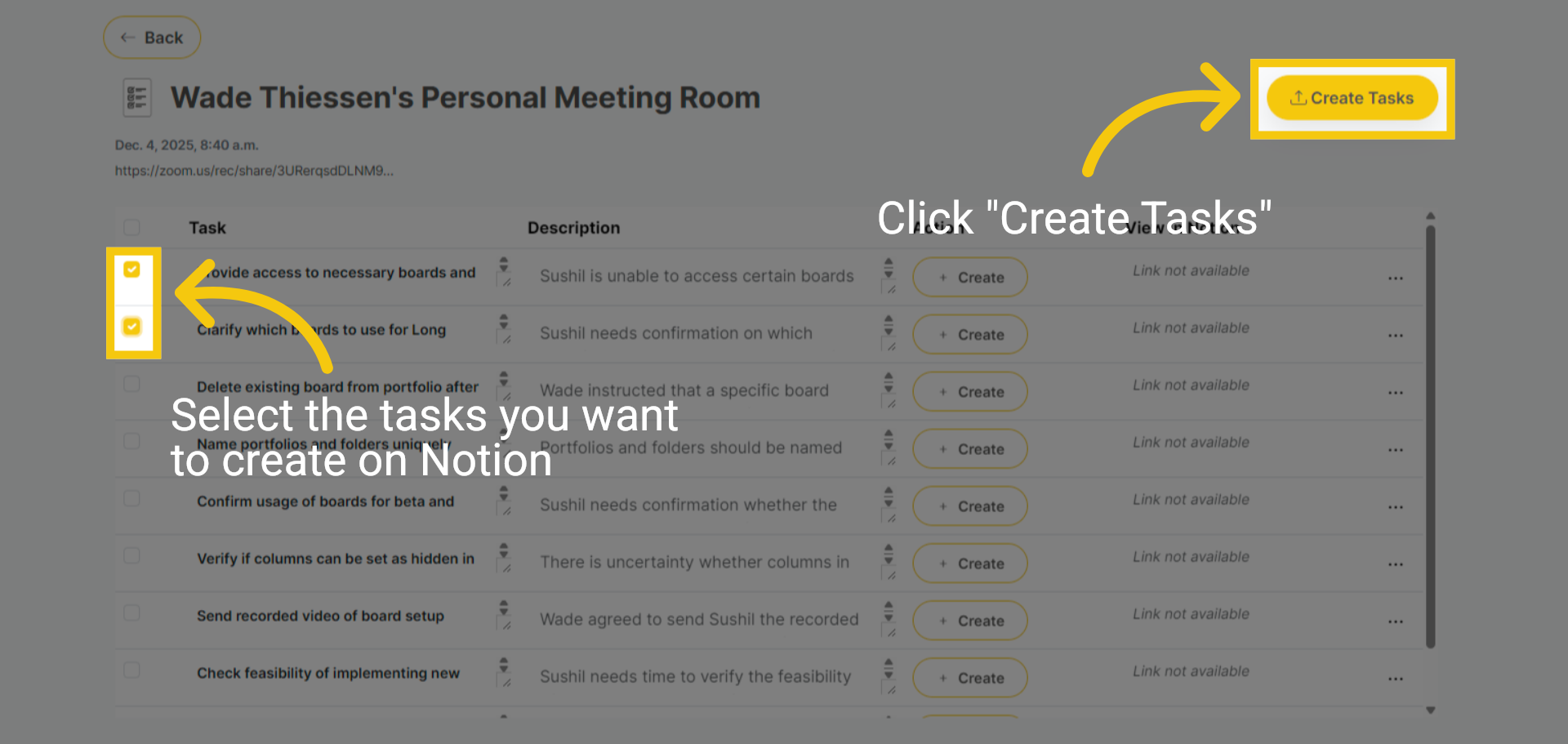
Before you get started, you will need to have integrated Notion and have a Talk Group with Talks and tasks to continue. Choose the tasks you'd like to create in Notion, then click "Create Tasks."
2 Open and Select Workspace
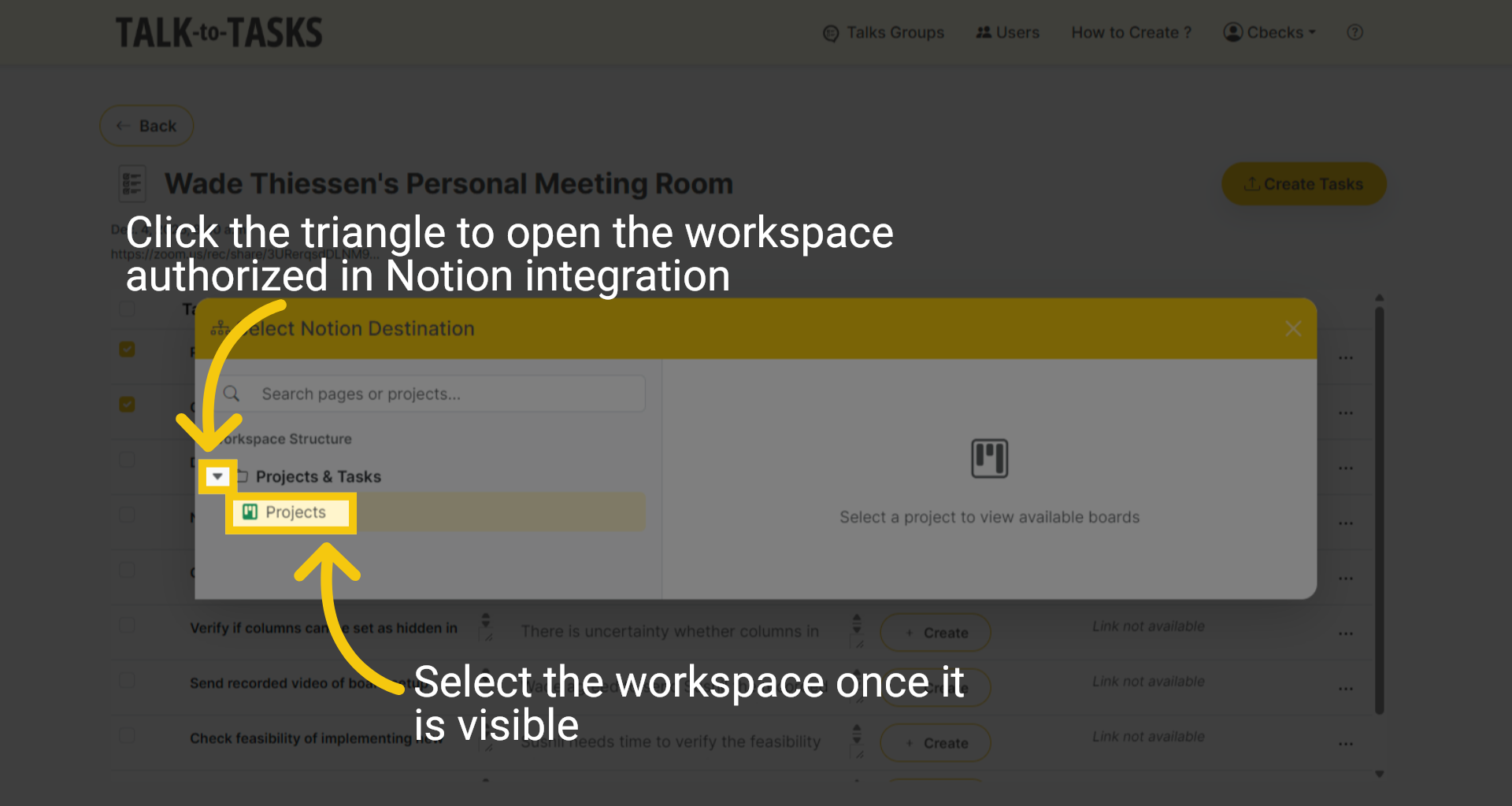
In this use case, we will use the Notion Integration. Click the triangle to open the workspace. Once visible, select the workspace.
3 Select Board
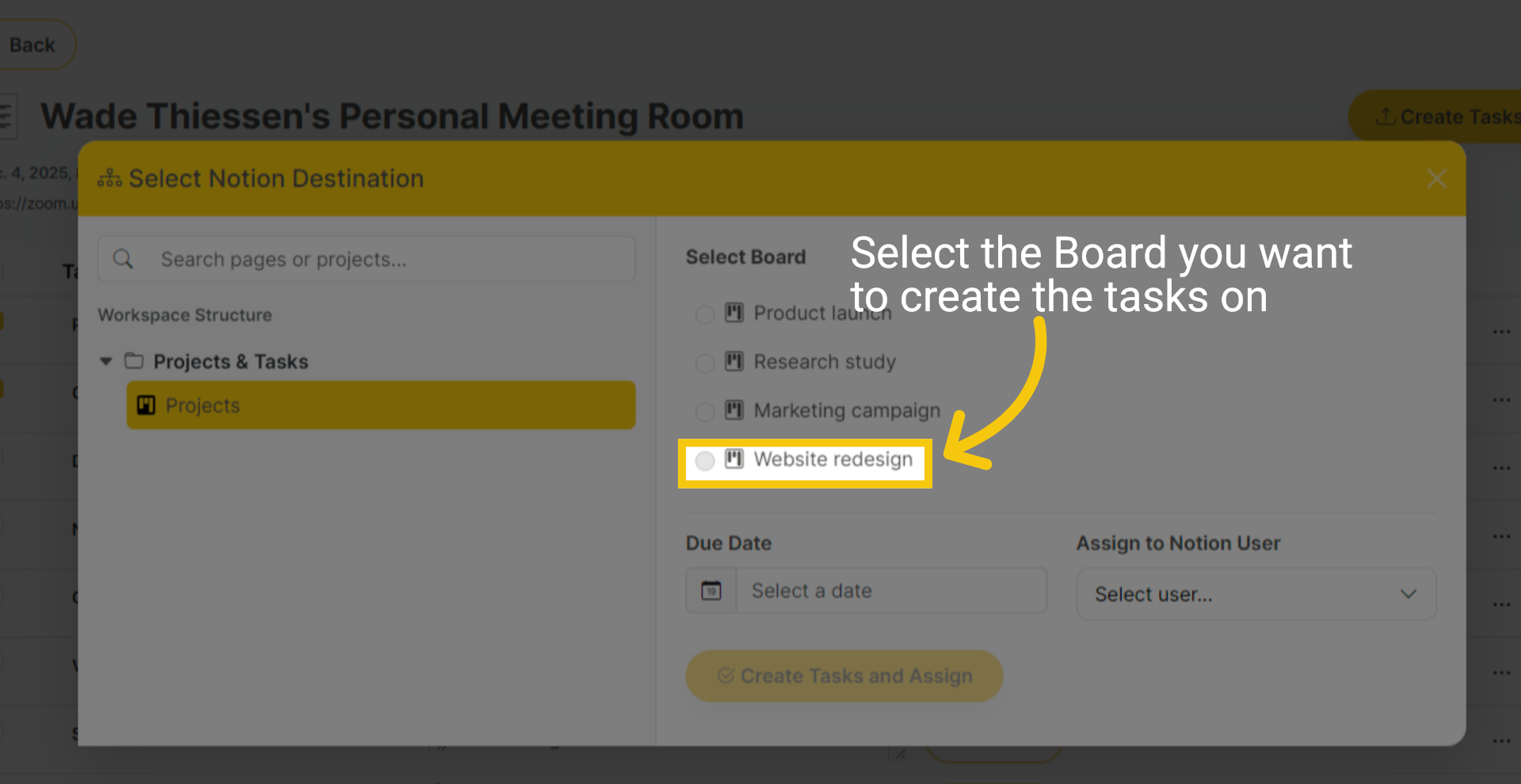
Click on the Project Board you've already created in Notion, where you want to add your tasks.
4 Finalize Task Creation
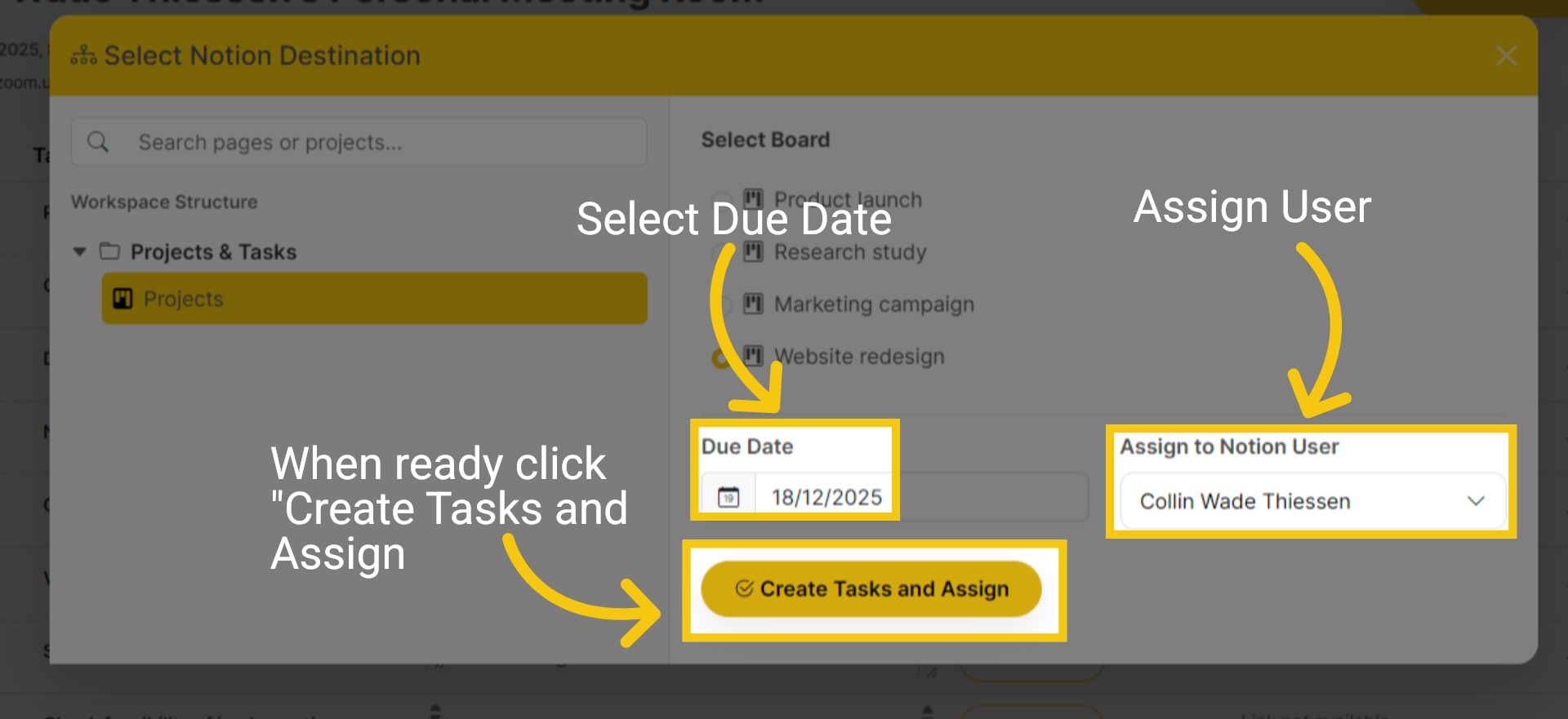
Choose the Due Date and Assign a User. Click on Create Tasks and Assign to finalize task creation and assignment.
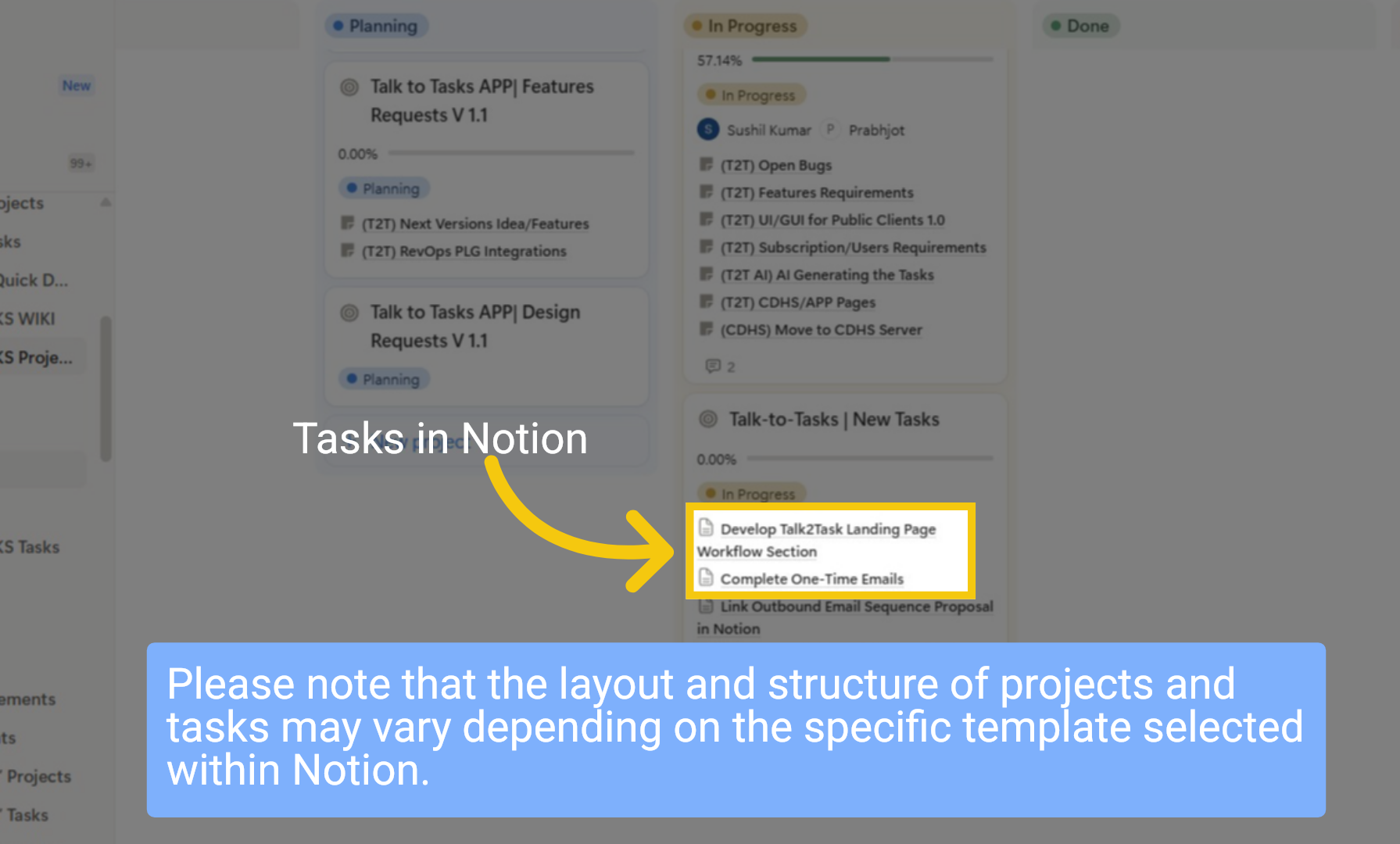
5 View in Notion
Now your task appears in Notion. Please note that the layout and structure of projects and tasks may vary depending on the specific template selected within Notion.
In this guide, you learned how to create and assign tasks for Notion from TALK-to-TASKS. Thanks for watching
