


























Registration
Welcome to the Talk-to-Tasks Registration Setup Guide. This guide walks you through the steps to enter your information, select your preferred payment plan, and complete the registration process.
1 Registration Form
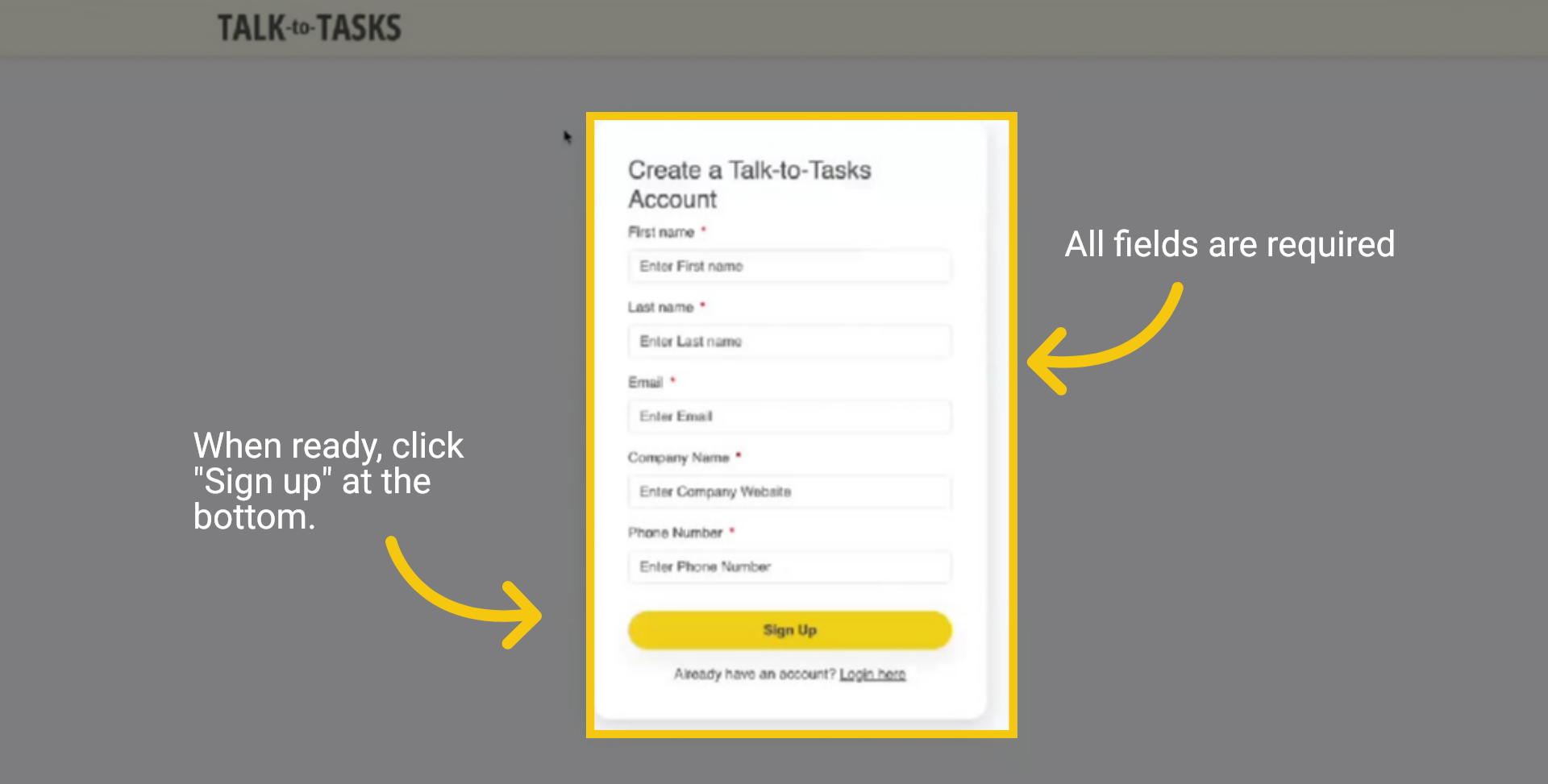
To complete the Talk-to-Tasks Registration Form, please ensure all fields are filled in. This step is crucial, as the fields contain important information for your registration. When you're ready, click "Sign up" at the bottom.
2 One-time Password Sent
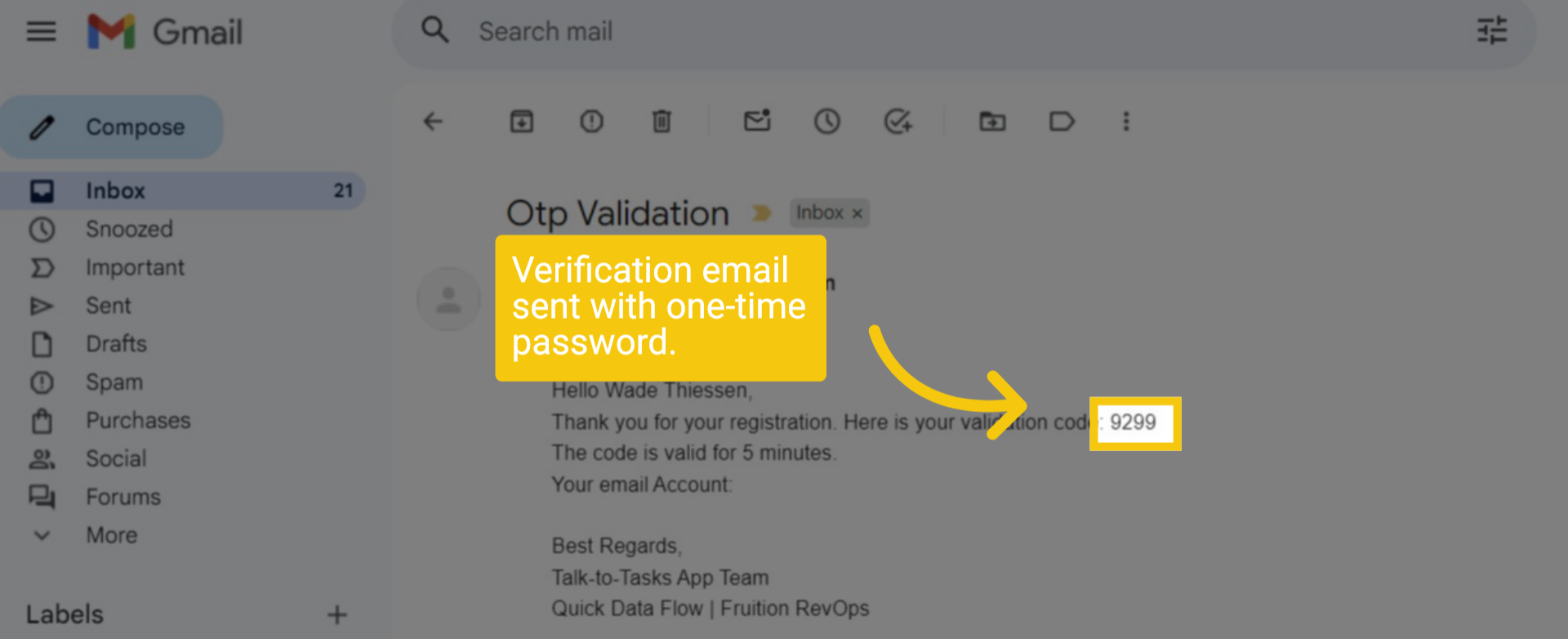
A verification email has been successfully sent to your registered email address, containing a secure one-time password. This password is required to complete your authentication and ensure your account remains protected.
3 Enter One-time Password
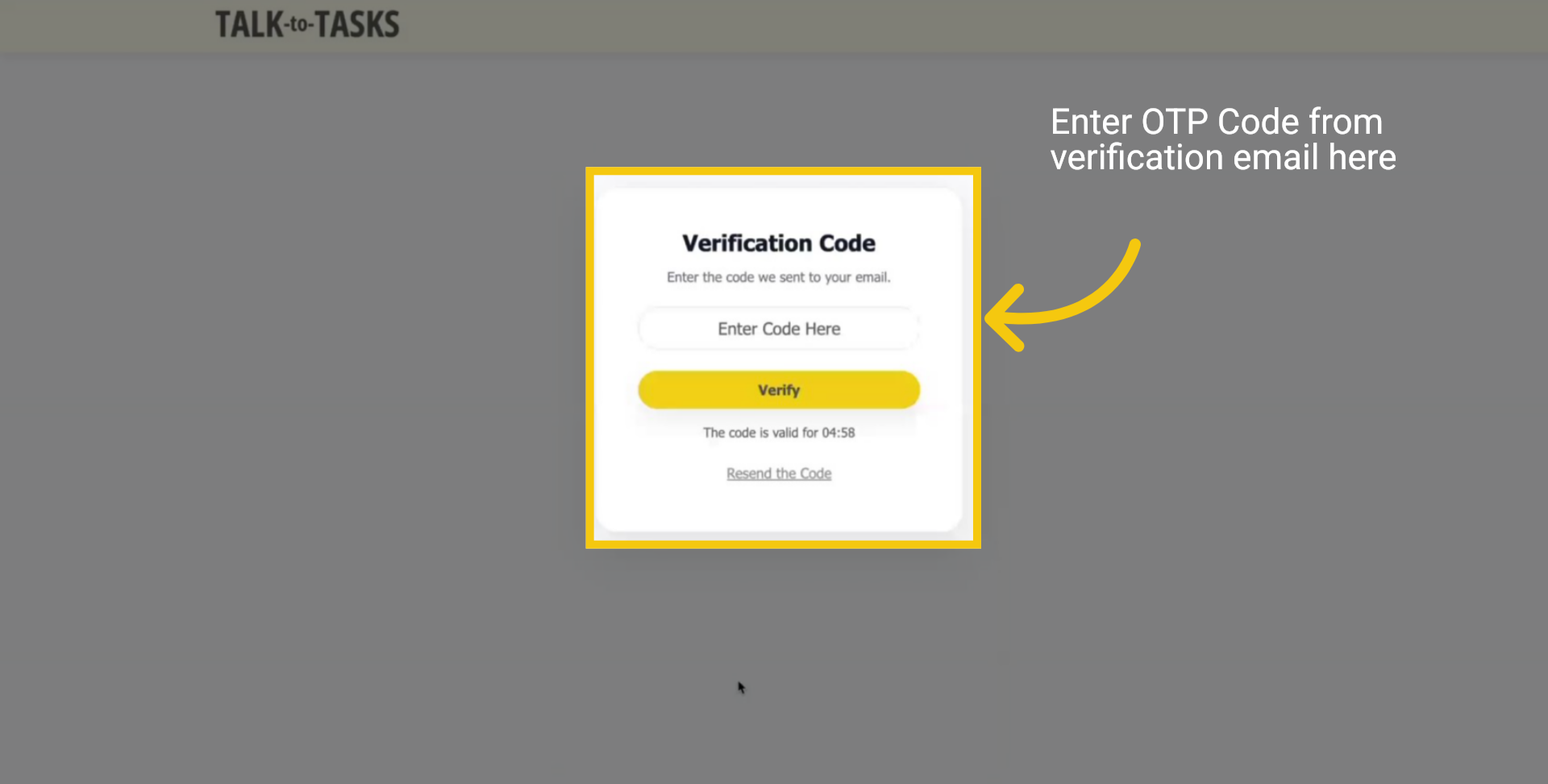
Return to the Talk-to-Tasks Verification Page and enter your one-time password (OTP) to continue to the next step of the setup process.
4 Account Details
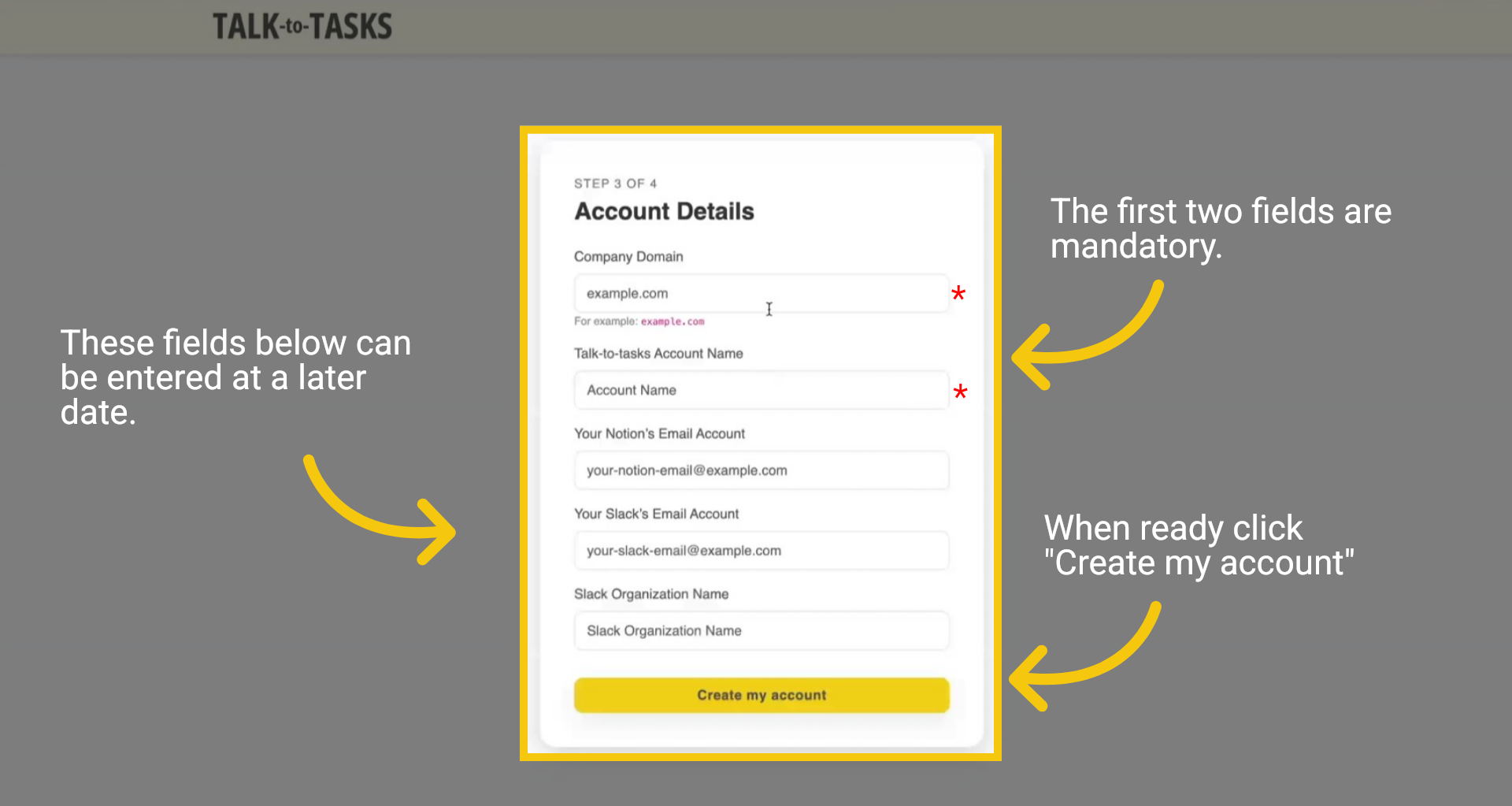
To proceed with the registration process, please fill in your account details in the fields provided. Note that the first two fields are mandatory. If you do not intend to use the Slack or Notion integrations at this time, you may skip those fields and complete them later at your convenience. Once you've finished, simply click the "Create my account" button to finalize your Account Details.
5 Complete your subscription
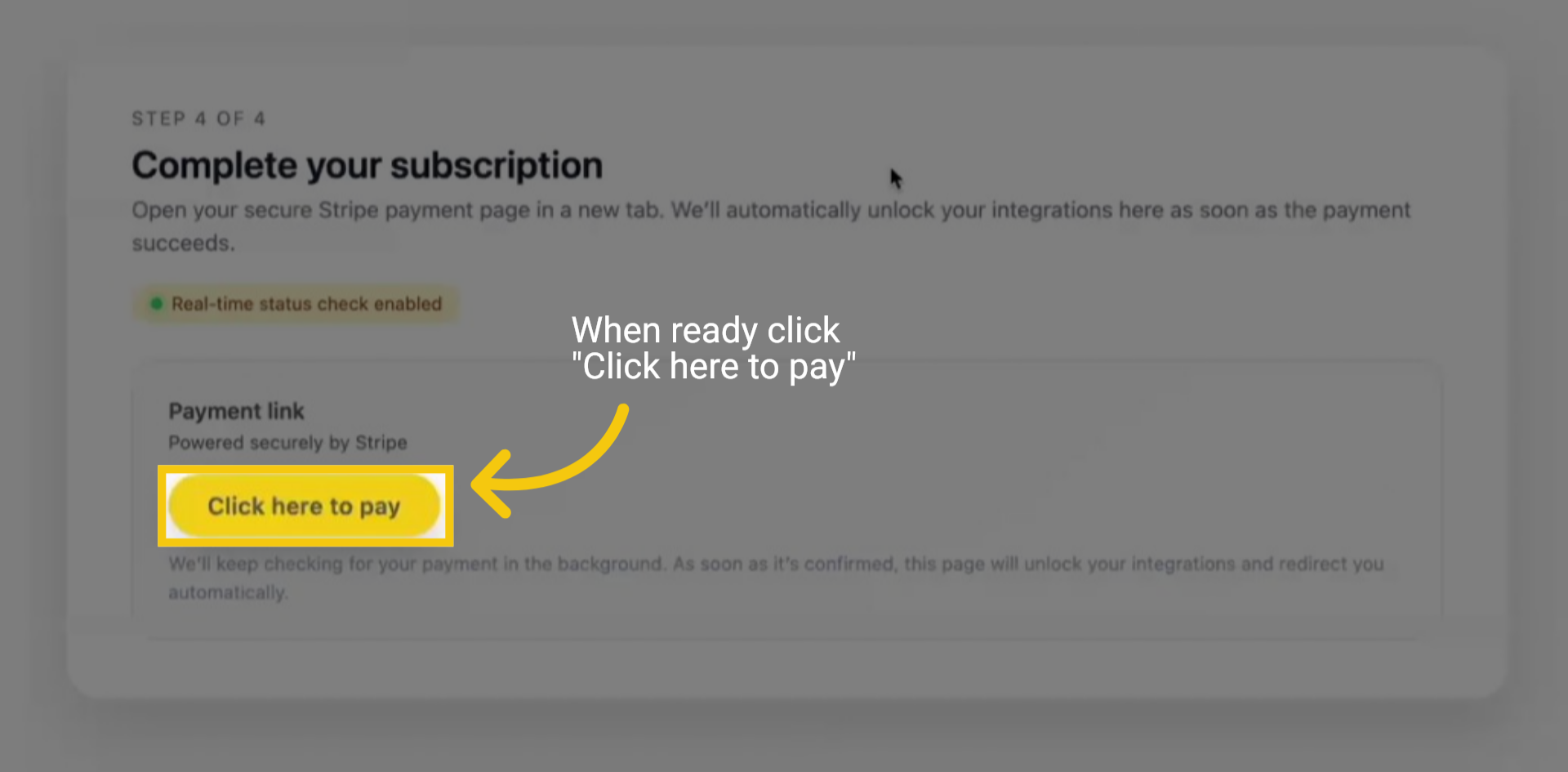
Your account has been successfully created. Click here to proceed to the payment page. This will guide you through entering your billing information to activate your free trial. Once you've provided your payment details, your account setup will be complete, granting you full access to Talk-to-Tasks.
6 Start 7 day free Trial
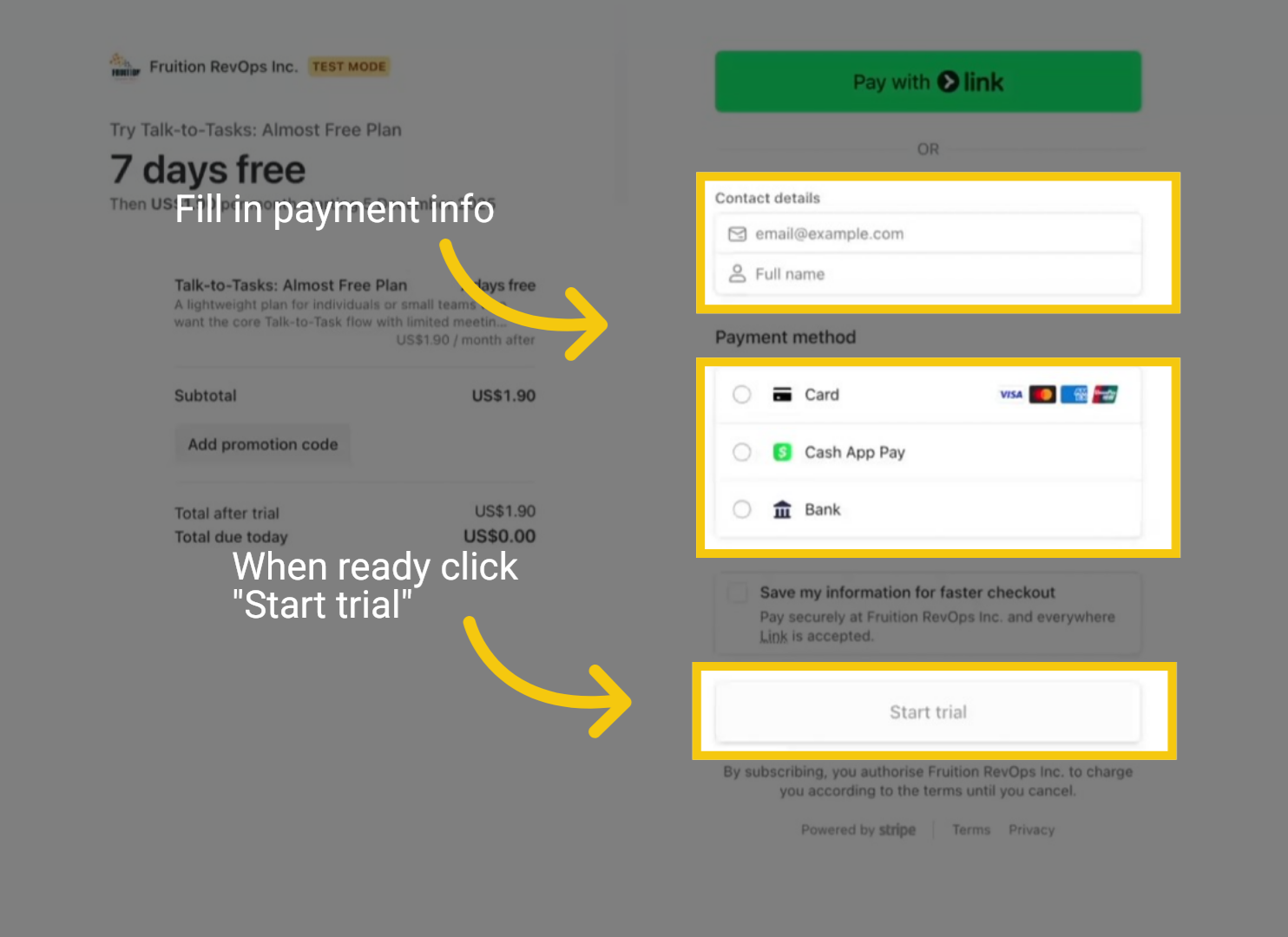
Enter your payment details and click "Start Trial" at the bottom of the page. This will start your seven-day free trial, giving you full access to explore and use the platform before thefirst payment is processed.
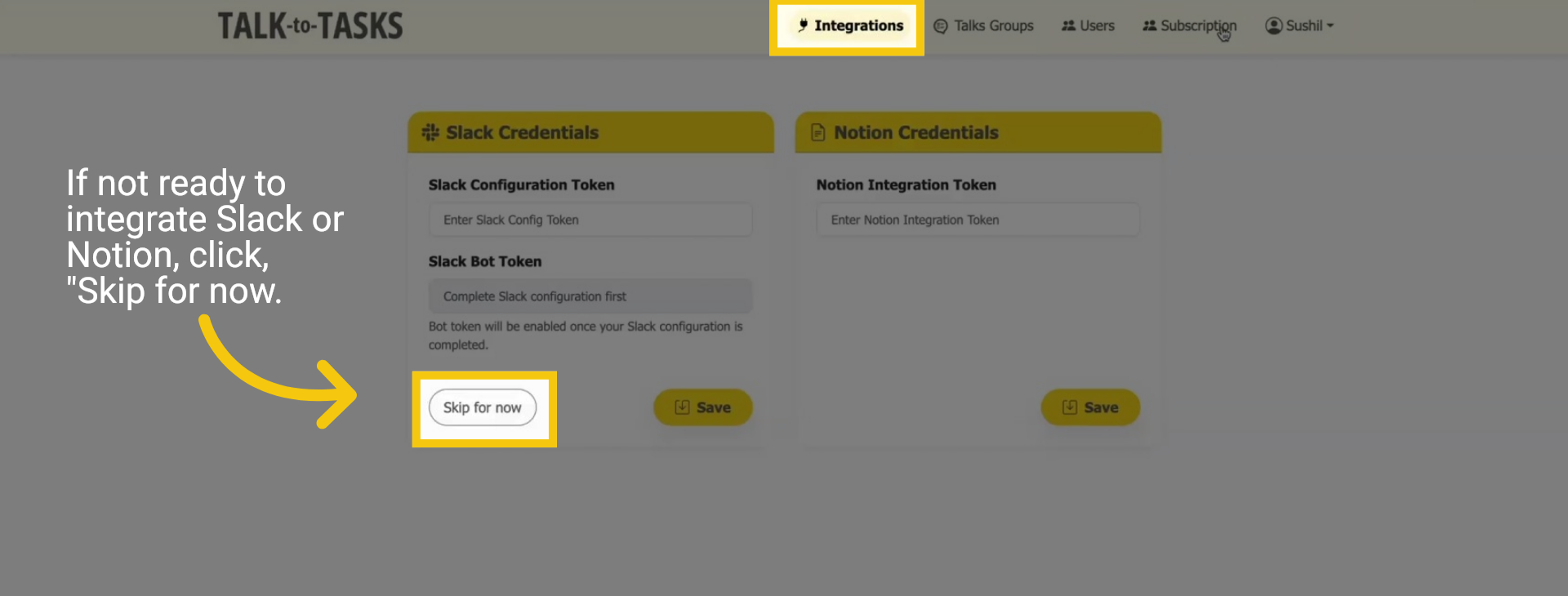
7 Integration Page
You will now be taken to the integration page. If you're not prepared to connect with Notion or Slack, click "Skip for Now" to proceed and revisit this step at your convenience later.
Thank you for taking the time to register with Talk-to-Tasks! We sincerely hope you enjoy exploring and making the most of all the features our platform has to offer. Should you require any assistance or have any questions, please do not hesitate to contact our dedicated support team at support@staging-fruition-revops.webdevsunita.com. We are here to help ensure you have a smooth and enjoyable experience while using our services.
