

























How to Create a Talk Group
Welcome to Talk-to-Tasks. In this guide, you will learn how to create a Talk Group to get ready to add Talks and start generating tasks directly from your meeting files. Let's get started.
1 Add Talk Group
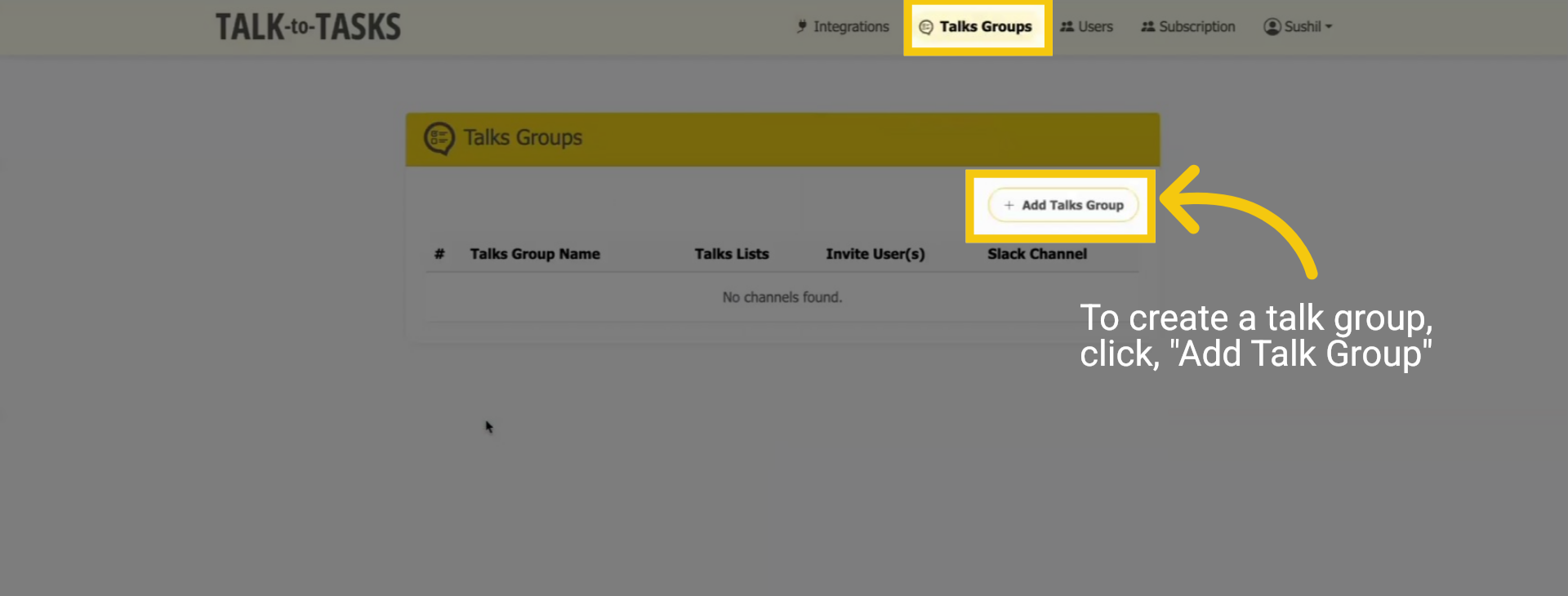
Click the "Talk Groups" menu item located at the top of the Talk Group page. Then, select "Add Talk Group."
2 Add Talk Group
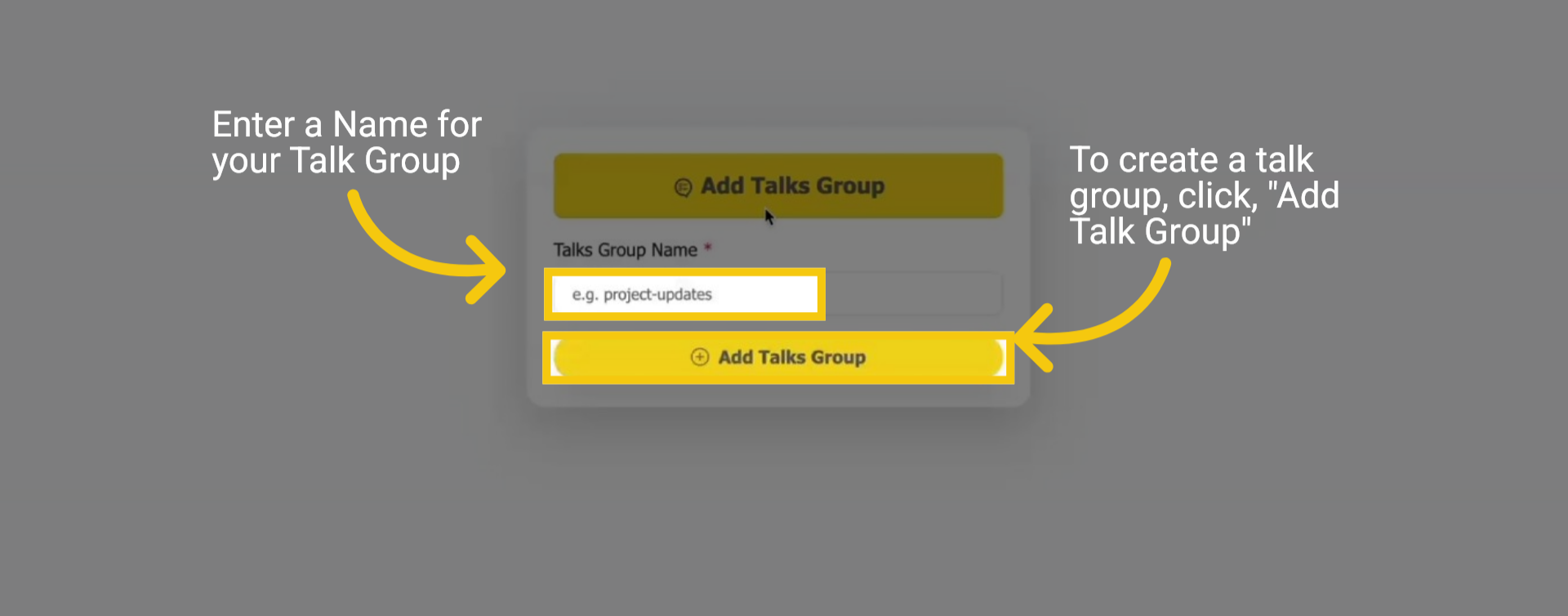
Enter a name for your new Talk Group. Click "Add Talk Group."
3 View Talks
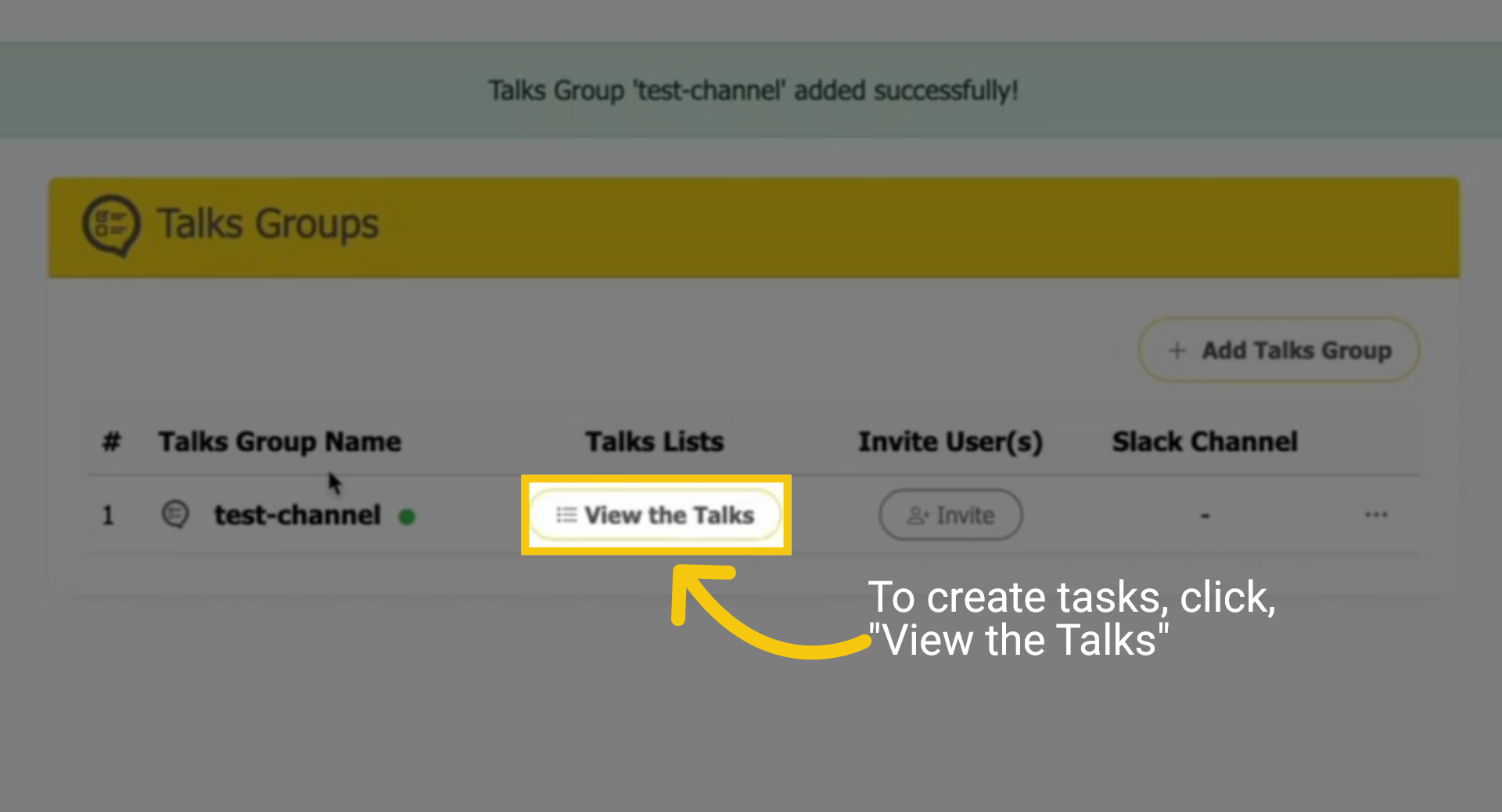
Your Talk Group has been successfully created. Click "View the Talks" to start adding your files or links, which will be used to generate tasks within the group.
4 Thank you
This guide outlines the process for creating and naming a Talk Group, a collaboration space. Thanks for watching.