Finance Payments
Go to app.hubspot.com
Learn how to efficiently manage payment milestones and forecast dates within Oracle NetSuite
1. Payments
Learn how to efficiently manage payment milestones and forecast dates within Oracle NetSuite
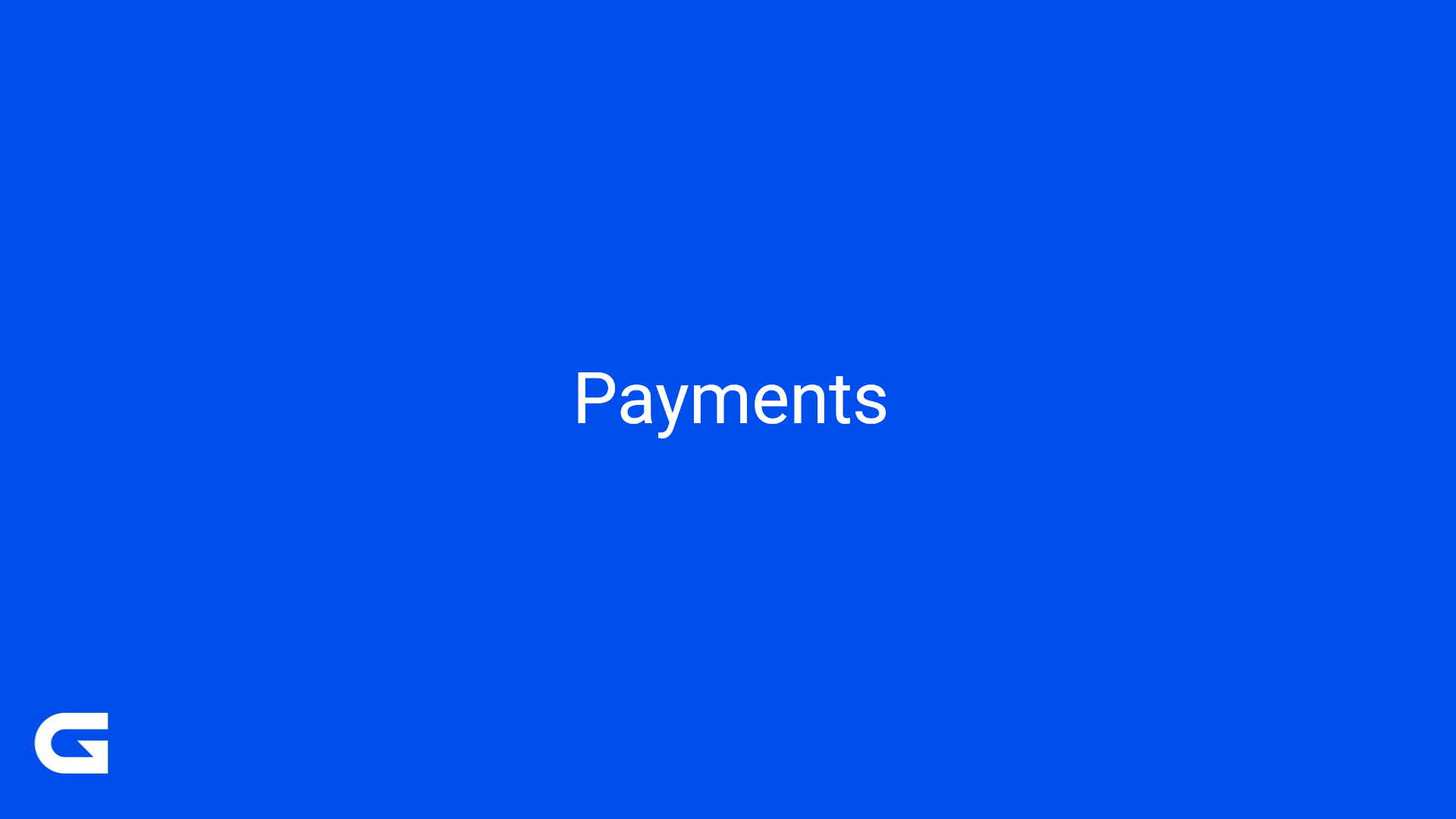
2. Select "In Drawing"
The Sales Order Manager will move the EQ Stage to: “In Drawing”. This action will trigger the creation of the Sales Order on NetSuite with the same number as the EQ.
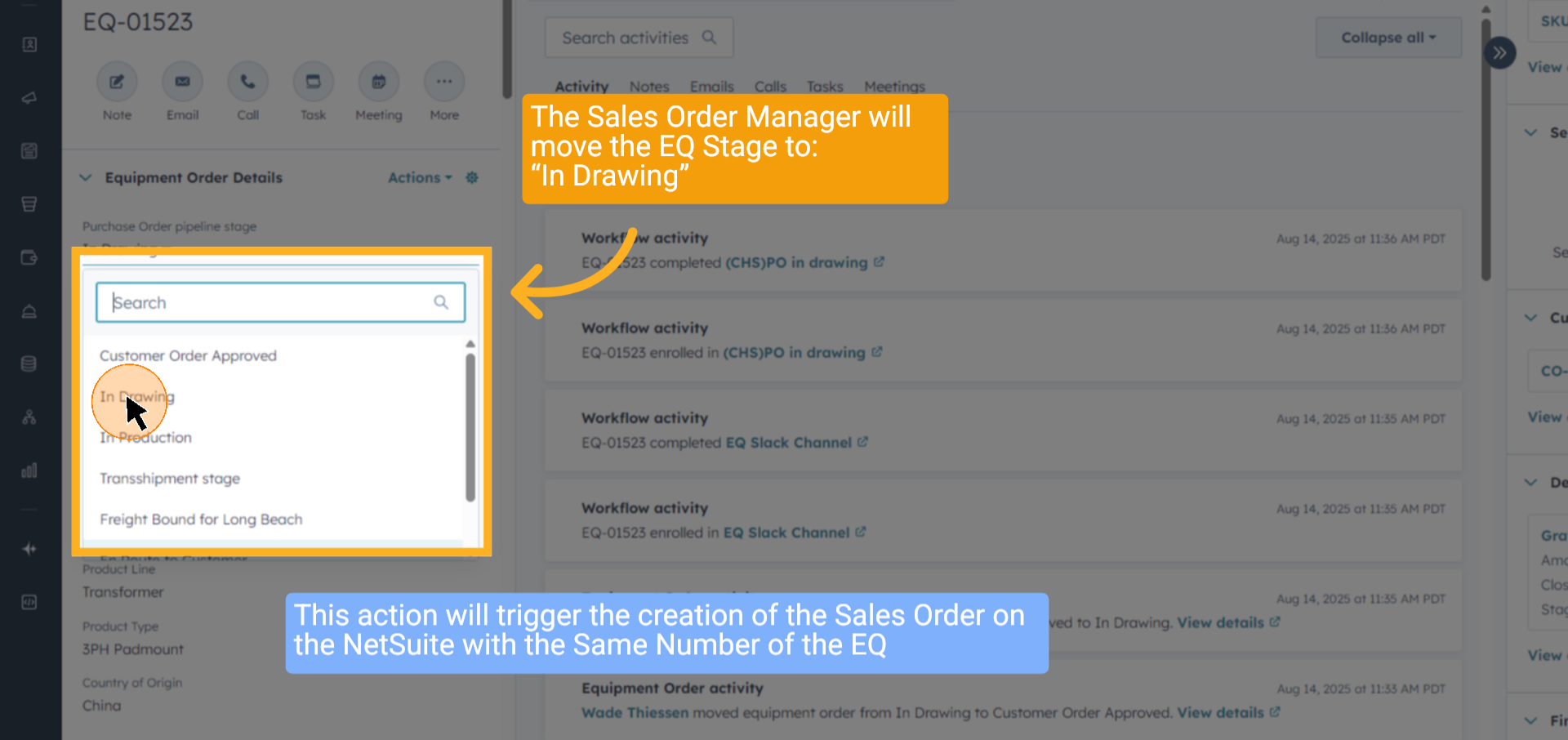
3. Click "Transactions"
Log in to NetSuite, then go to the “Transactions” menu to locate the Sales Order (SO).
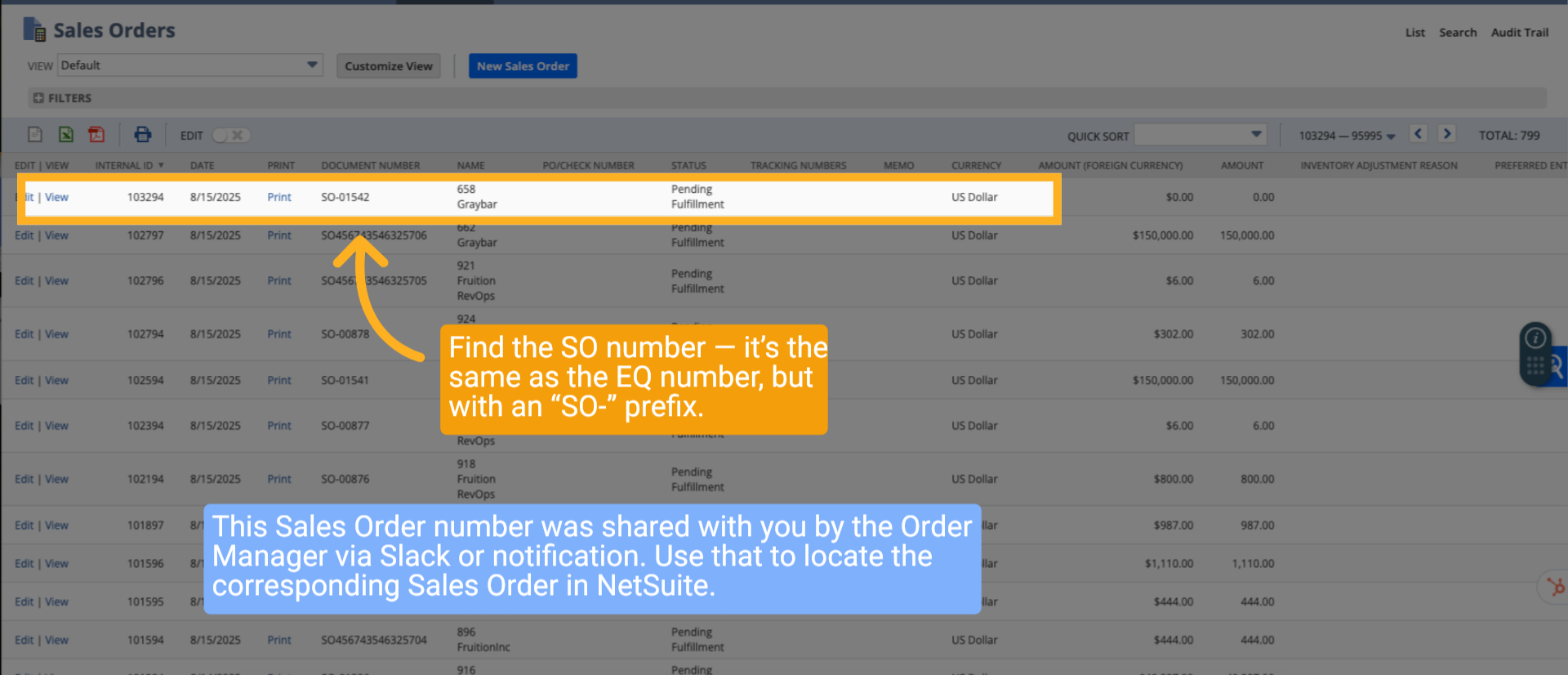
4. Search and find the number you want to edit
Find the SO number — it’s the same as the EQ number, but with an “SO-” prefix. This Sales Order number was shared with you by the Order Manager via Slack or notification. Use that to locate the corresponding Sales Order in NetSuite.
5. Click "Quantity"
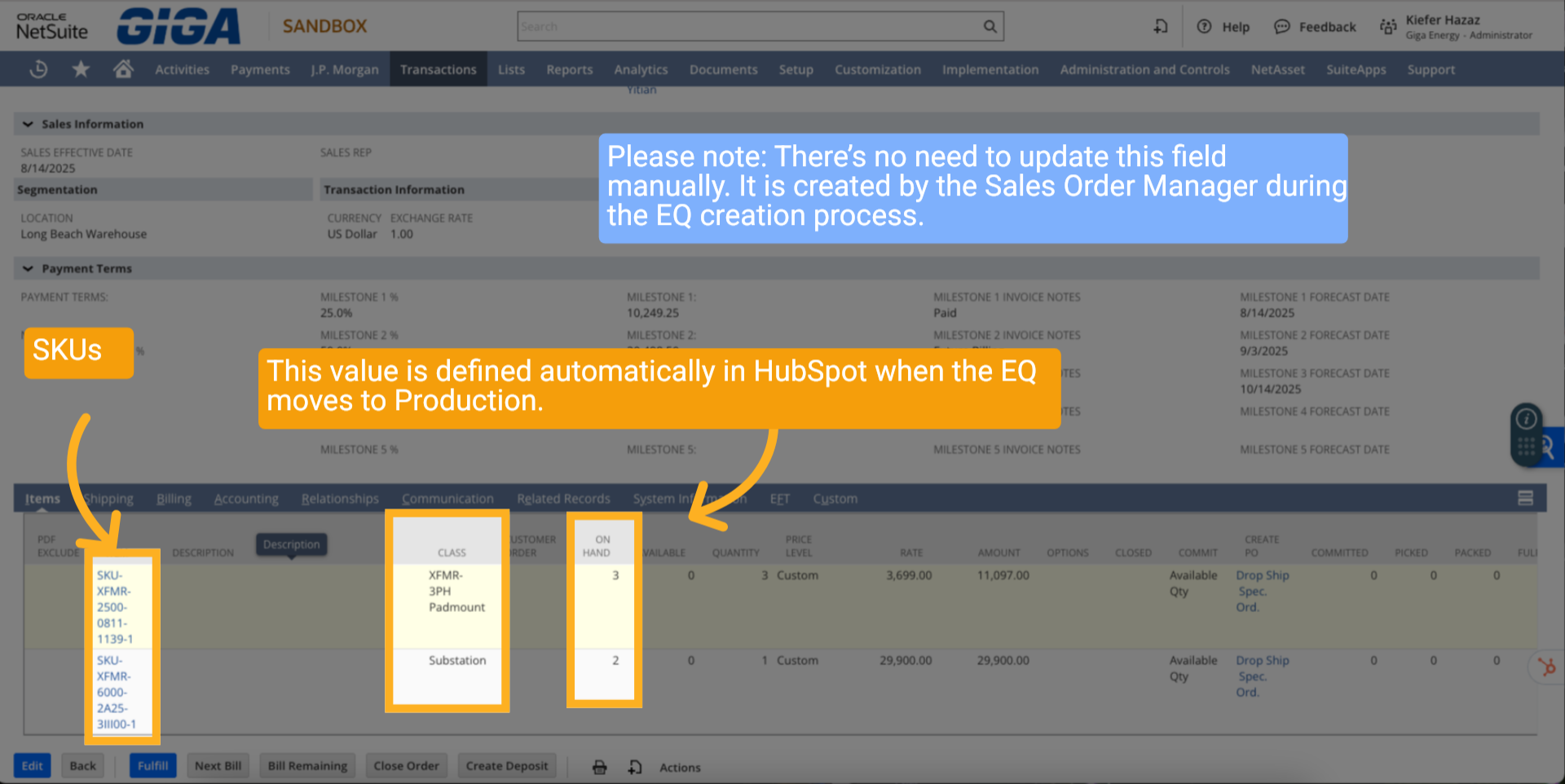
Please note: There’s no need to update this field manually. It is created by the Sales Order Manager during the EQ creation process. This value is defined automatically in HubSpot when the EQ moves to Production.
6. Multiple SKUs Quantity
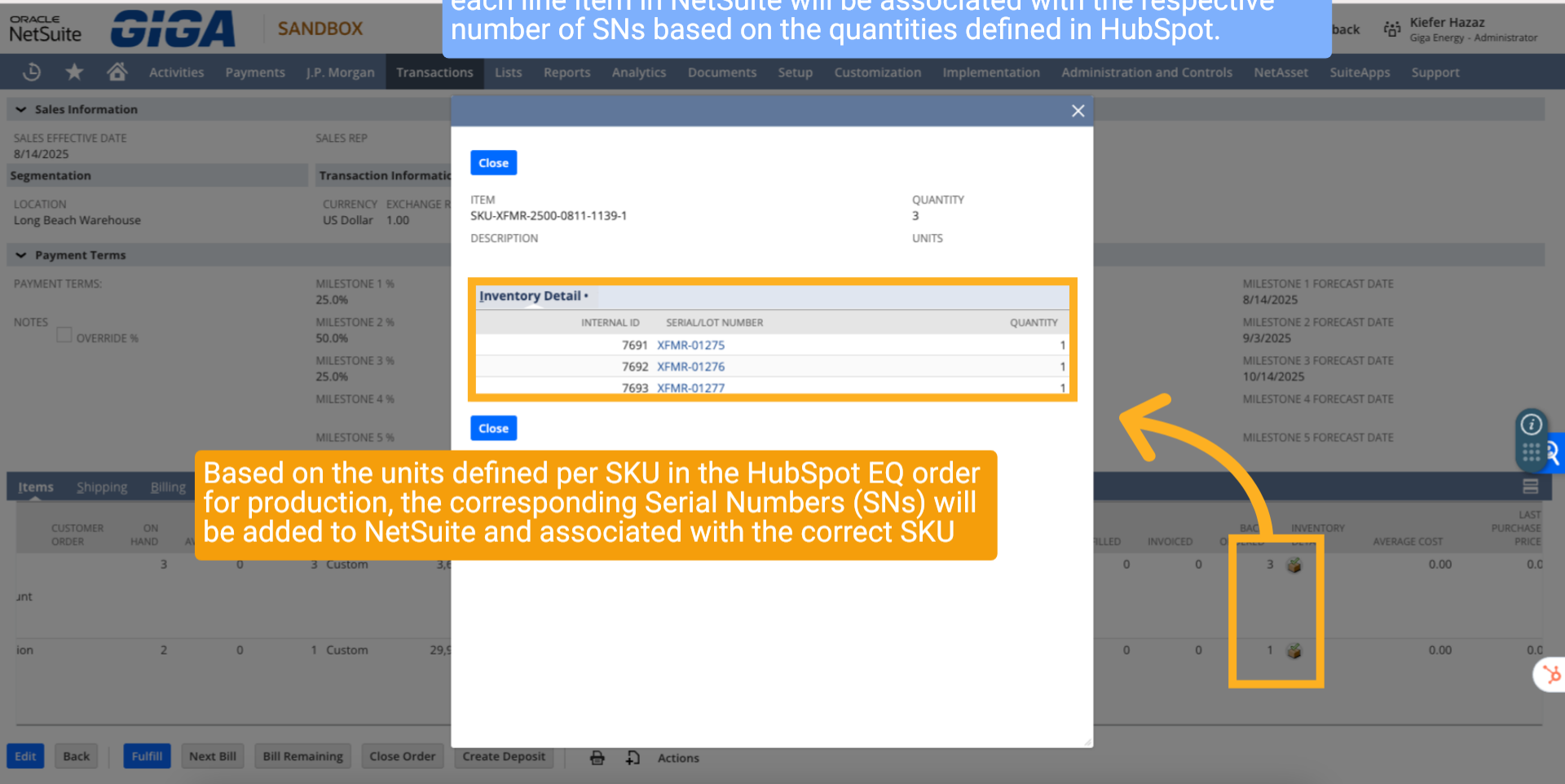
Please note: If there are multiple SKUs within the same EQ order, each line item in NetSuite will be associated with the respective number of SNs based on the quantities defined in HubSpot. Based on the units defined per SKU in the HubSpot EQ order for production, the corresponding Serial Numbers (SNs) will be added to NetSuite and associated with the correct SKU.
7. Set Milestones, Payment, and Dates
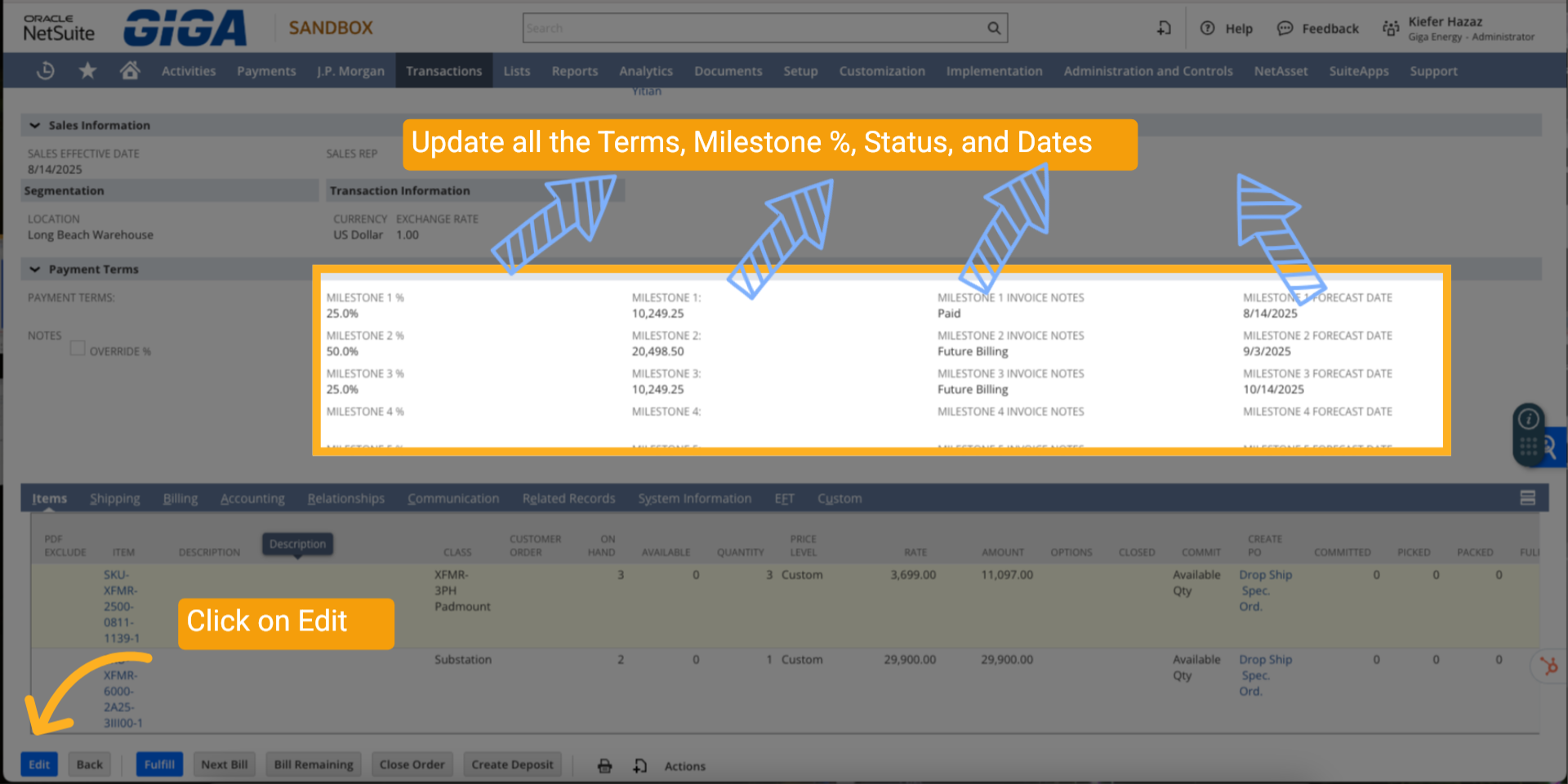
Update all the Terms, Milestone %, Status, and Dates.
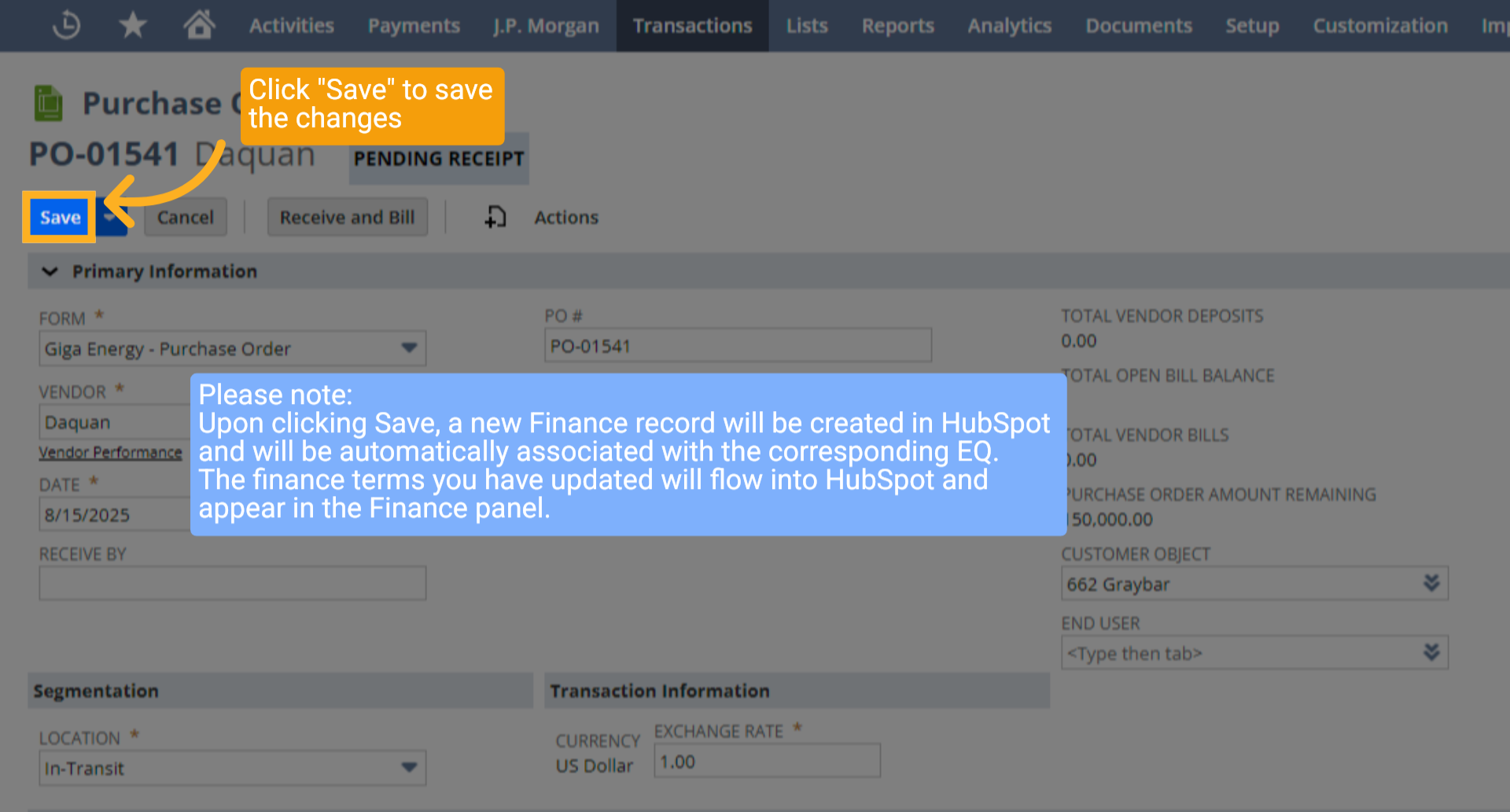
8. Save Changes
Click "Save" to save the changes. Please note: Upon clicking Save, a new Finance record will be created in HubSpot and will be automatically associated with the corresponding EQ. The finance terms you have updated will flow into HubSpot and appear in the Finance panel.
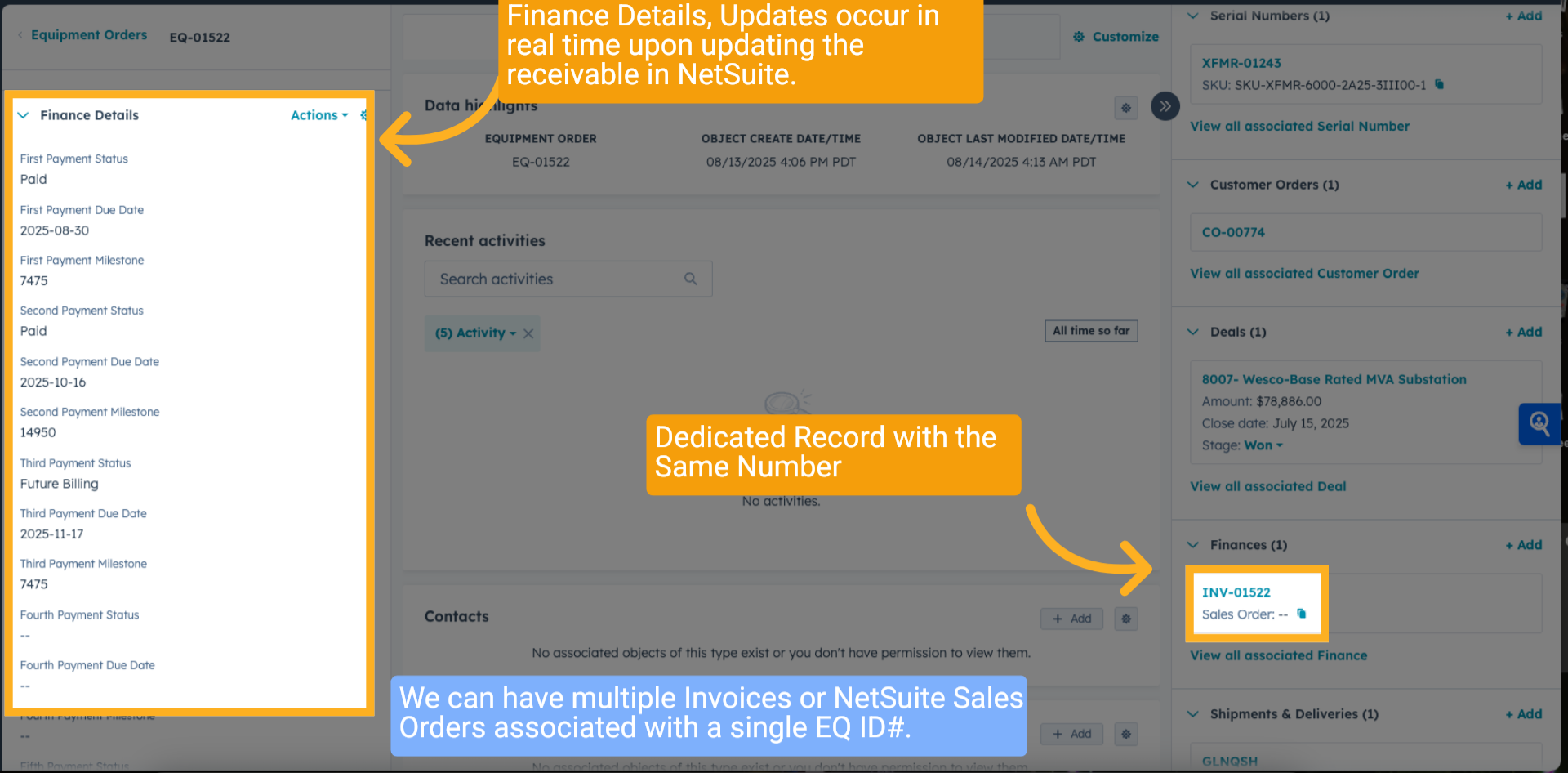
9. HubSpot Finance Details
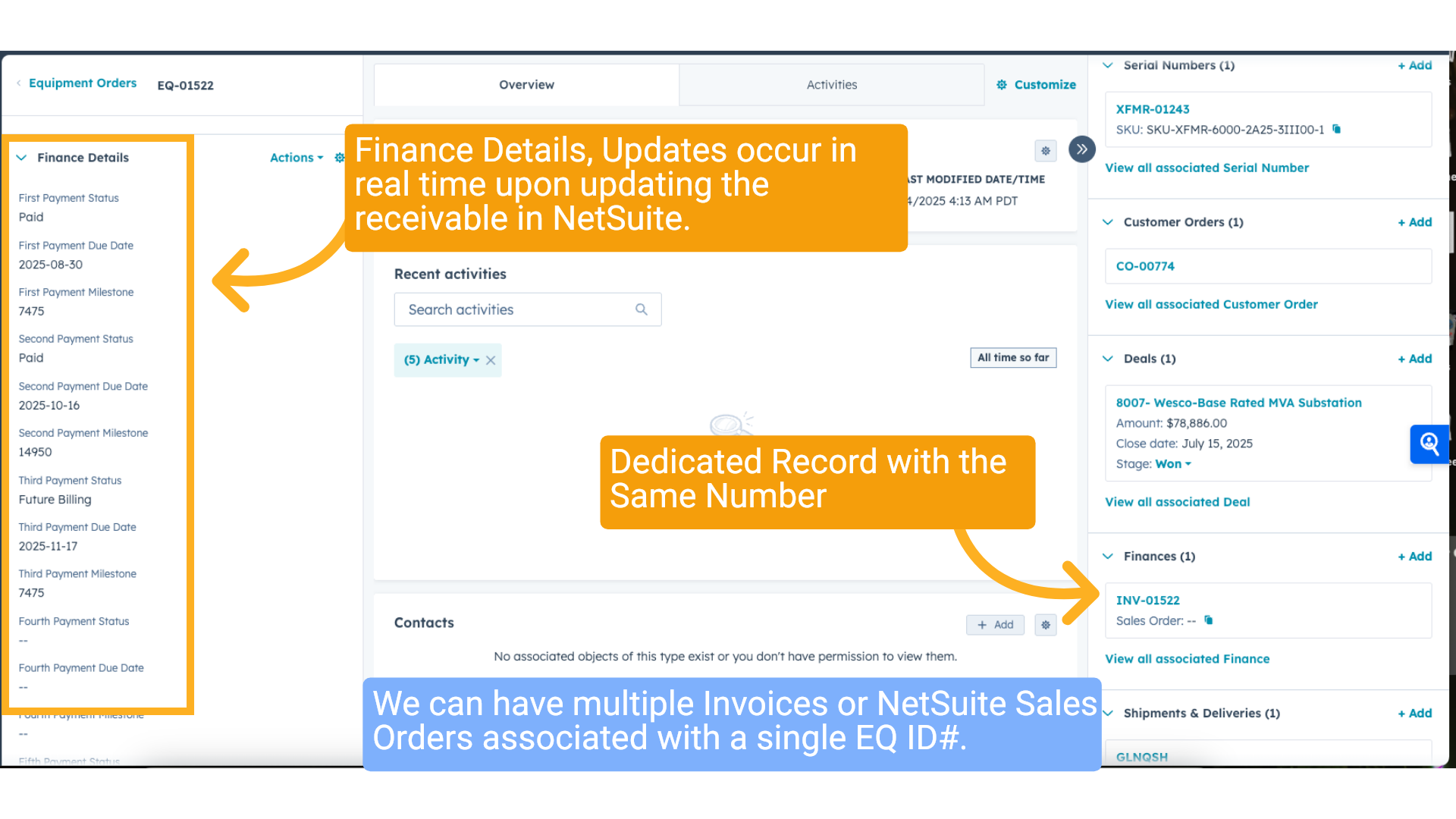
Finance Details, Updates occur in real time upon updating the receivable in NetSuite. Dedicated Record with the Same Number. We can have multiple Invoices or NetSuite Sales Orders associated with a single EQ ID#.
10. Click "Save"
Review the transaction summary to validate all edits before closing.
11. Wrap up
This guide walked you through editing a transaction's payment milestones and forecast dates in Oracle NetSuite. You learned how to allocate equal payment percentages, set future billing schedules, and save your changes to maintain accurate payment tracking.
12. Ending
Thank You for Watching!