XFMR Production Started
1 XFMR Production
This guide explains how to move boards to production so that project managers and production coordinators can start working on them. It focuses on updating the status of an order in HubSpot and managing the production stages in Monday.com for XFMR Production.
2 Move EQ to Production
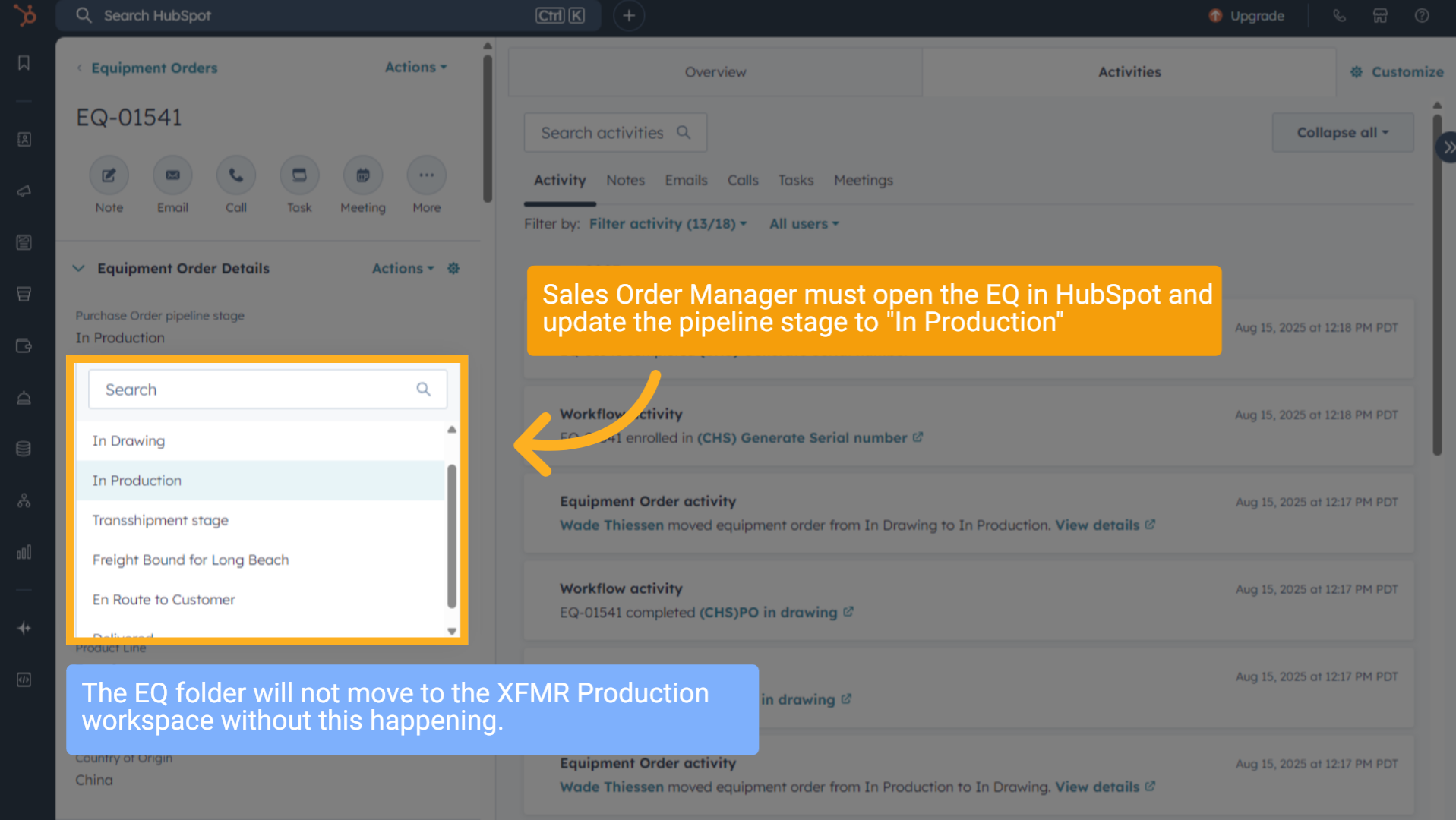
Sales Order Manager must open the EQ in HubSpot and update the pipeline stage to "In Production"
The EQ folder will not move to the XFMR Production workspace without this happening.
The EQ folder will not move to the XFMR Production workspace without this happening.
3 XFMR Production Board Moved
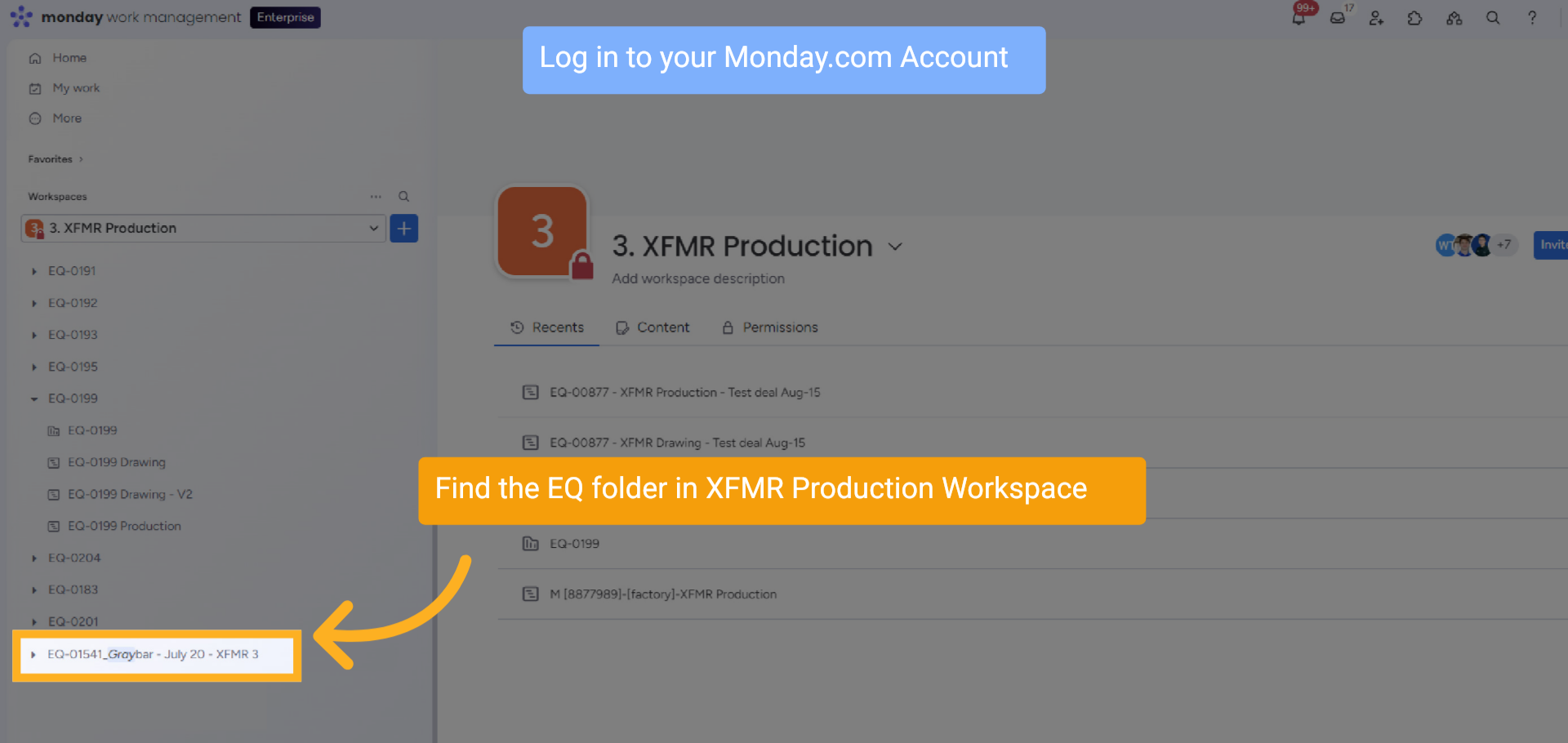
Log in to your Monday.com Account
Find the EQ folder in XFMR Production Workspace
Find the EQ folder in XFMR Production Workspace
4 XFMR Production Board Moved
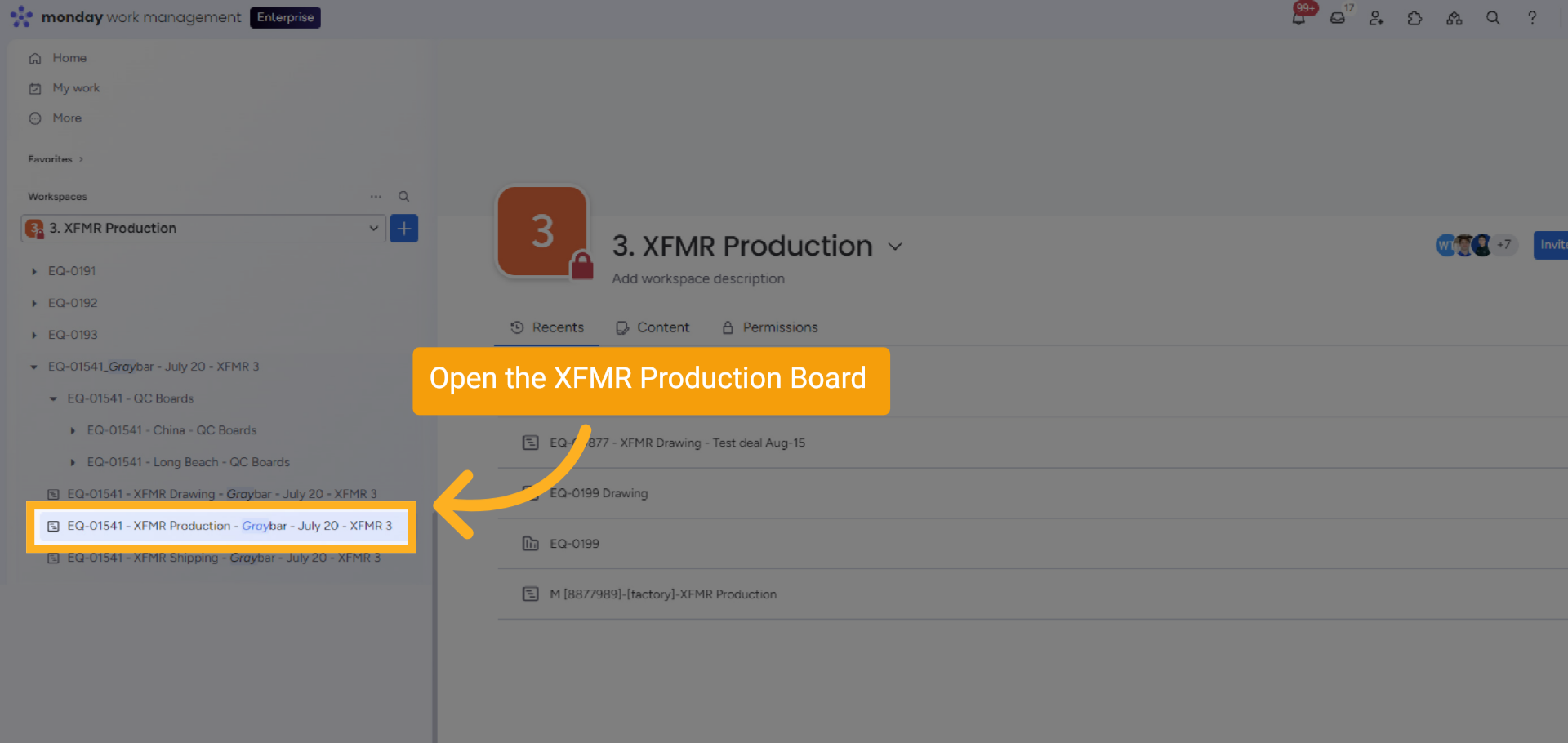
The Production Board is moved to the XFMR Production workspace. The folder will be at the bottom of the list
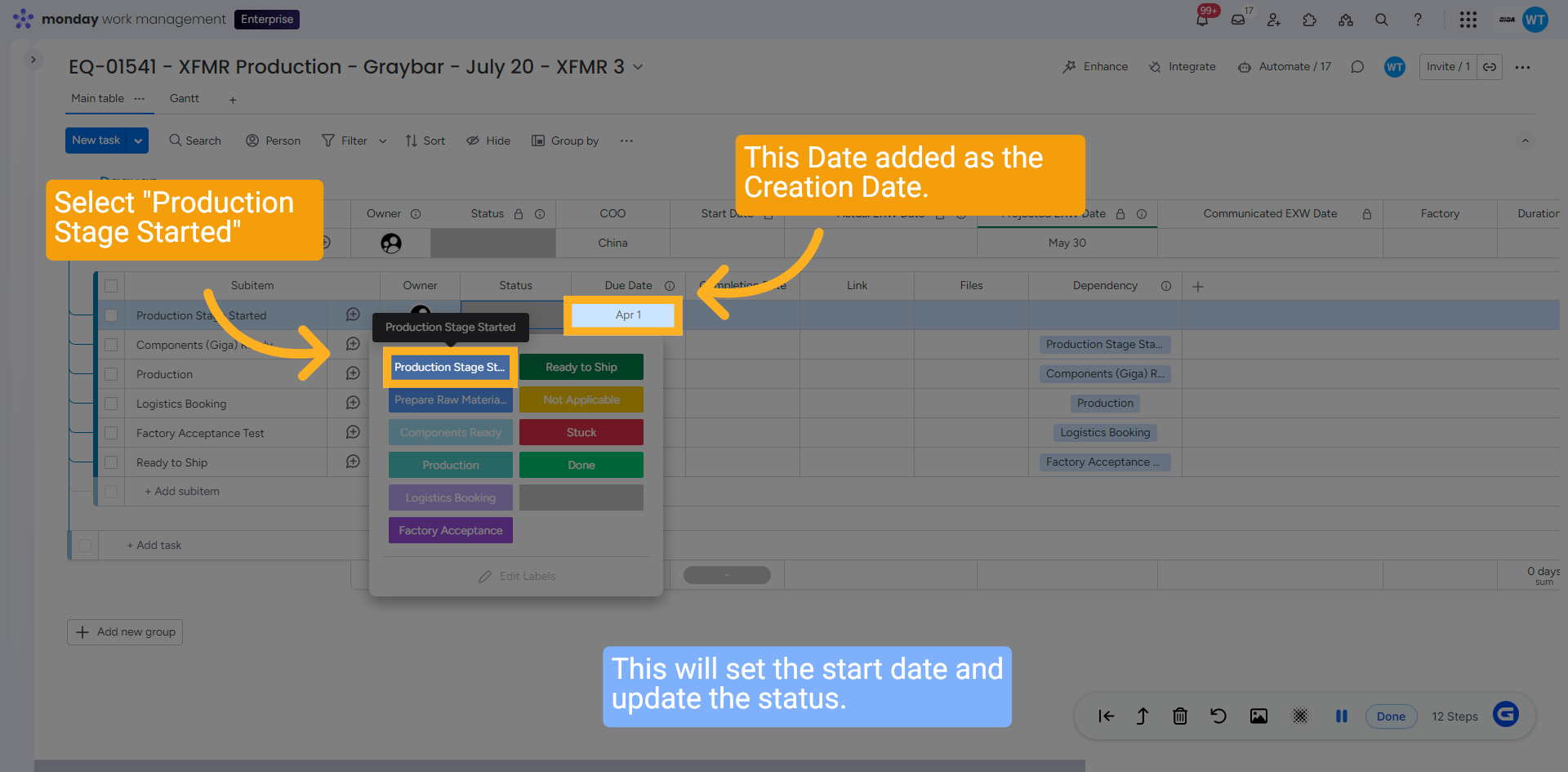
5 Select "Production Stage Started"
Change the Status of the first subitem and select "Production Stage Started". This will set the start date and update the status.
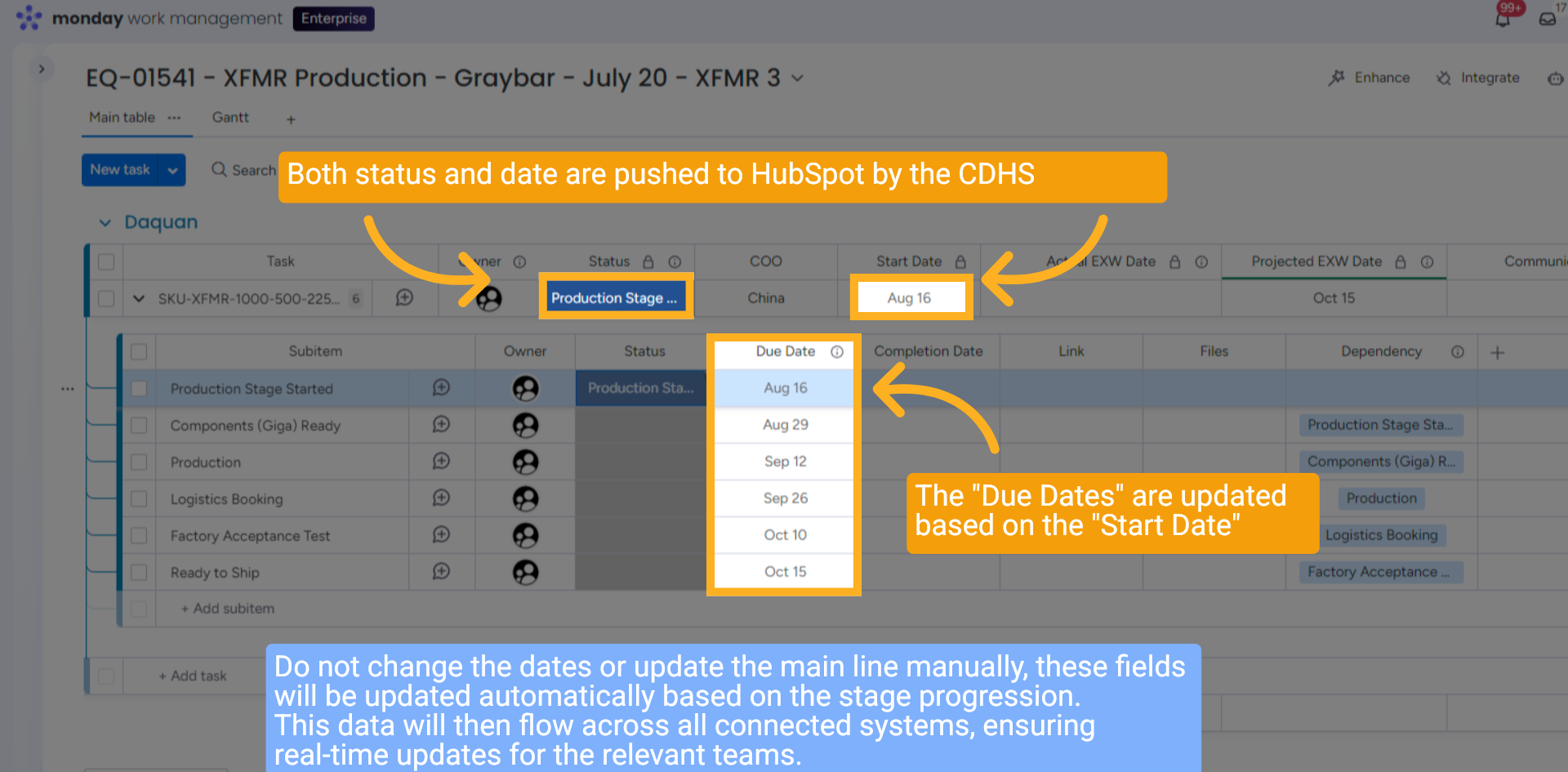
6 Status and Date Updated
Both status and date are pushed to HubSpot by the CDHS, the "Due Dates" are updated based on the "Start Date" and replace the creation date. Do not change the dates or update the main line manually; these fields will be updated automatically based on the stage progression. This data will then flow across all connected systems, ensuring real-time updates for the relevant teams.
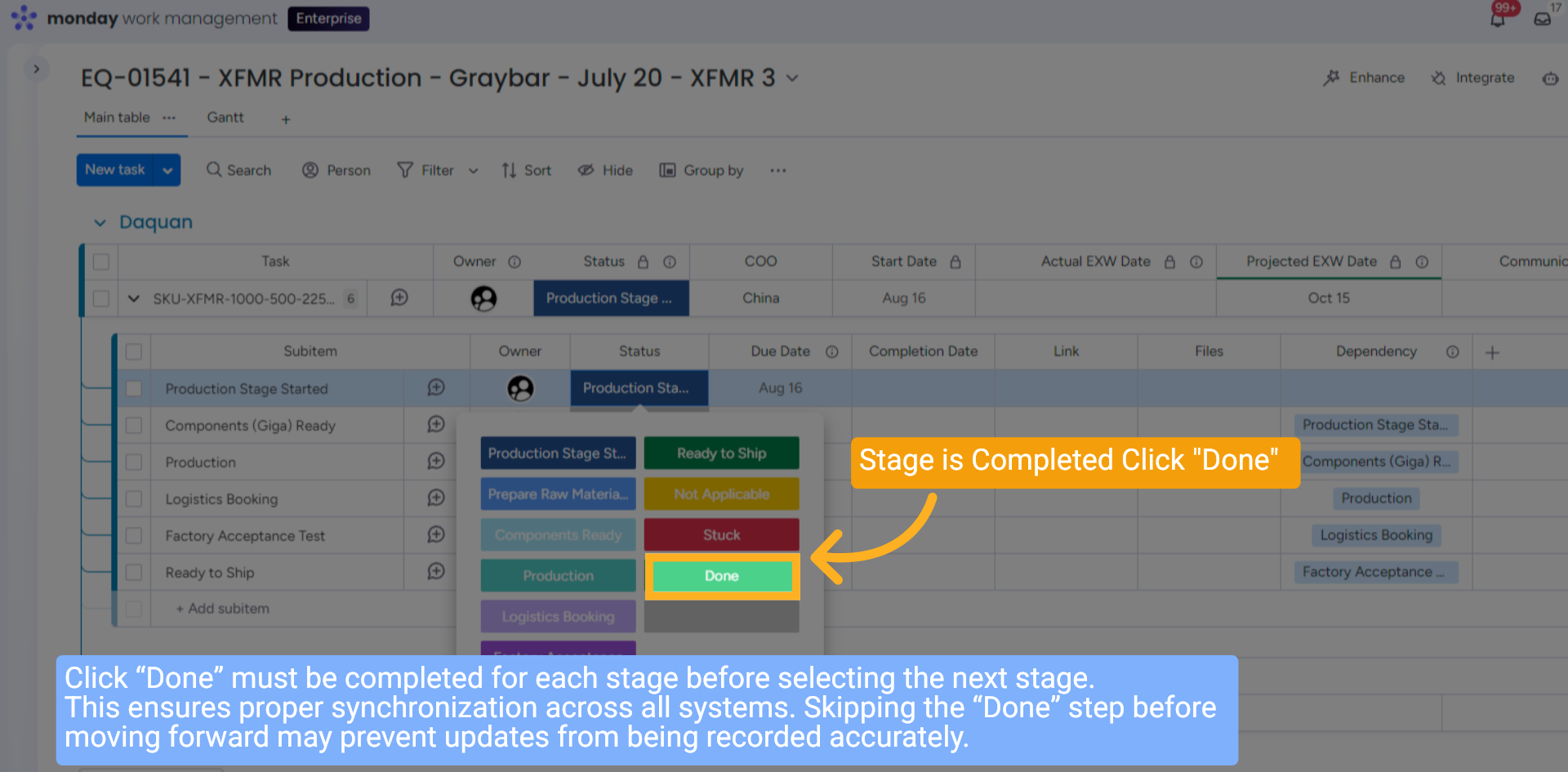
7 When Stage is Completed
Stage is Completed. Click "Done". Click “Done” must be completed for each stage before selecting the next stage. This ensures proper synchronization across all systems. Skipping the “Done” step before moving forward may prevent updates from being recorded accurately.
8 Updated Individually
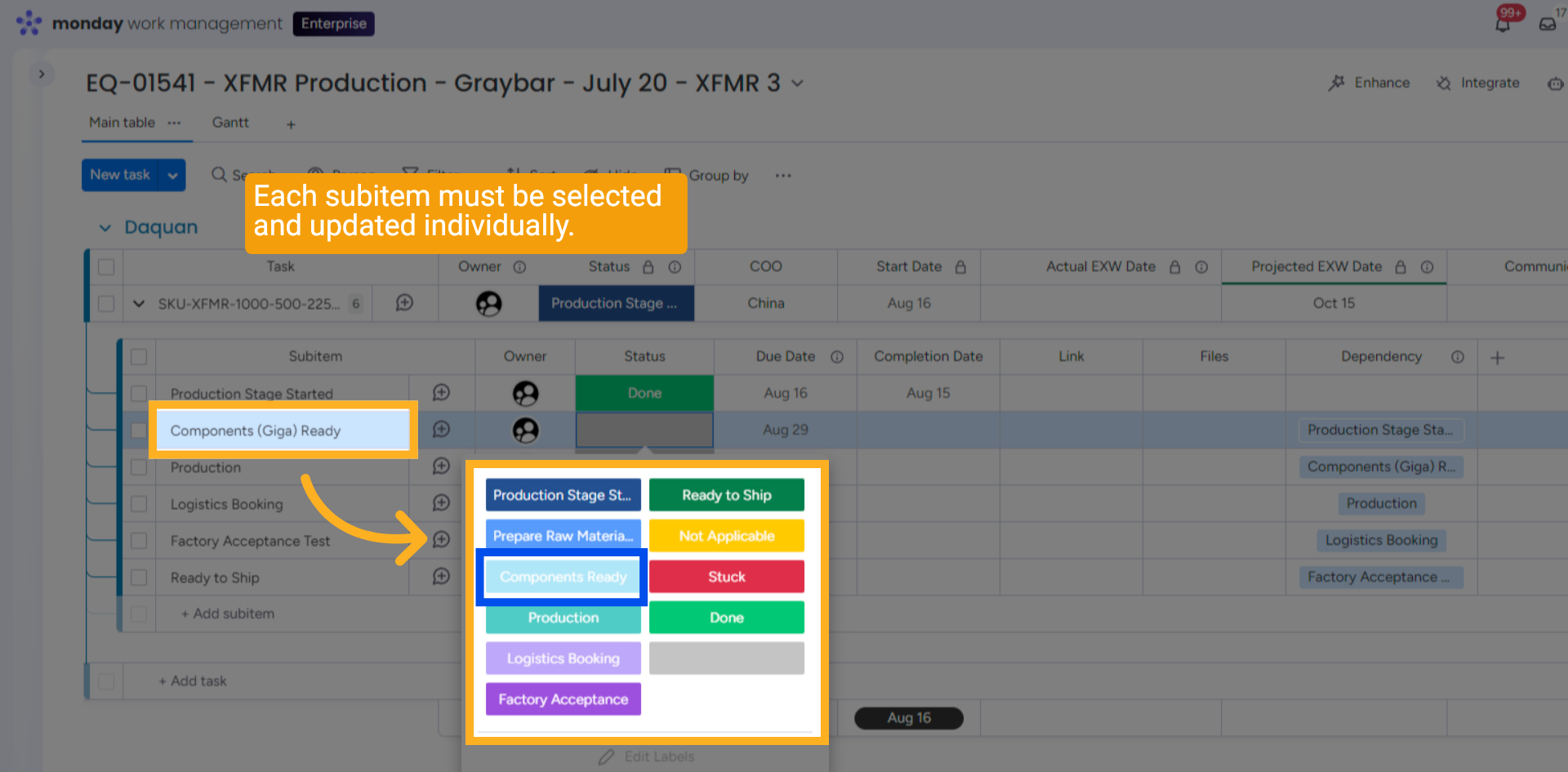
Each subitem must be selected and updated individually before clicking "Done" for each one.
9 Start Booking Logistics
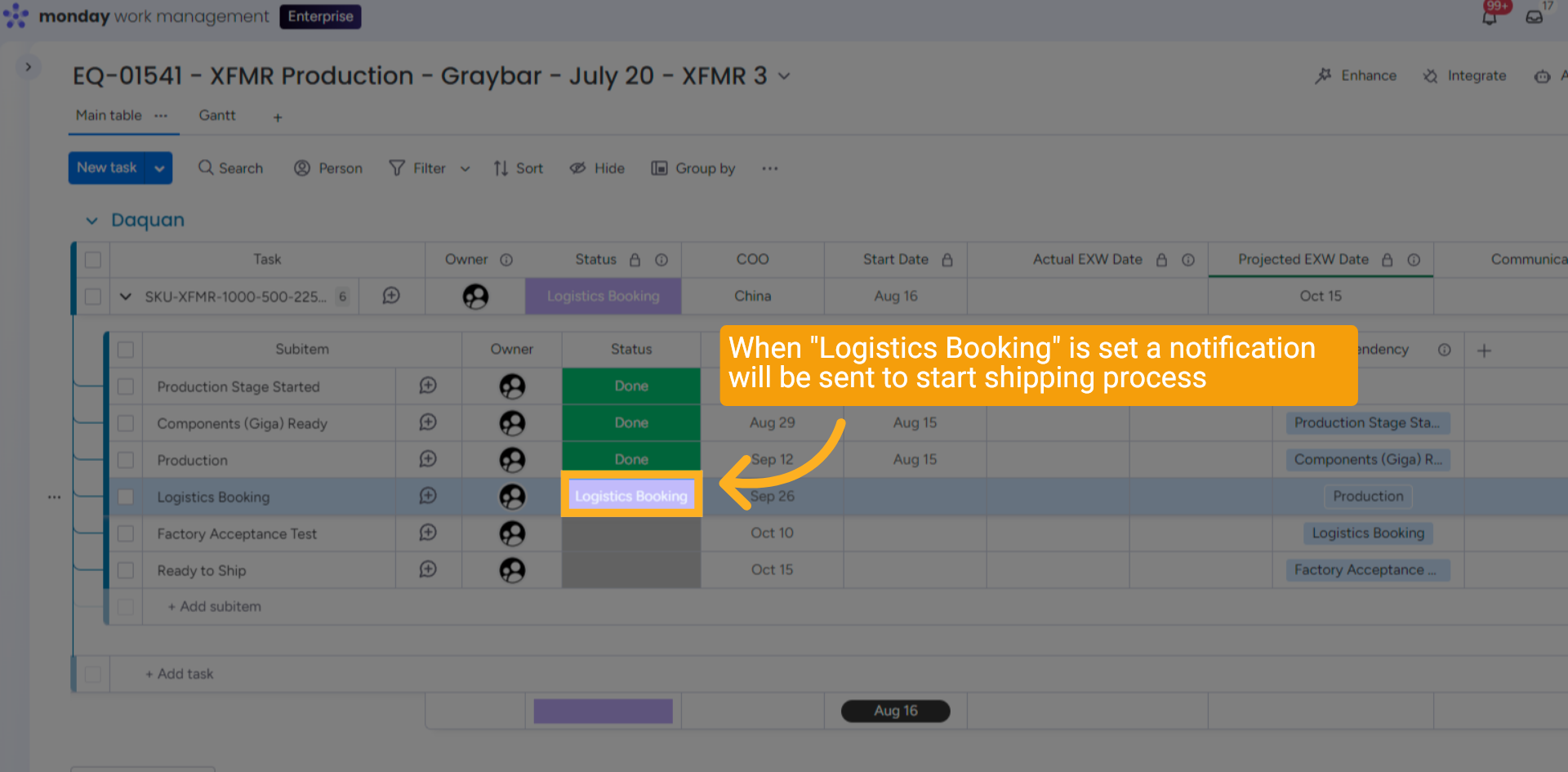
When "Logistics Booking" is set, a notification will be sent to the Logistics Team to start the shipping process.
10 Set the Factory Acceptance link
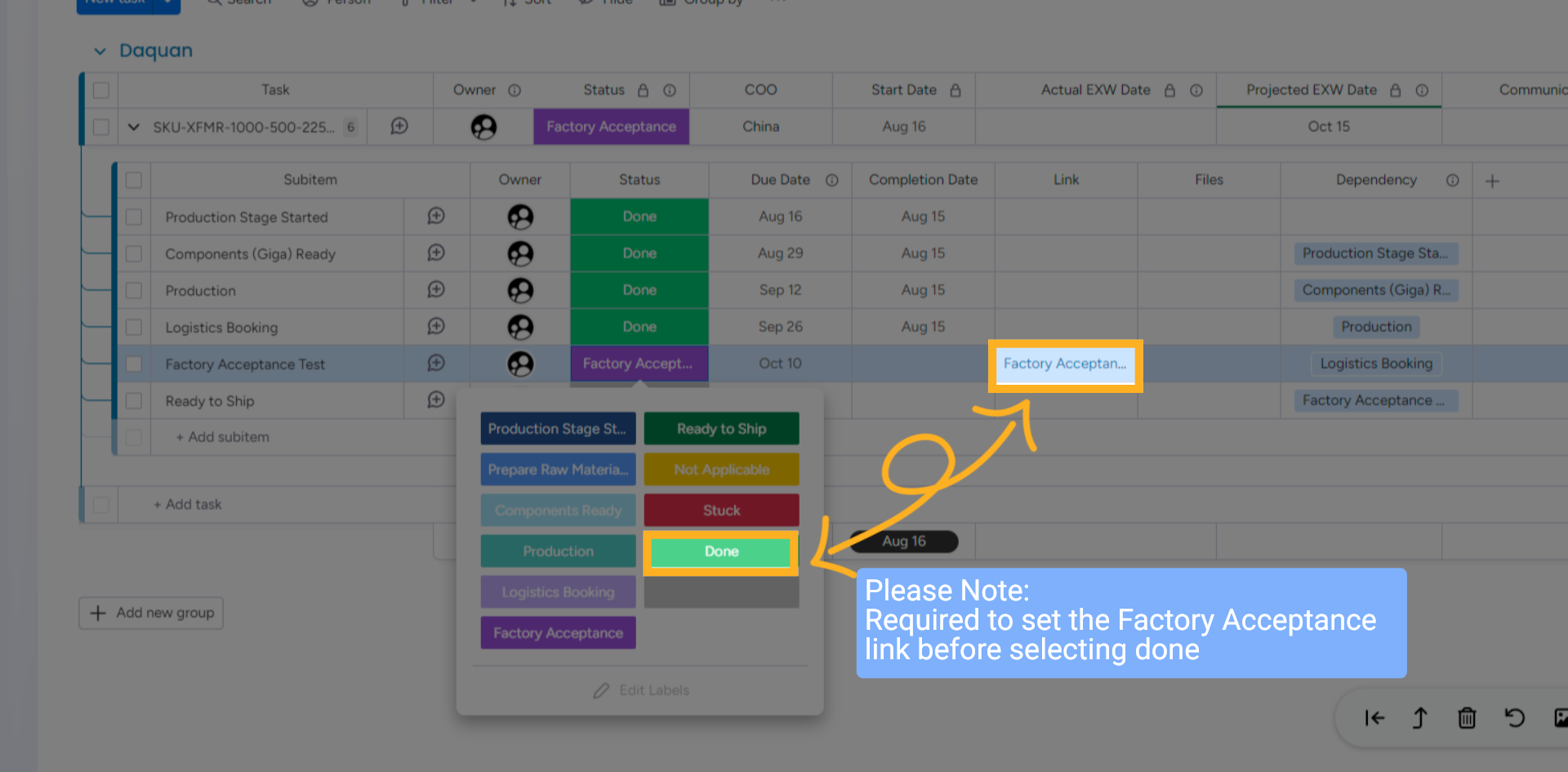
Required to set the Factory Acceptance link before moving to "Ready to Ship".
11 QR Code
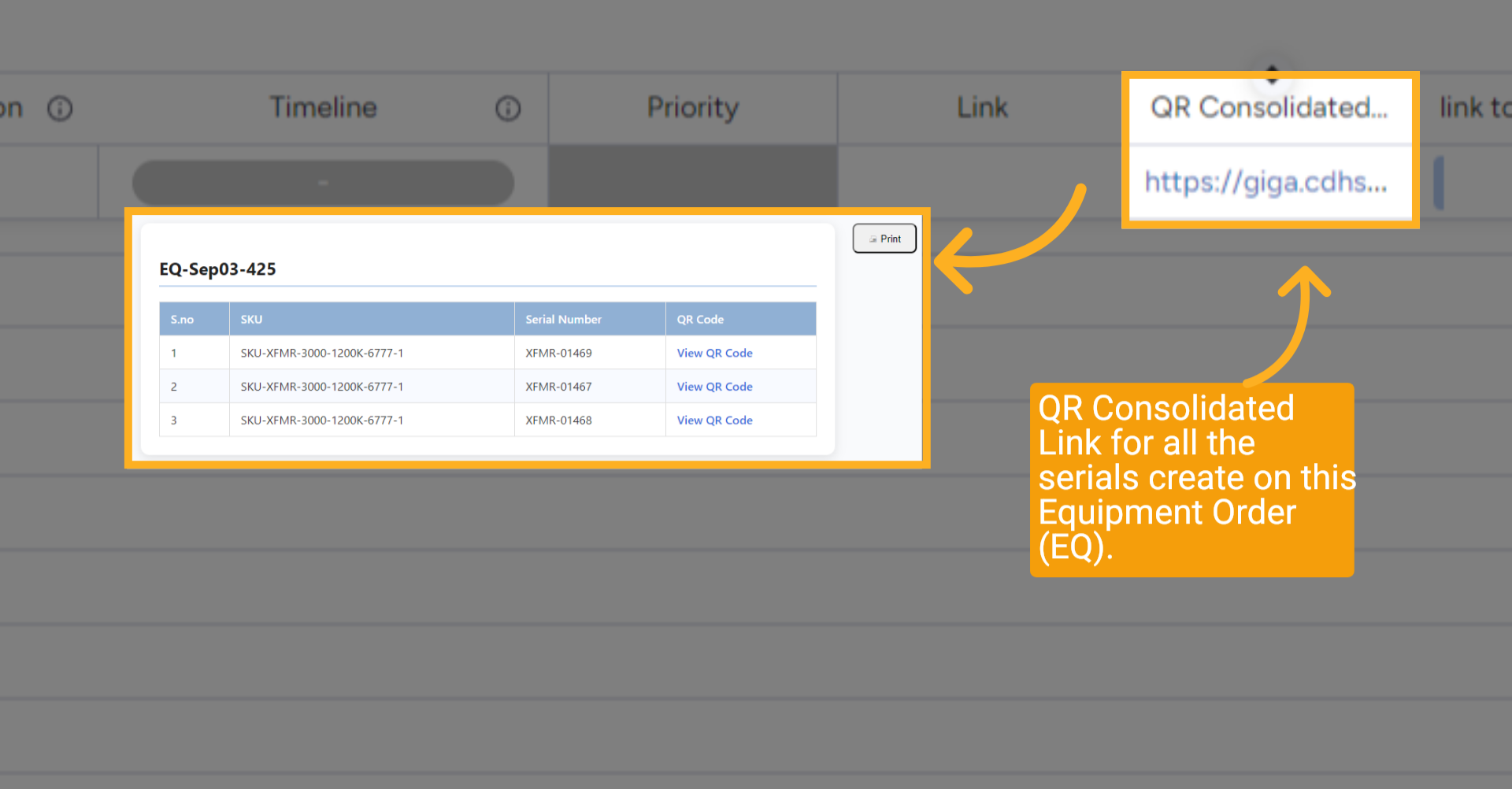
On the far right, a QR Consolidated Link has been created for all serials ready for printing on this Equipment Order (EQ). Clicking it will display a list of all serials along with links to their respective QR Codes.
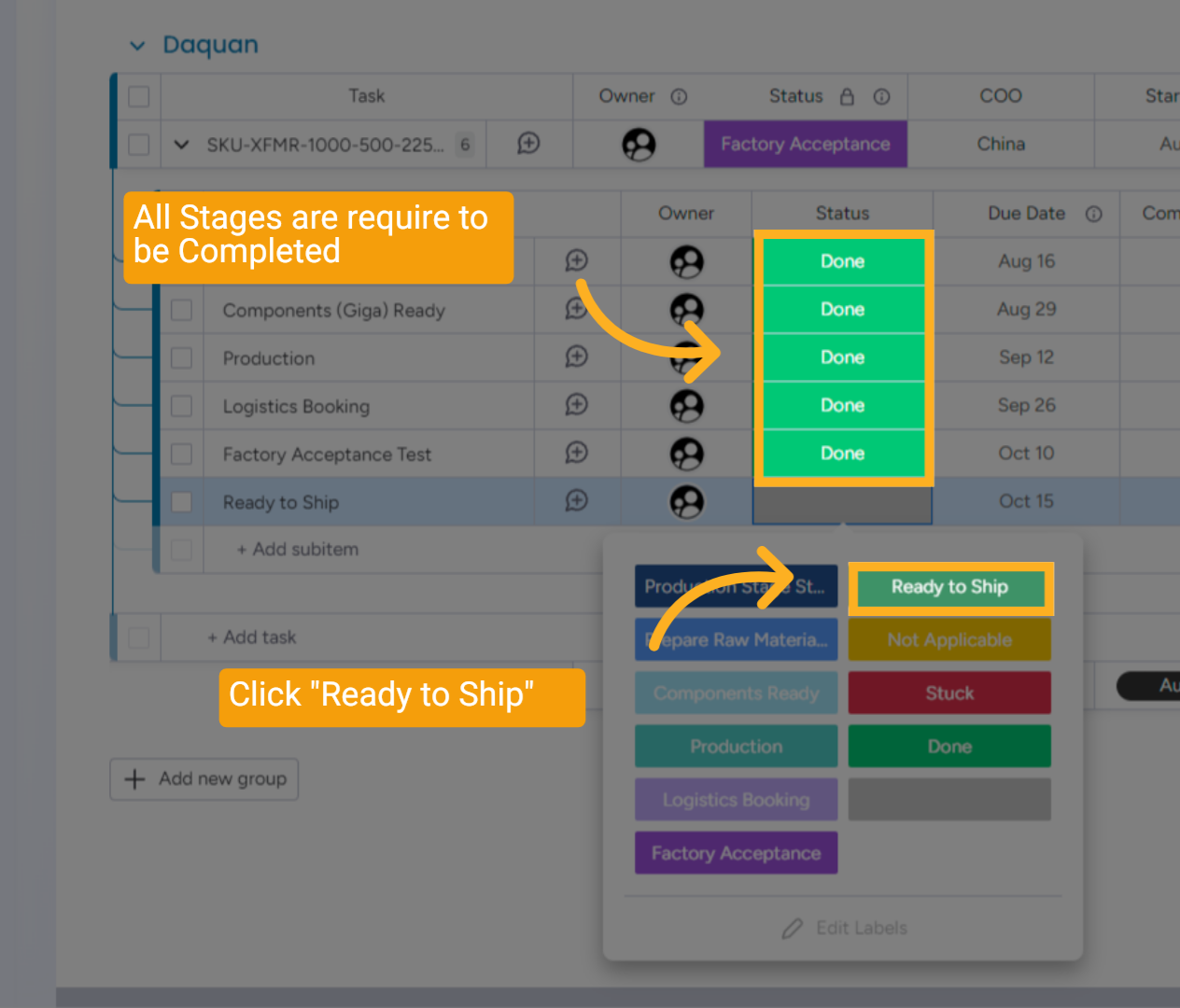
12 All Stages Completed
All stages must be completed before selecting the "Ready to Ship" status to indicate ready for shipment.
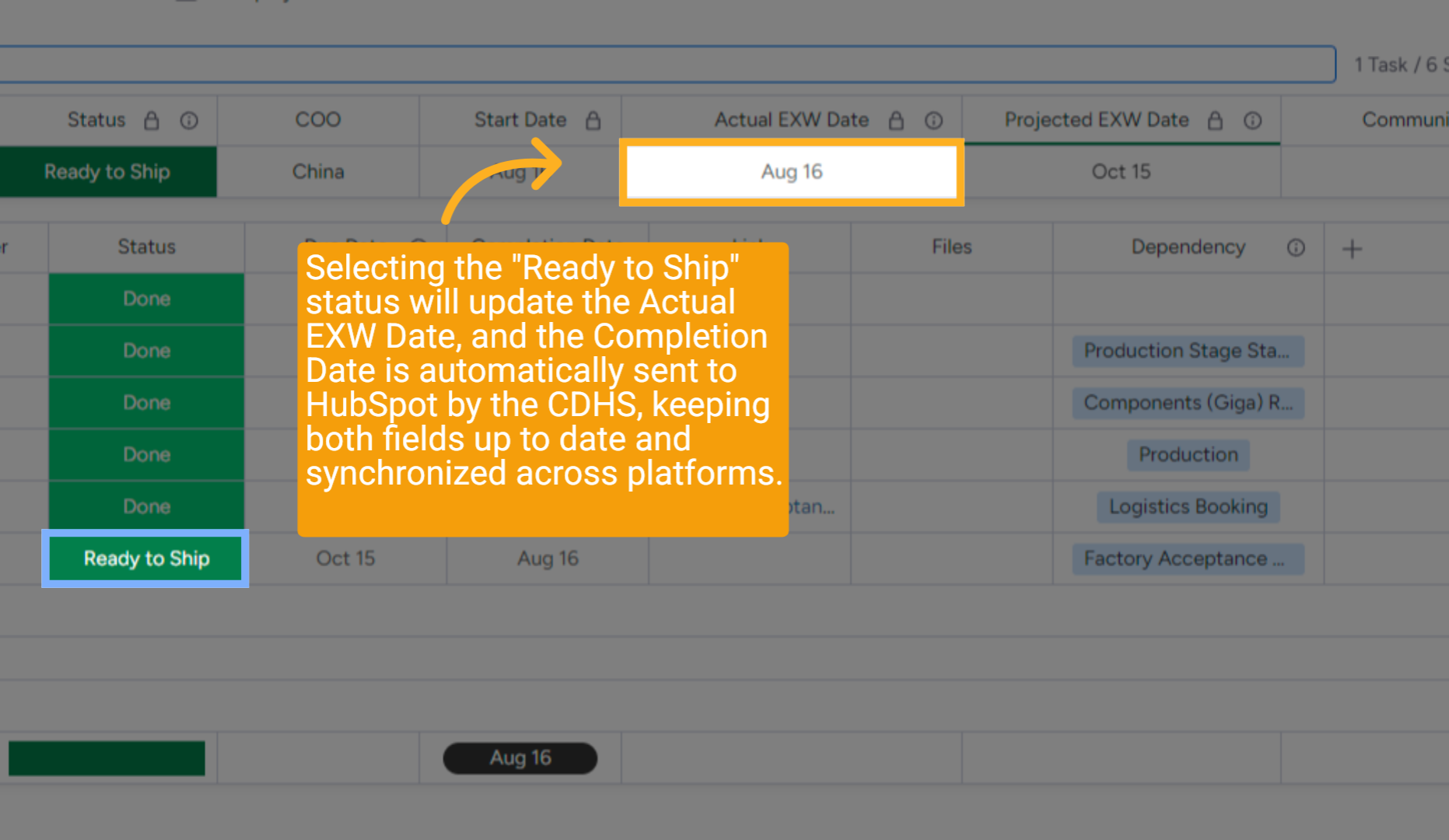
13 Dates Set
Selecting the "Ready to Ship" status will update the Actual EXW Date, and the Completion Date is automatically sent to HubSpot by the CDHS, keeping both fields up to date and synchronized across platforms.
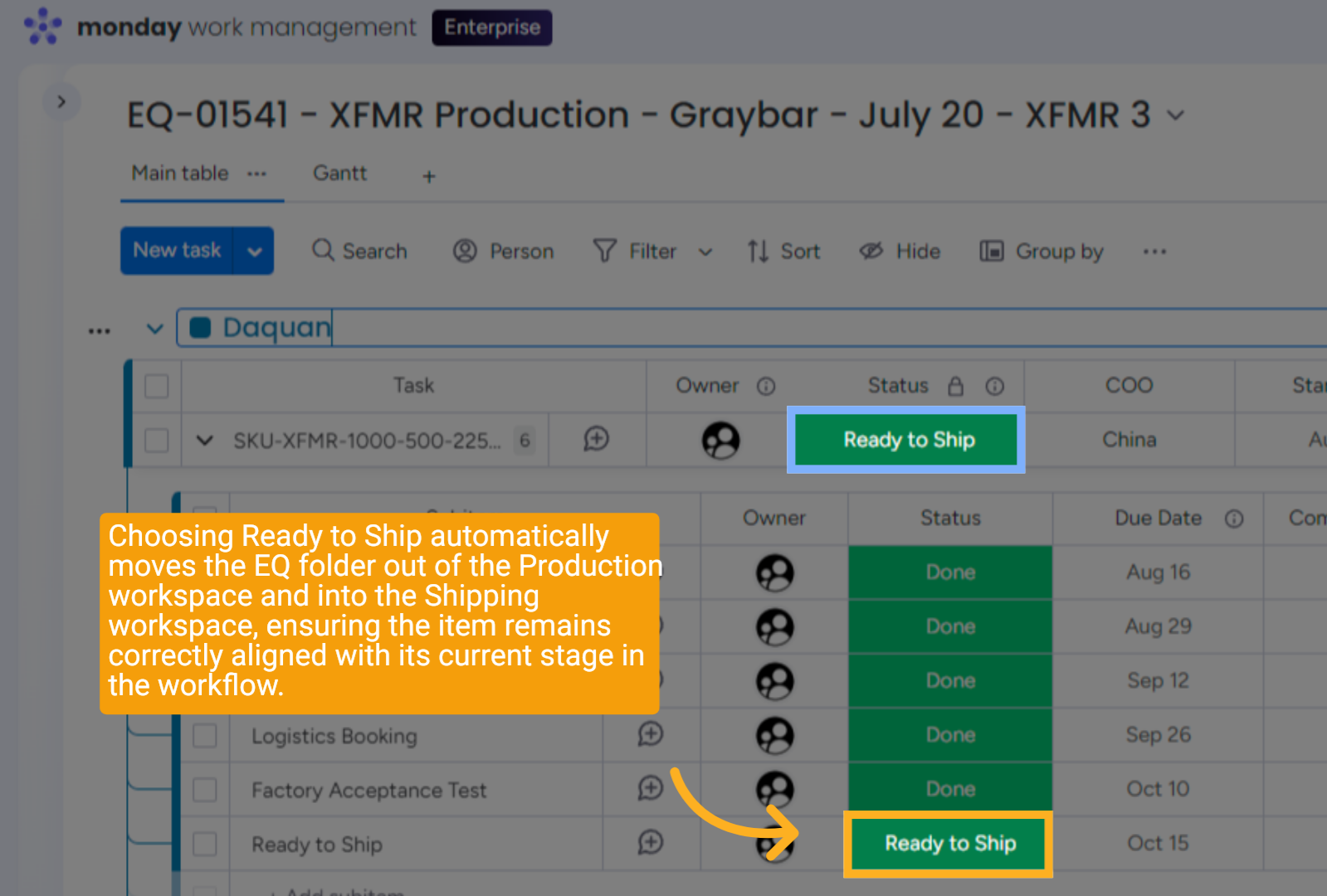
14 Ready to Ship
Choosing Ready to Ship automatically moves the EQ folder out of the Production workspace and into the Shipping workspace, ensuring the item remains correctly aligned with its current stage in the workflow.
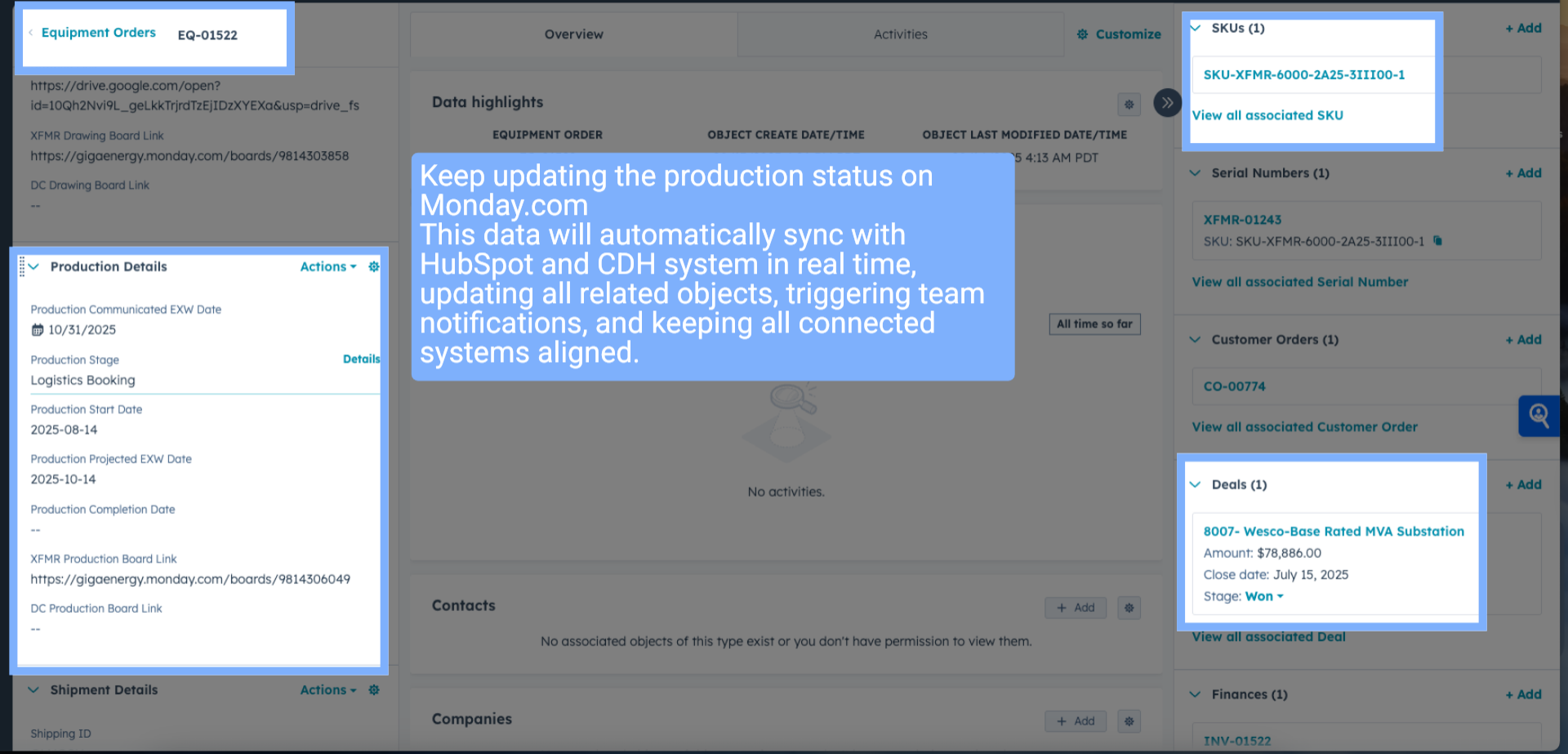
15 HubSpot Updated
Keep updating the production status on Monday.com
This data will automatically sync with HubSpot and CDH system in real time, updating all related objects, triggering team notifications, and keeping all connected systems aligned.
This data will automatically sync with HubSpot and CDH system in real time, updating all related objects, triggering team notifications, and keeping all connected systems aligned.
16 Wrap up
This guide covers updating the production workflow for an order in HubSpot and Monday.com, including changing statuses from production start to ready to ship, ensuring all stages, like component readiness, logistics booking, and factory acceptance, are properly tracked.
17 Thank You!
Thank You for Watching!