
Starting DC Management Drawing Phase
1 Moving to in Drawing
This guide walks you through moving an equipment order to the In Drawing stage and managing its progress. You'll learn how to update statuses, handle revisions, and coordinate tasks across HubSpot and Monday.com efficiently. Let's get started.
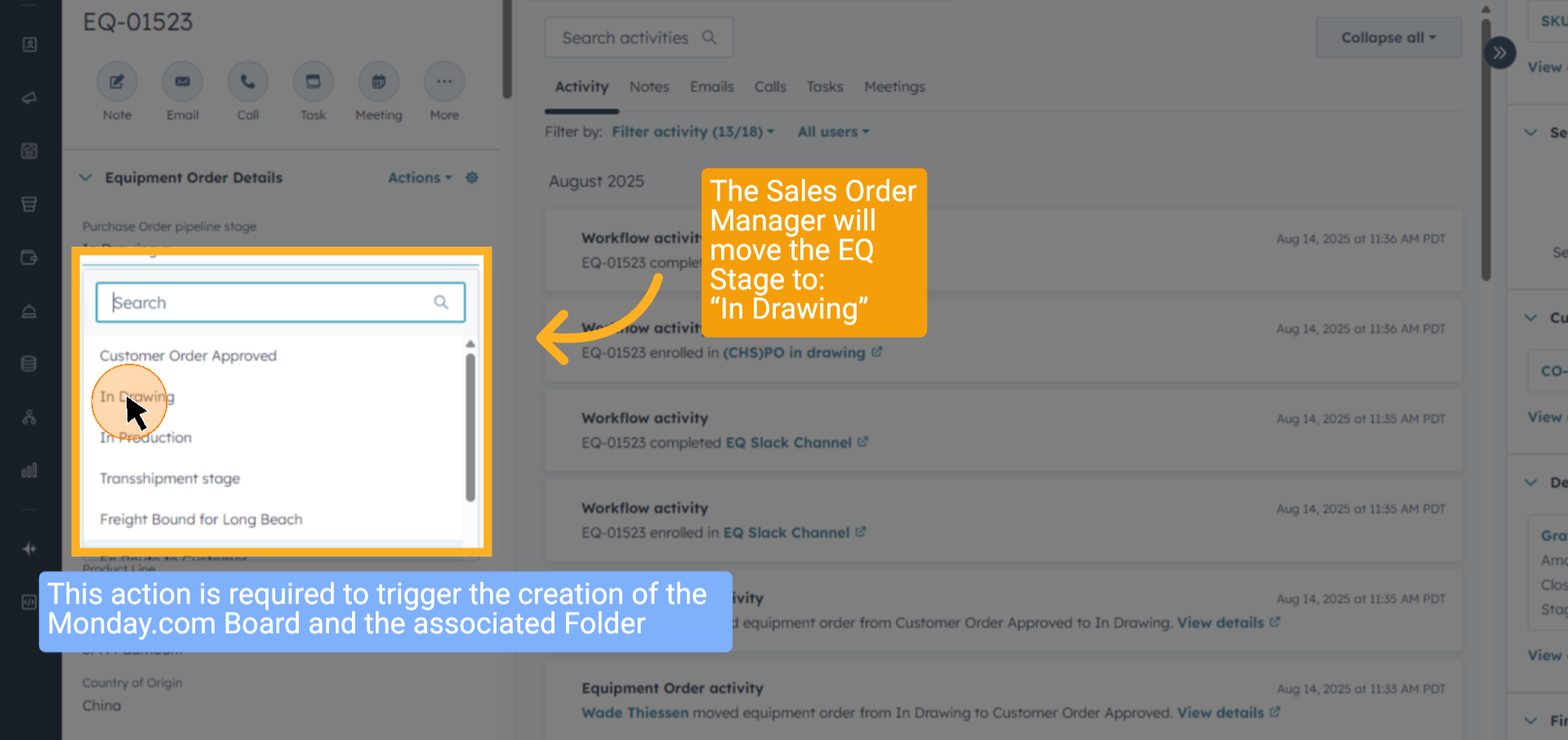
2 Select "In Drawing"
Change the order status to "In Drawing" to indicate the drawing phase has started. When this moves, the project boards for the drawing process are created in Monday.com
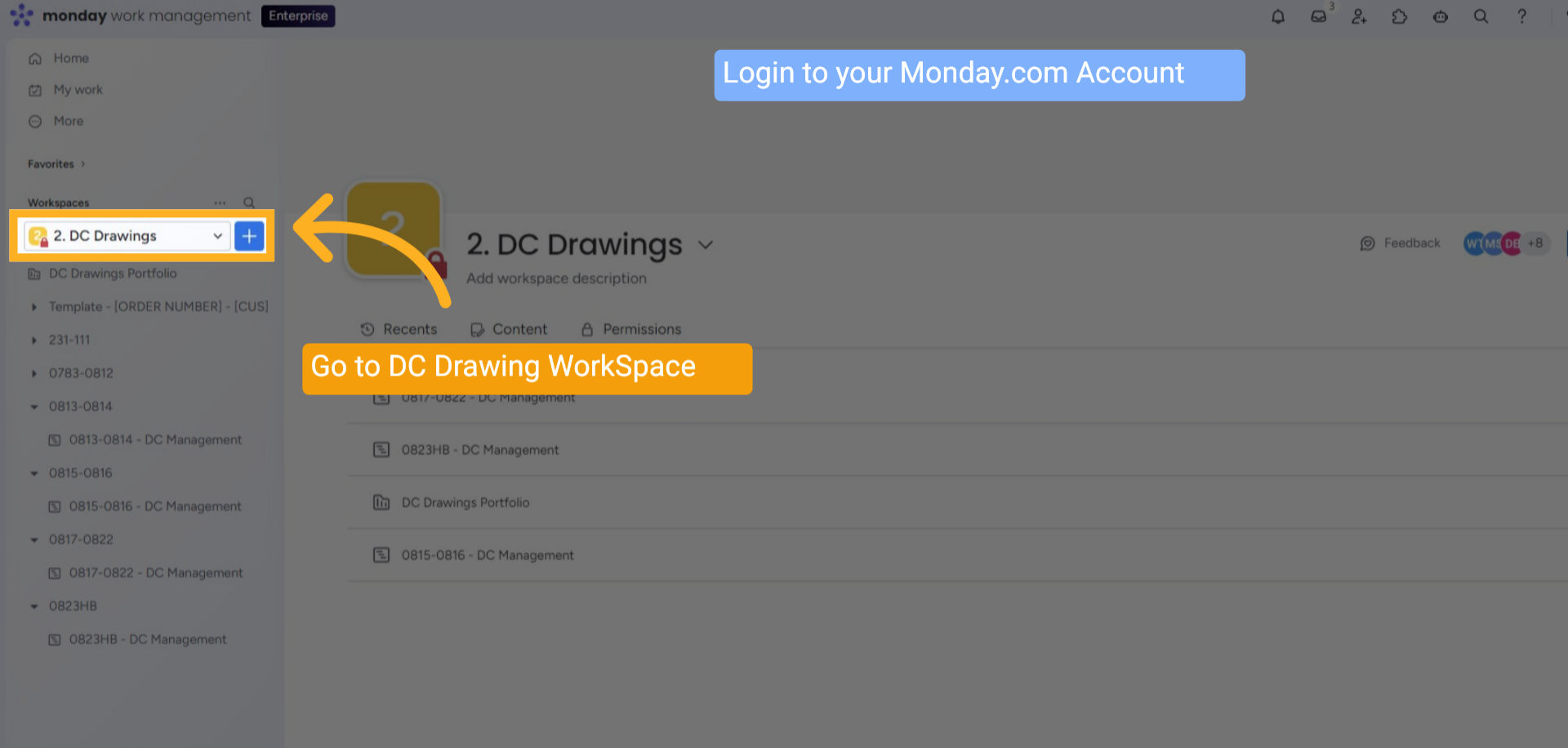
3 XFMR Workspace On Monday .com
Log in to Monday.com, navigate to the DC Drawings workspace
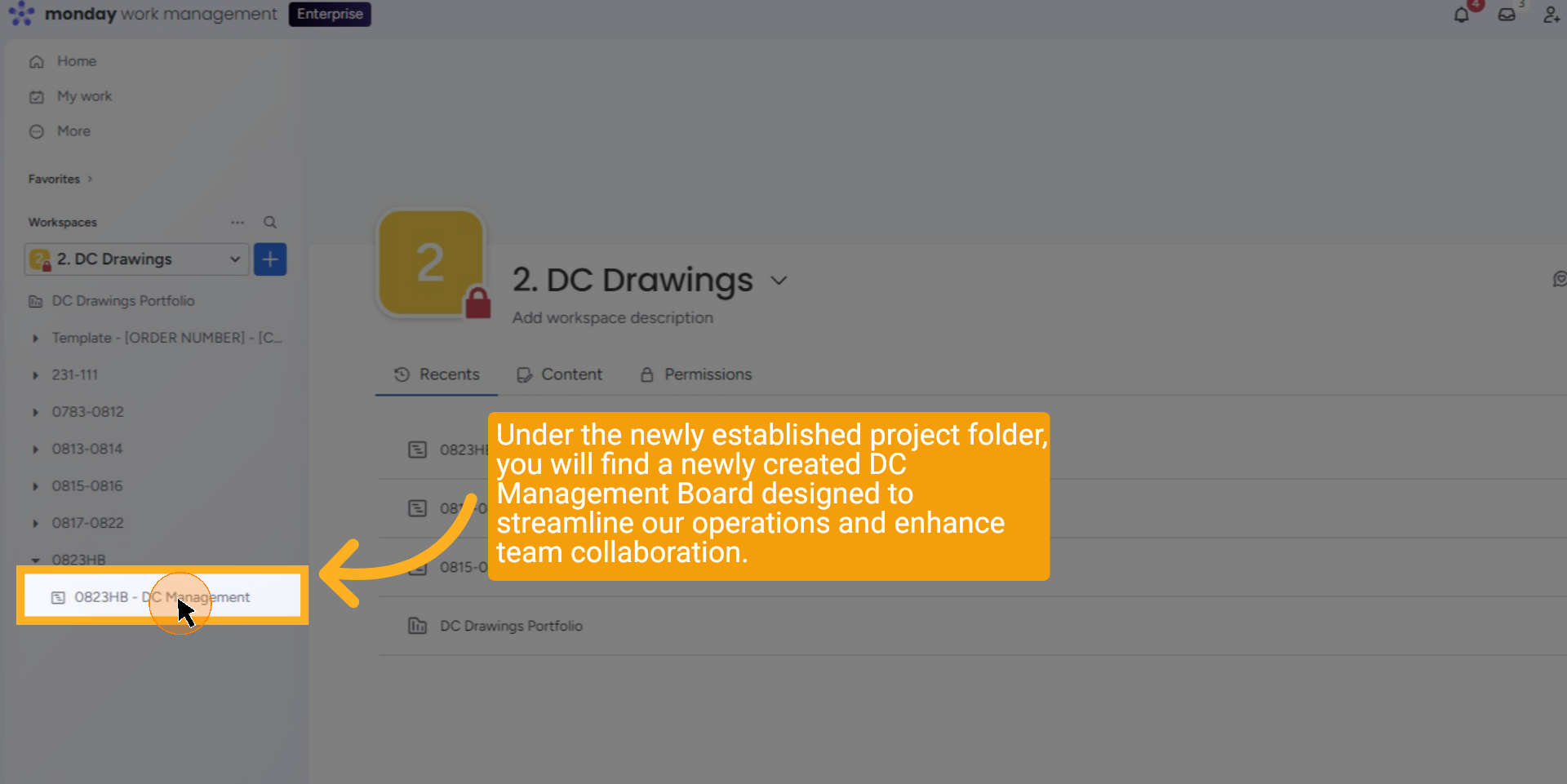
4 XFMR Drawing Project Board
Under the newly established project folder, you will find a newly created DC Management Board designed to streamline our operations and enhance team collaboration.
5 Open the Subitems
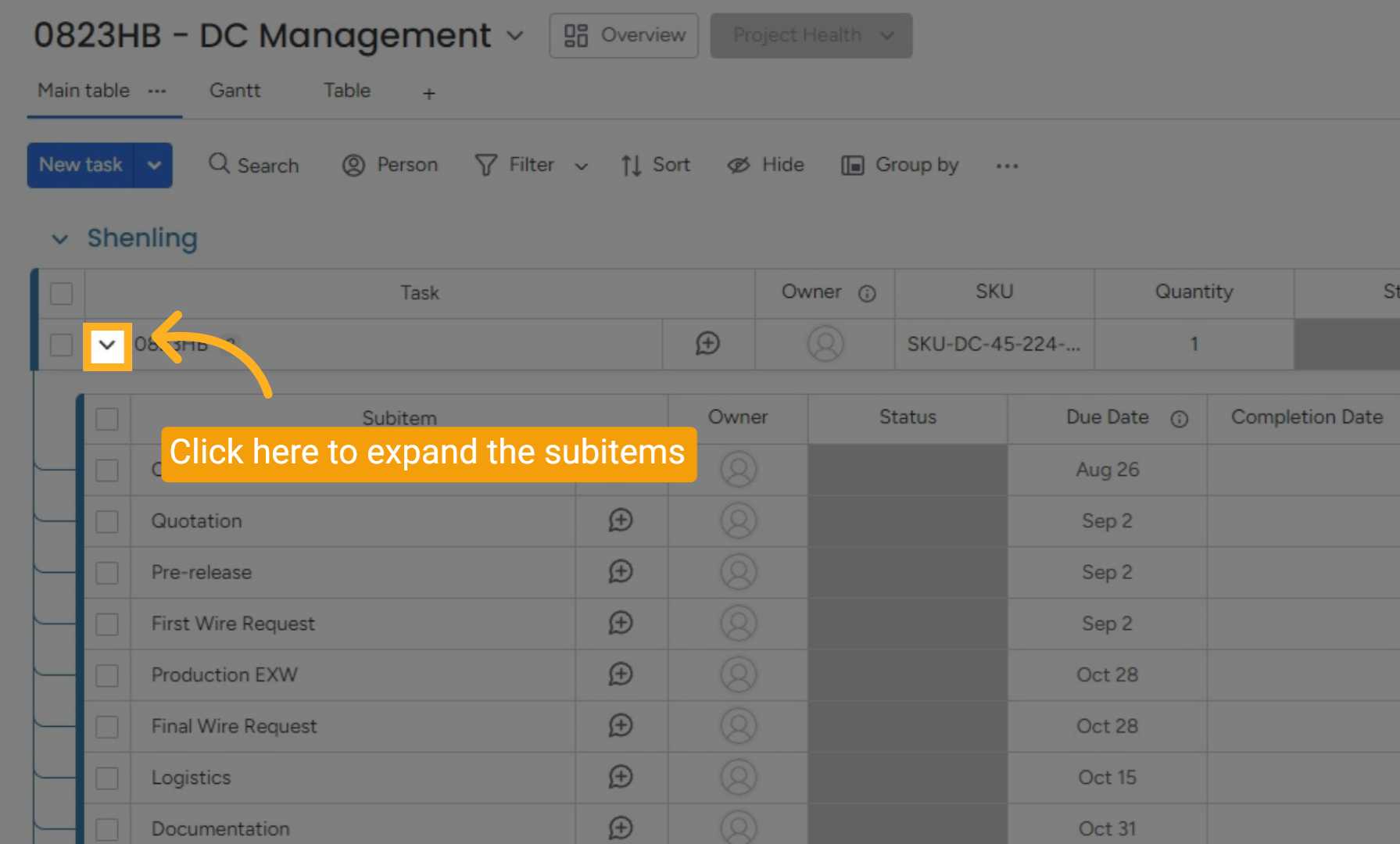
Expand the item to access the sub-item list.
6 Start Process
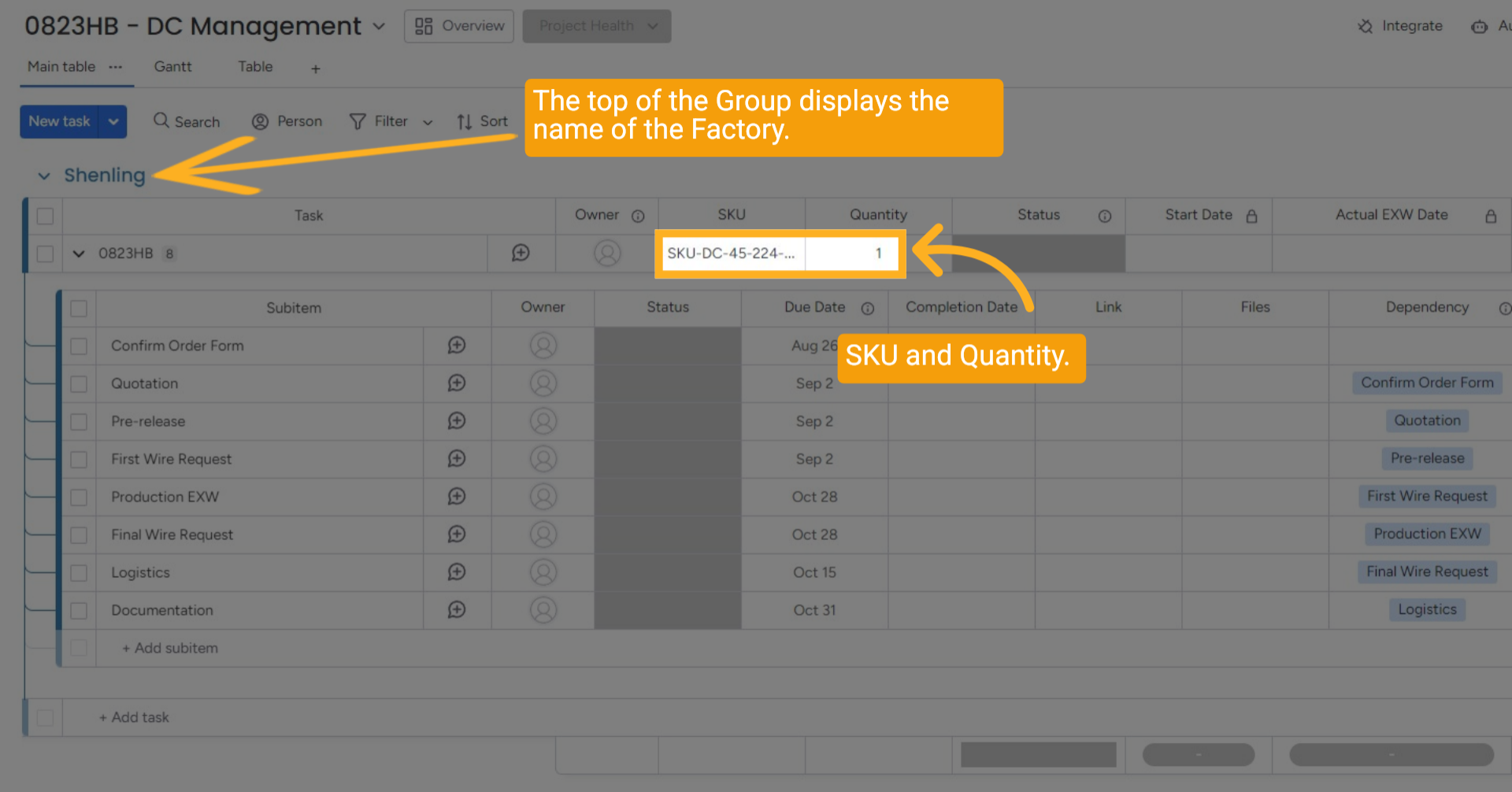
At the top of the Group, you will see the Factory's name. Each Item includes its SKU and Quantity.
7 Status and Date Updated
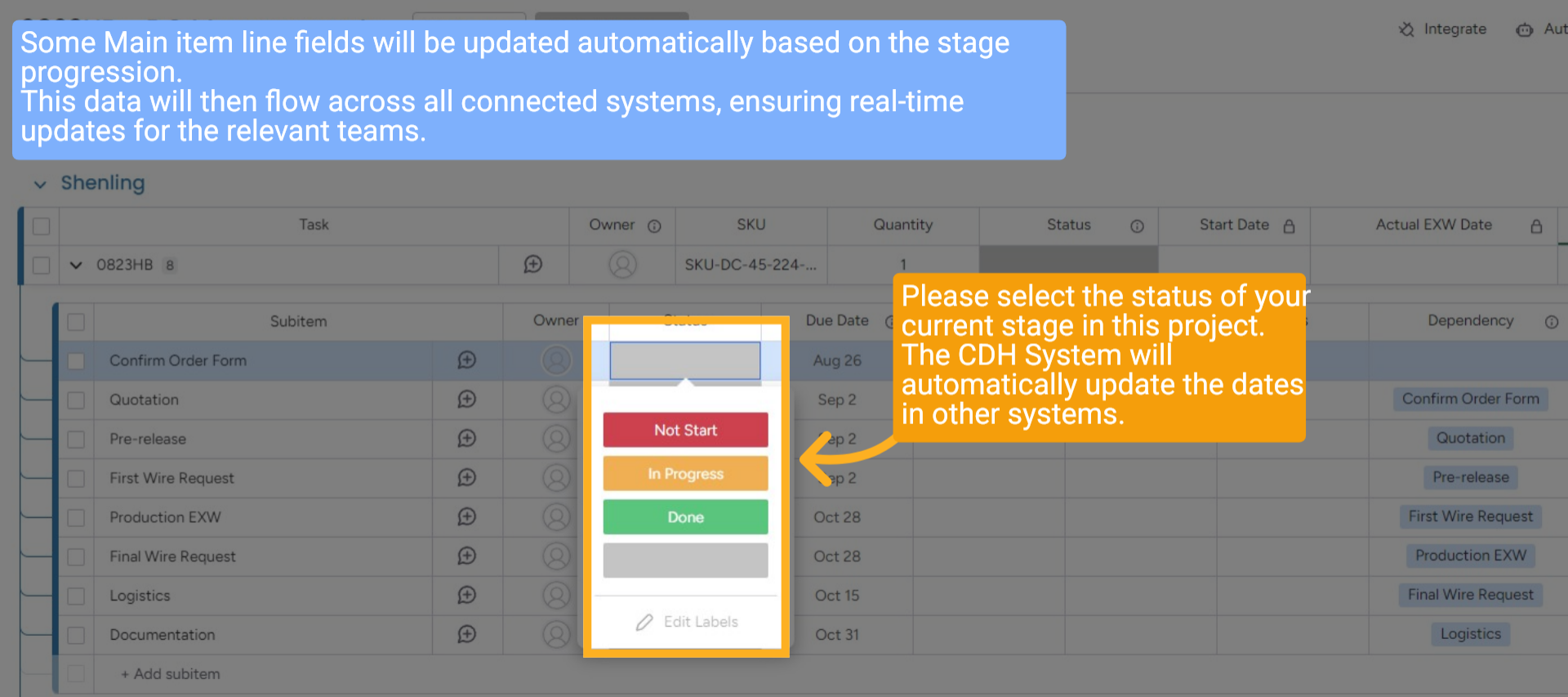
Some Main item line fields will be updated automatically based on the stage progression. This data will then flow across all connected systems, ensuring real-time updates for the relevant teams. Please select the status of your current stage in this project. The CDH System will automatically update the dates in other systems.
8 Status and Date Updated
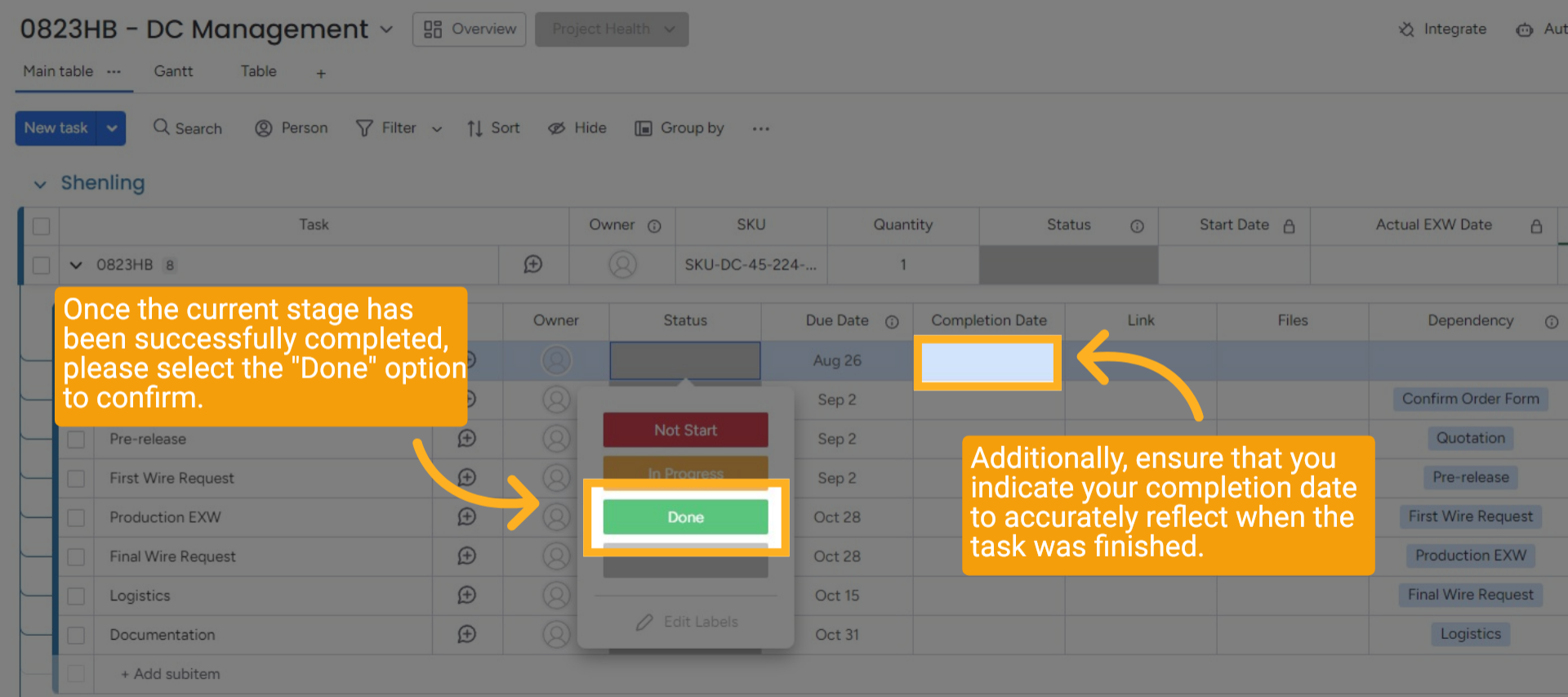
Once the current stage has been successfully completed, please select the "Done" option to confirm. Additionally, ensure that you indicate your completion date to accurately reflect when the task was finished.
9 Set Start Date
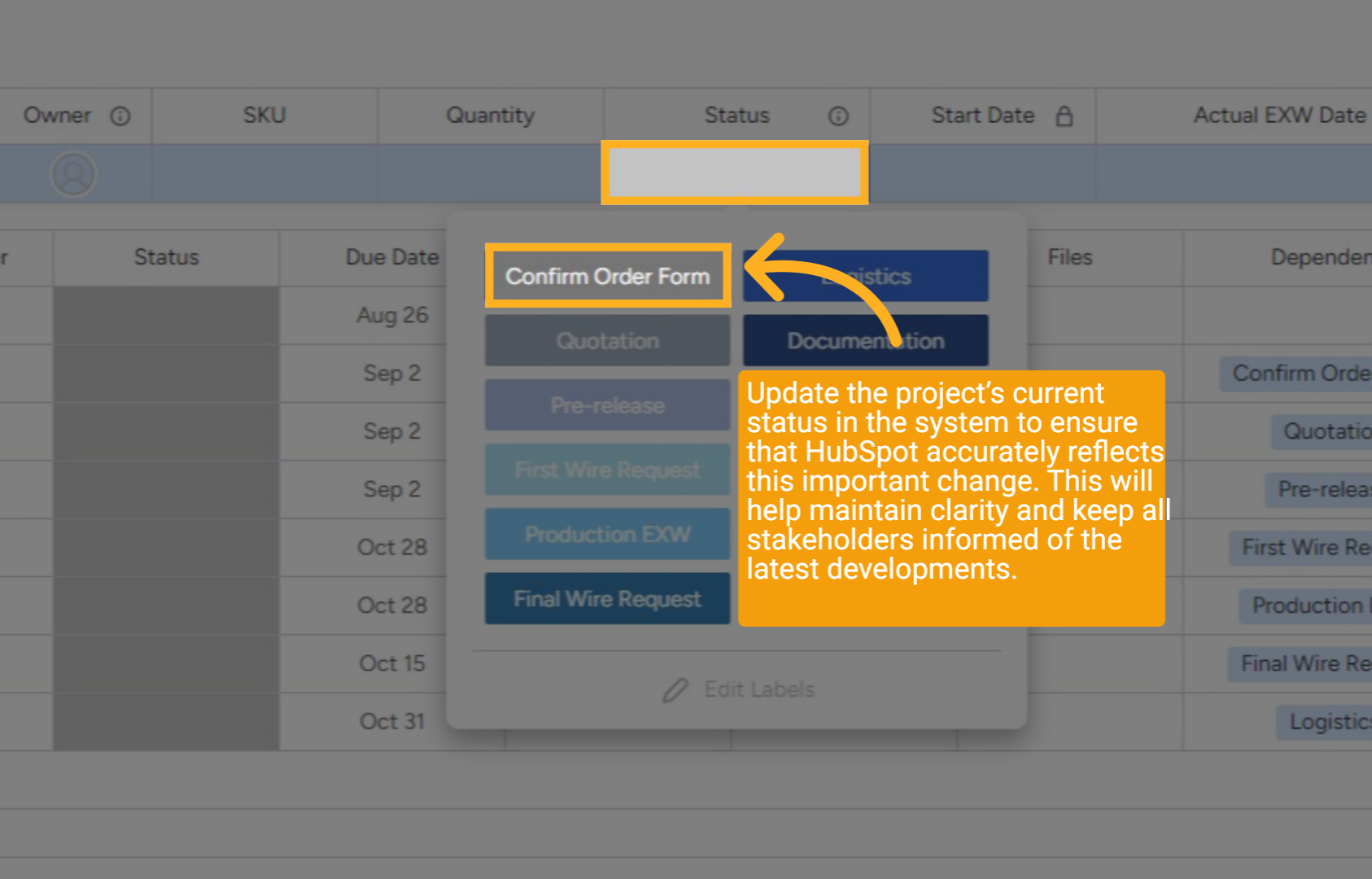
Update the project’s current status in the system to ensure that HubSpot accurately reflects this important change. This will help maintain clarity and keep all stakeholders informed of the latest developments.
10 Wrap up
This guide covered managing equipment order progress from approval through DC Drawing Management and using Hubspot and Monday.com. It detailed status updates, added links, and maintained clear task tracking for efficient workflow management.
Thanks for watching.
