Moving into Production Phase (COM)
1 XFMR In Production
This guide explains how to manage equipment orders in HubSpot, focusing on moving orders into production. You will learn how to search for orders, verify associated details, and update their status to streamline production workflows.

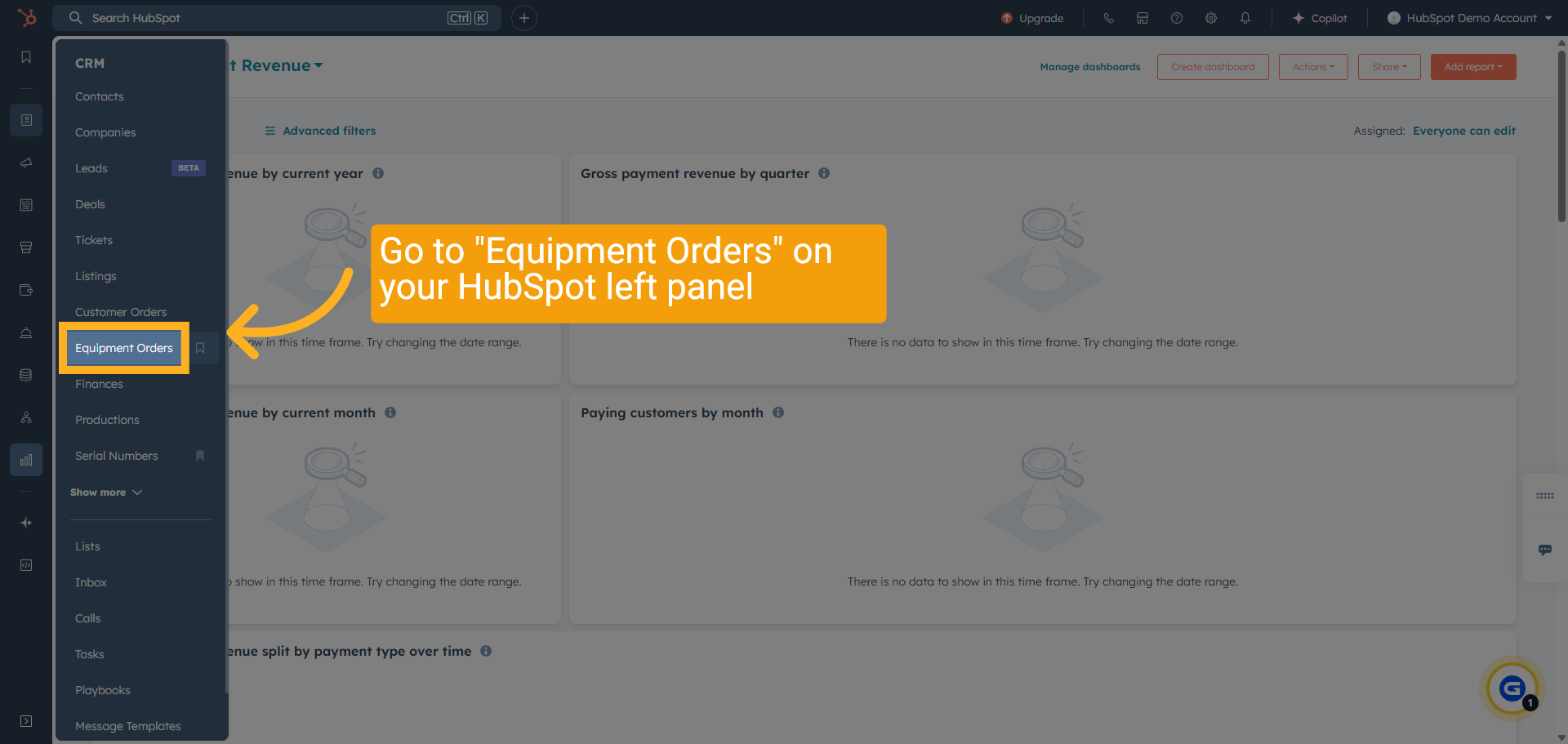
2 Find "Equipment Orders" Menu
Select "Equipment Orders" from the menu options.
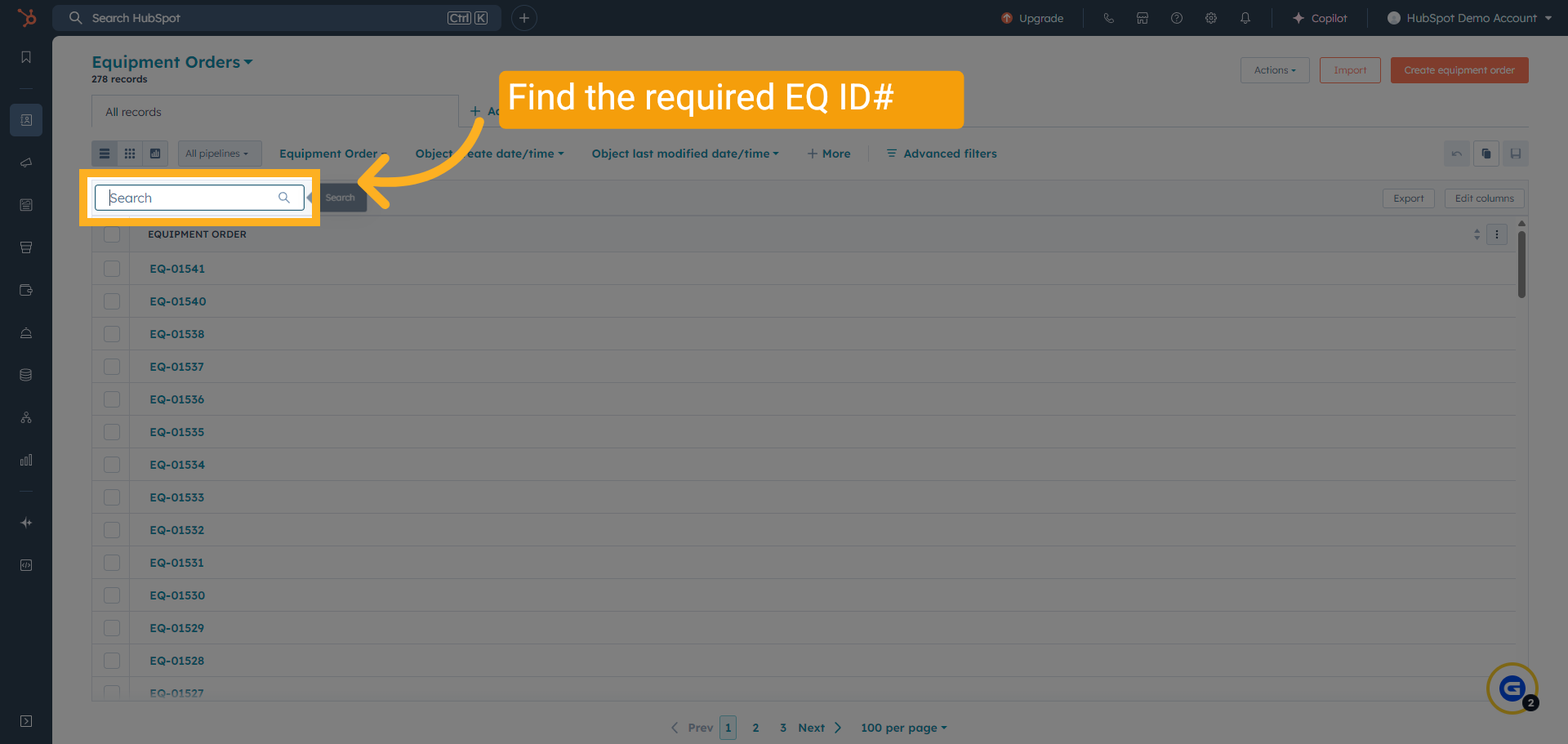
3 Search for the required EQ
Search for the required EQ. Enter the equipment order number you want to find.
4 Check Quantity
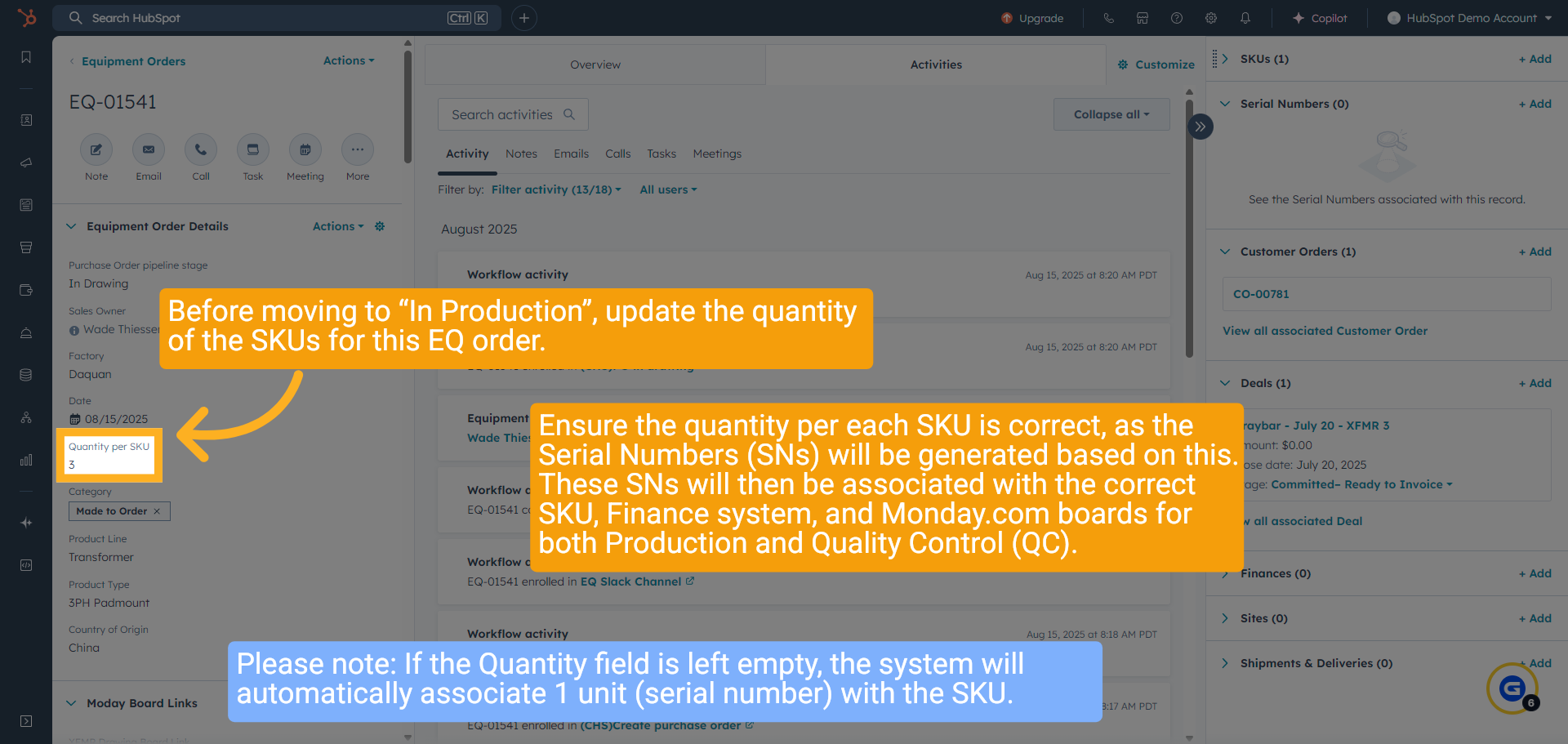
Before moving to “In Production”, update the quantity of the SKUs for this EQ order.
Ensure the quantity per each SKU is correct, as the Serial Numbers (SNs) will be generated based on this. These SNs will then be associated with the correct SKU, Finance system, and Monday.com boards for both Production and Quality Control (QC).
Please note: If the Quantity field is left empty, the system will automatically associate 1 unit (serial number) with the SKU.
5 SKU Quantity Link
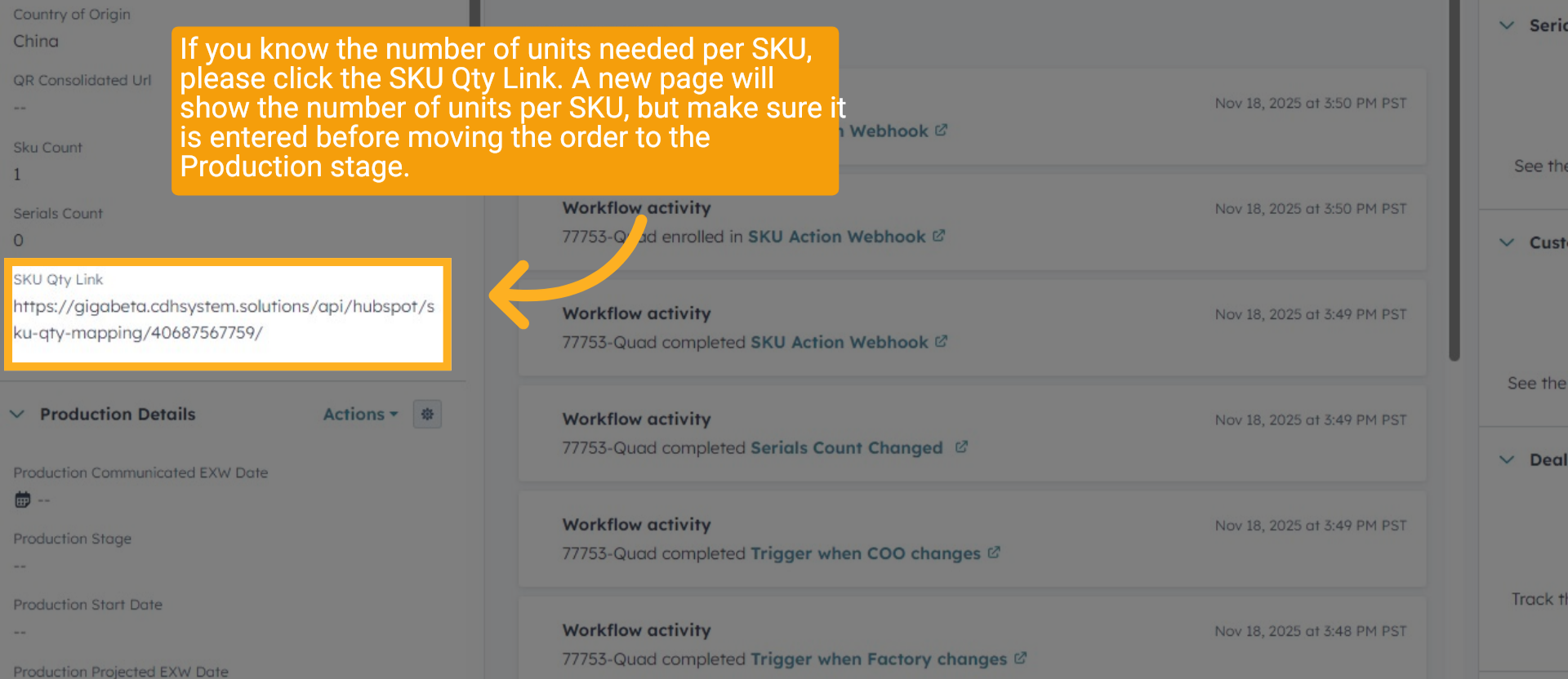
If you know the number of units needed per SKU, please click the SKU Qty Link. A new page will show the number of units per SKU, but make sure it is entered before moving the order to the Production stage.
6 Multiple SKU Quantity
Depending on the number needed per SKU. In the example shown, there are 3 units for the first SKU (Config) and 2 units for the second SKU (Config). Click "Save Changes" when you're ready. The Serials will not be generated until the HubSpot pipeline stage is moved to "In Production".

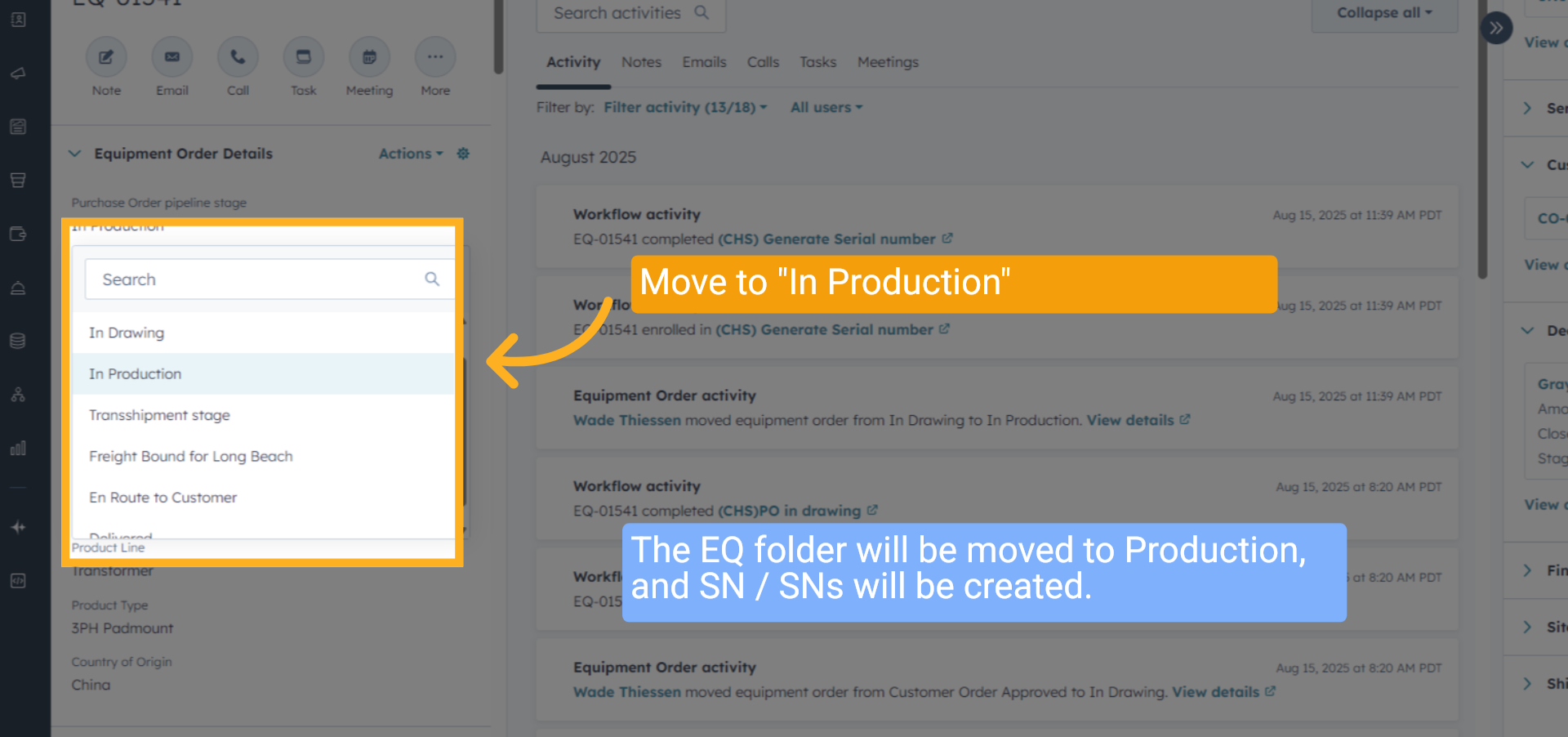
7 Move to "In Production"
The EQ folder will be moved to Production, and SN or SNs will be created.
8 Serial Numbers Created
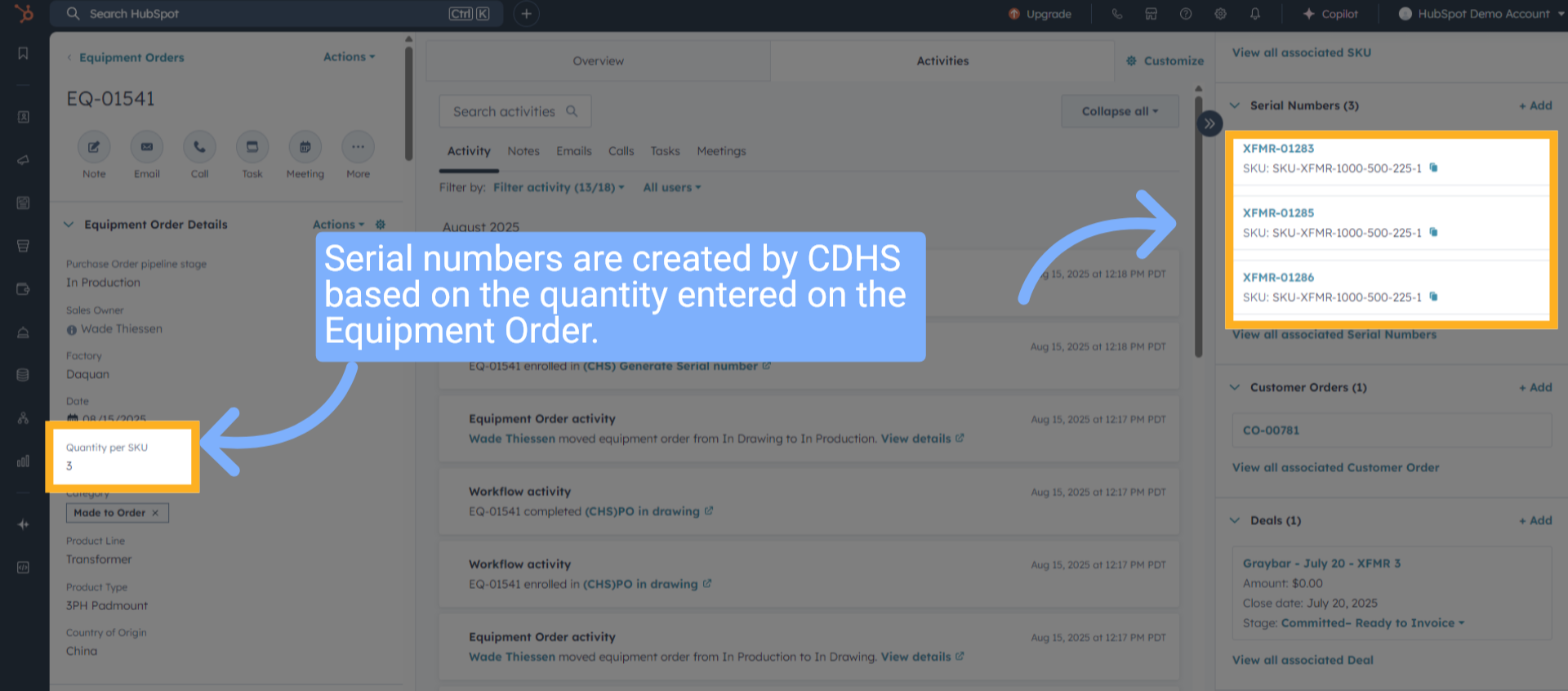
Serial numbers are created by CDHS based on the quantity entered on the Equipment Order.
9 QR Consolidated Url on EQ
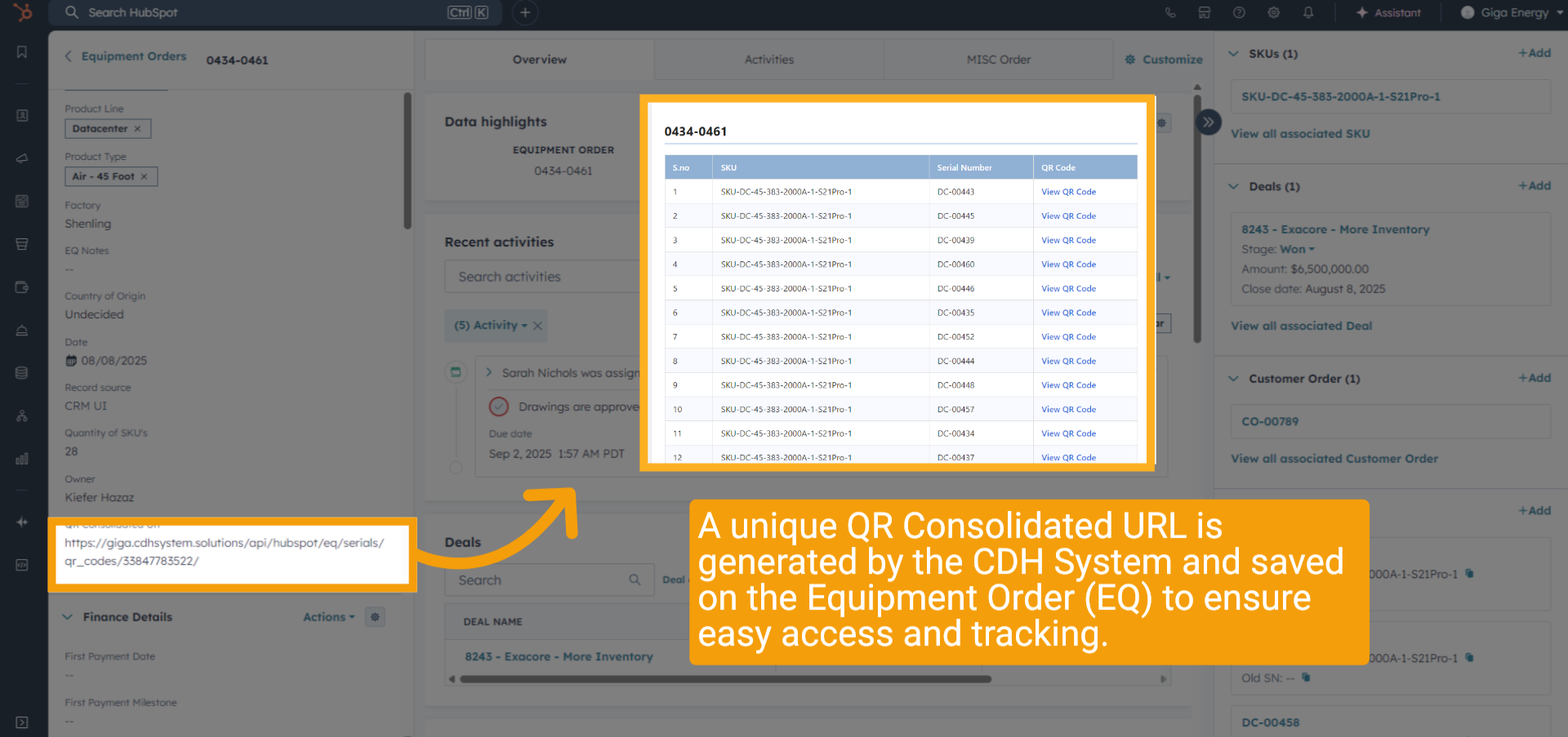
A unique QR Consolidated Url is generated by the CDH System and saved on the Equipment Order (EQ) to ensure easy access and tracking.
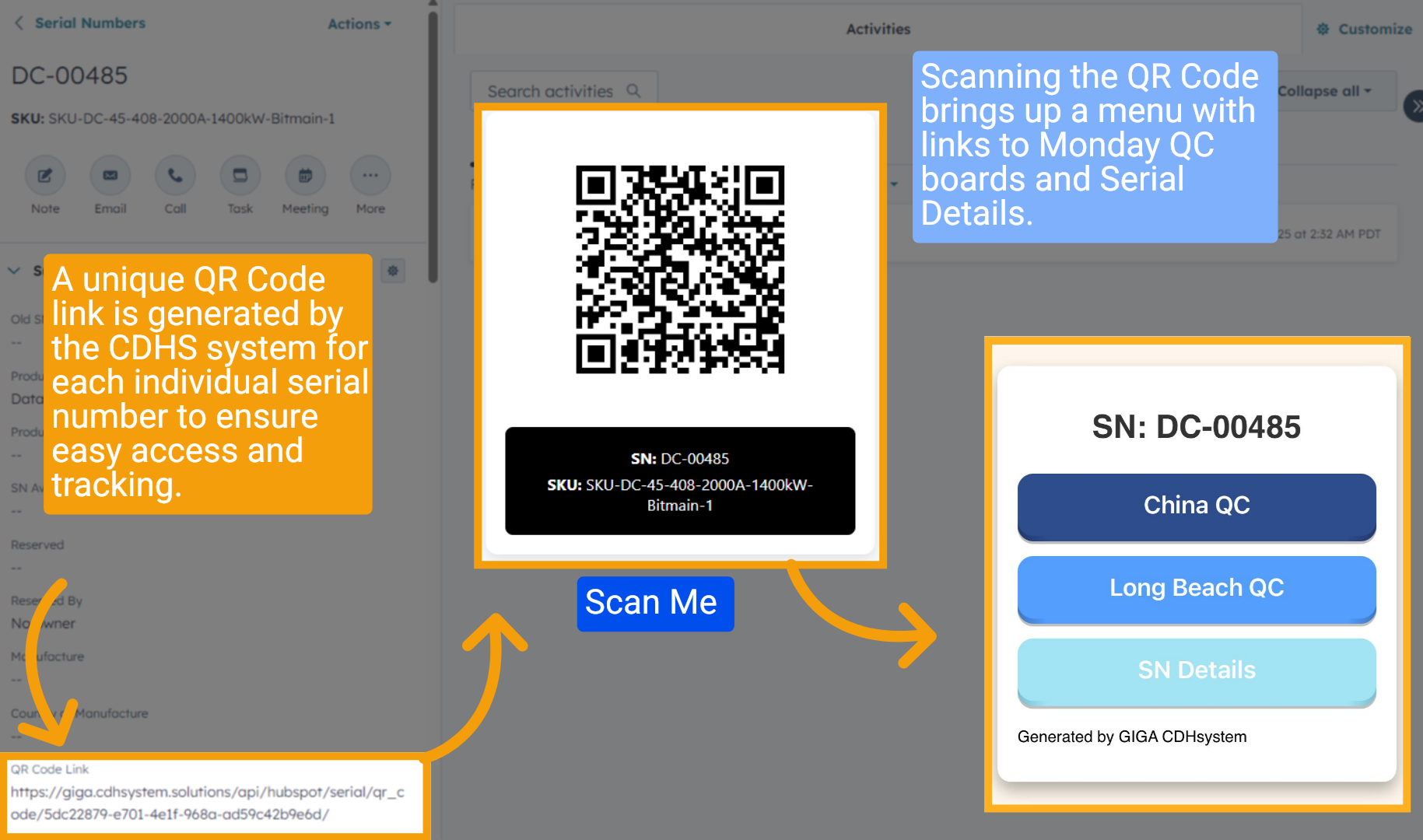
10 QR Code link
A unique QR Code link is generated by the CDHS system for each individual serial number to ensure easy access and tracking. Scanning the QR Code brings up a menu with links to Monday QC boards and Serial Details.
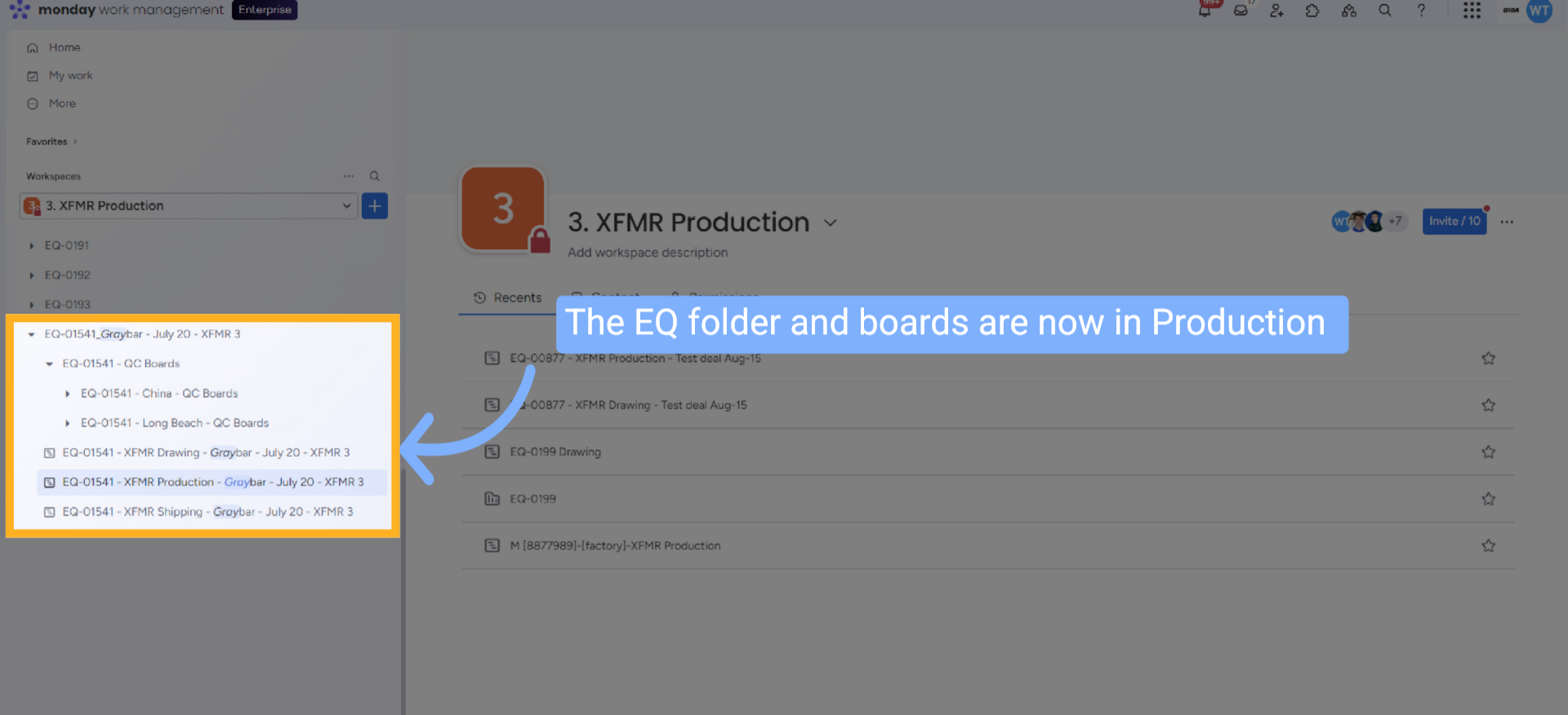
11 EQ Folder Moved to Production in Monday.com
In Monday.com, the EQ folder and boards are now in the Product Production Workspace.
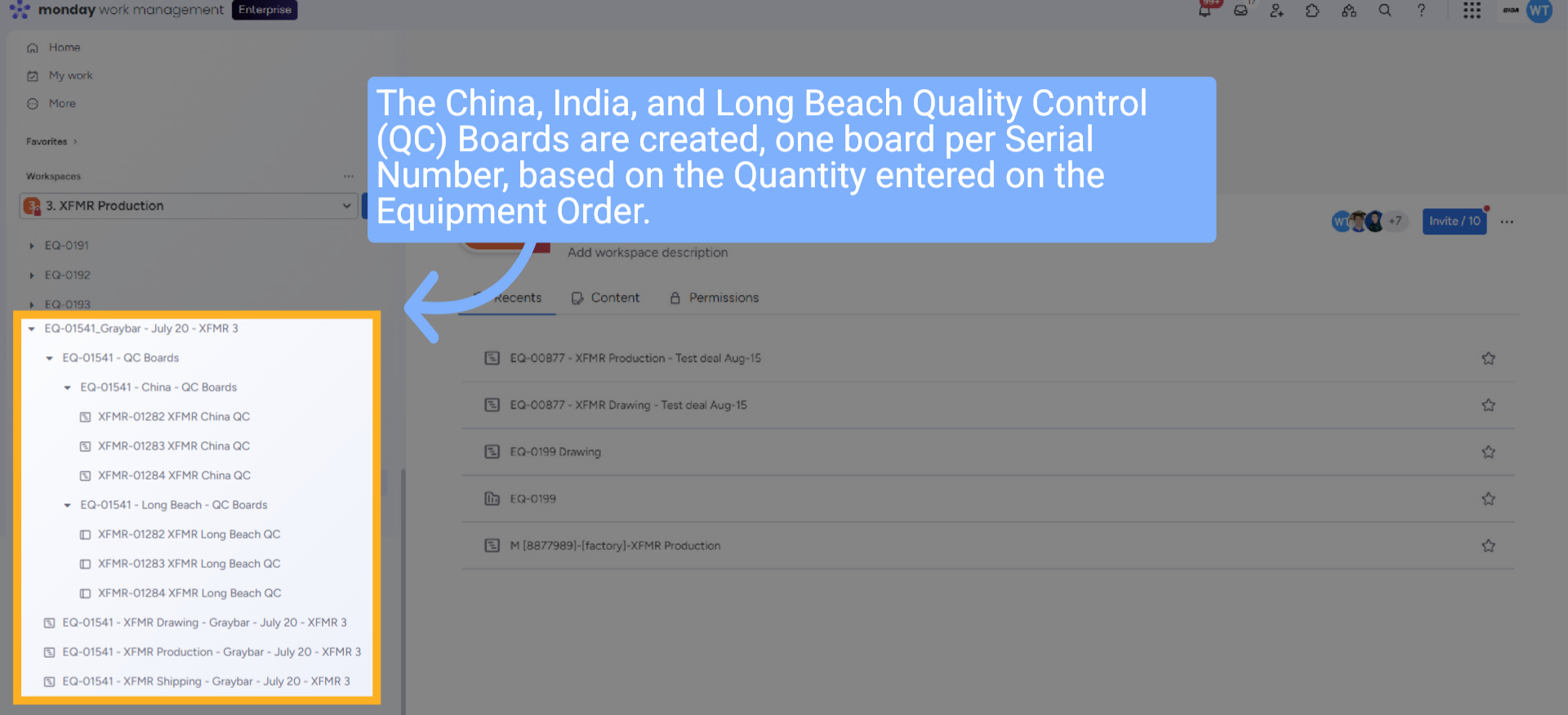
12 QC Folders and Boards Created
The China, India, and Long Beach QC Boards are created, one board per Serial Number, based on the Quantity entered on the Equipment Order.
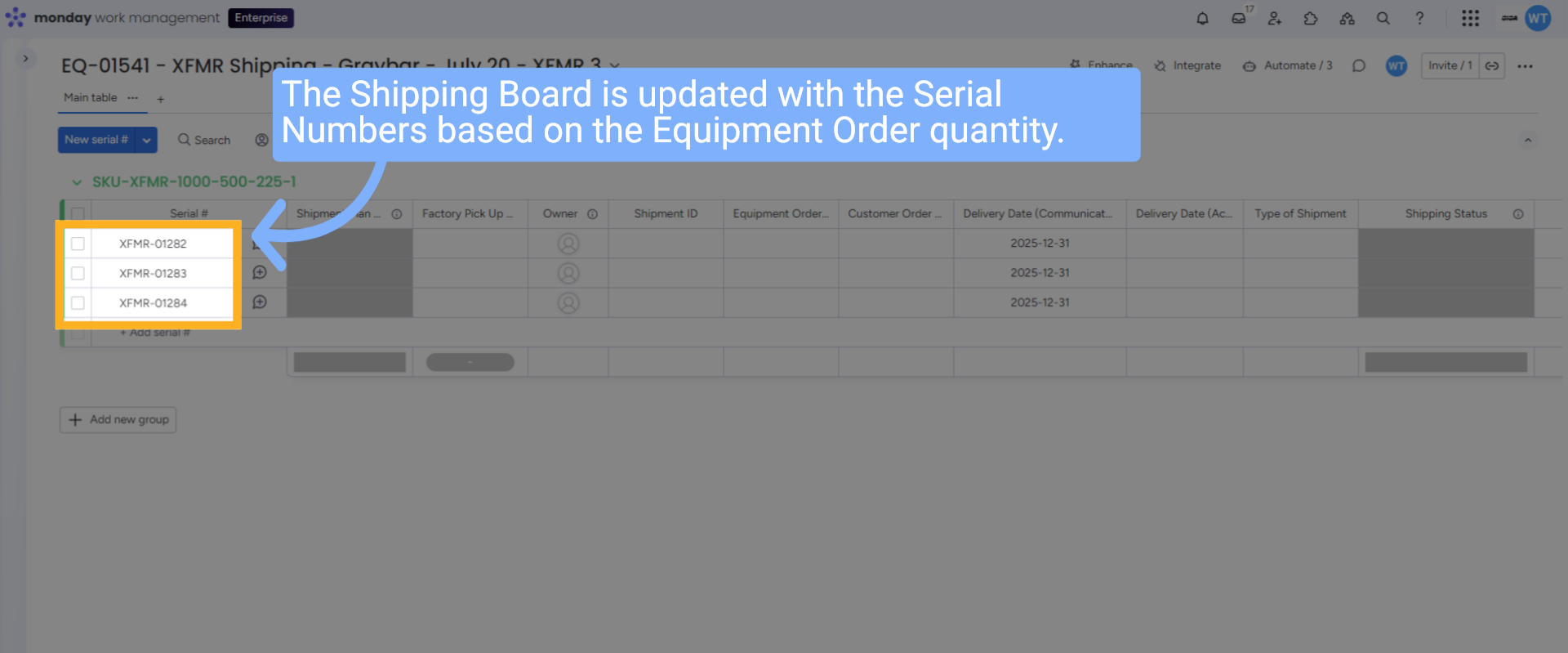
13 Shipping Board Updated with Serials
The Shipping Board is updated with the serial numbers based on the Equipment Order quantity.
14 Wrap up
This guide covers searching for an equipment order in HubSpot, verifying associated details (SKU, customer order, and deal), and moving the EQ folder to the Product Drawing Workspace, all while ensuring quantity accuracy.
15 Thank you!
Thank You for Watching!