XFMR Long Beach QC Portfolio
1 Long Beach QC Portfolio
This guide explains how to find and use the Long Beach QC Portfolio so that QC can start working on it. It focuses on updating the status in Monday.com for the QC Boards and being able to export the data on pass and fails. Let's get started.
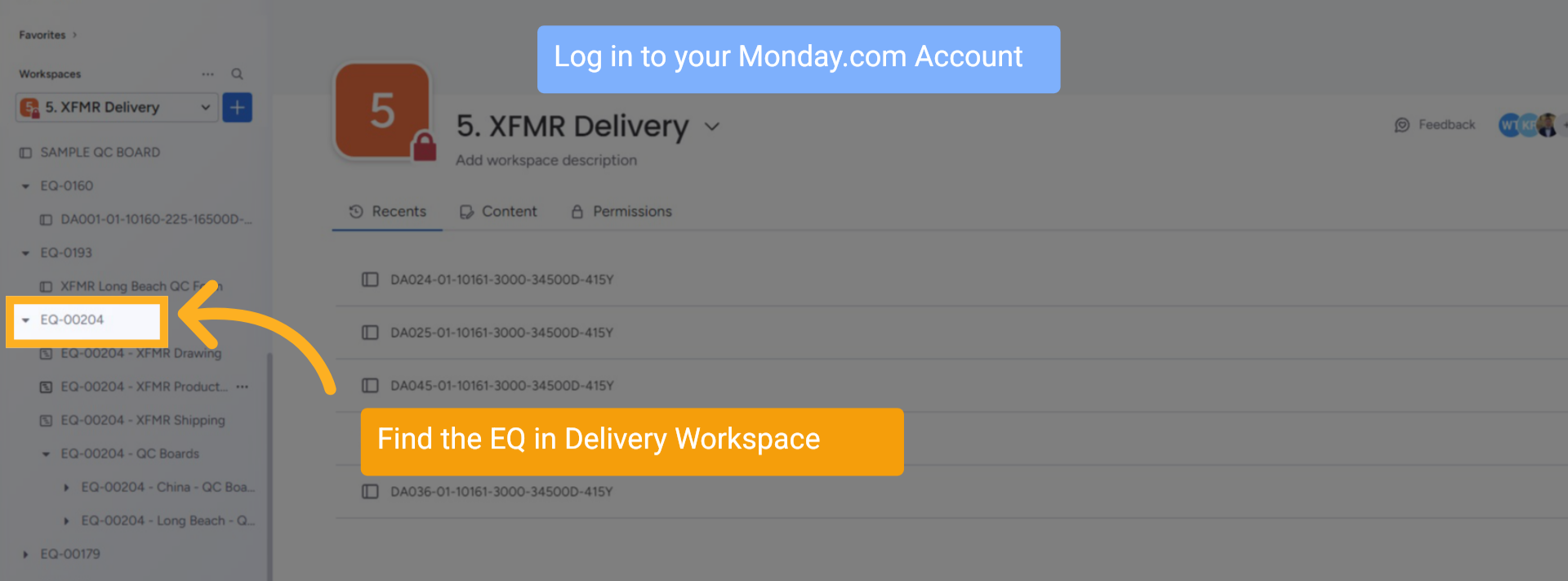
2 XFMR Production Board Created
Log in to your Monday.com Account, find the EQ folder in the Delivery Workspace
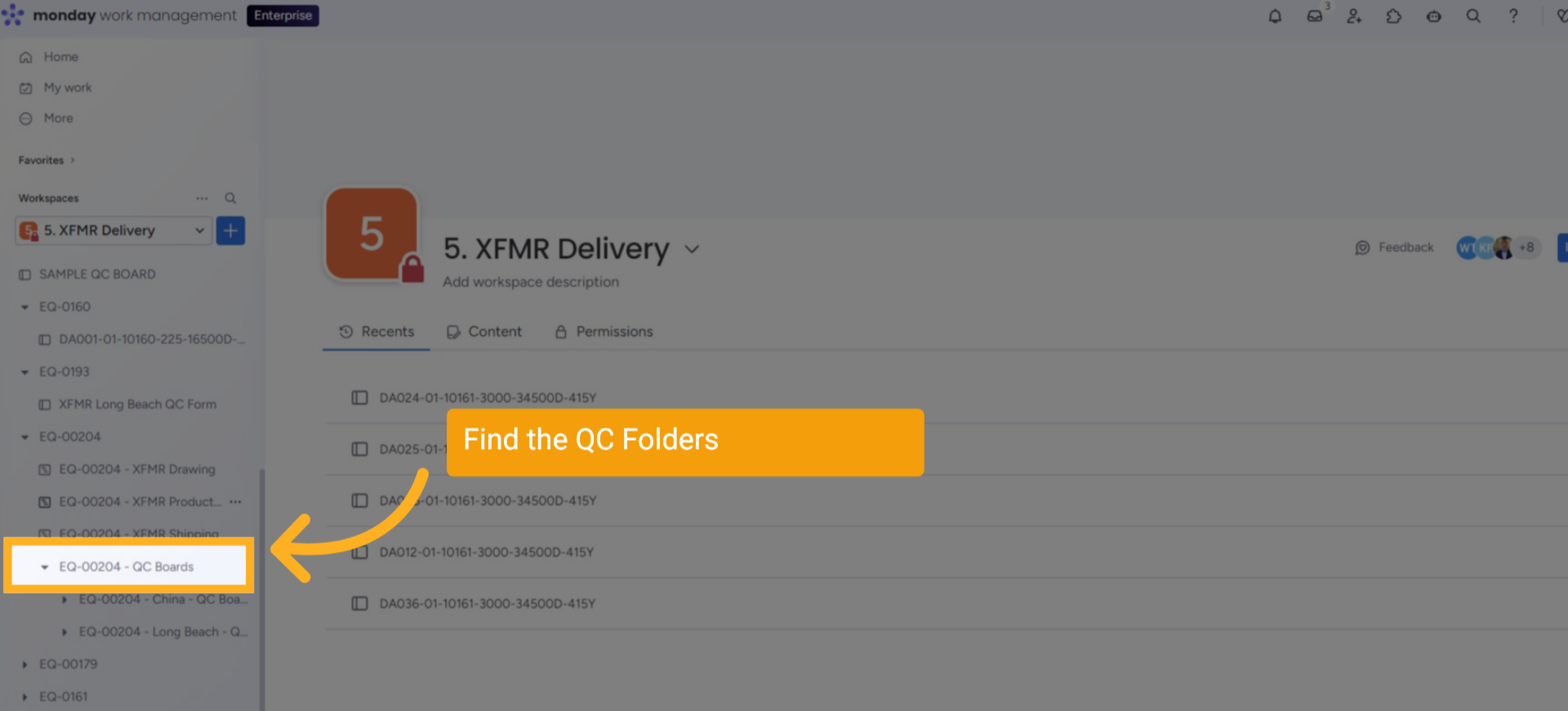
3 QC Folder Location
The EQ folder will be at the bottom of the list with the QC Boards folders inside.
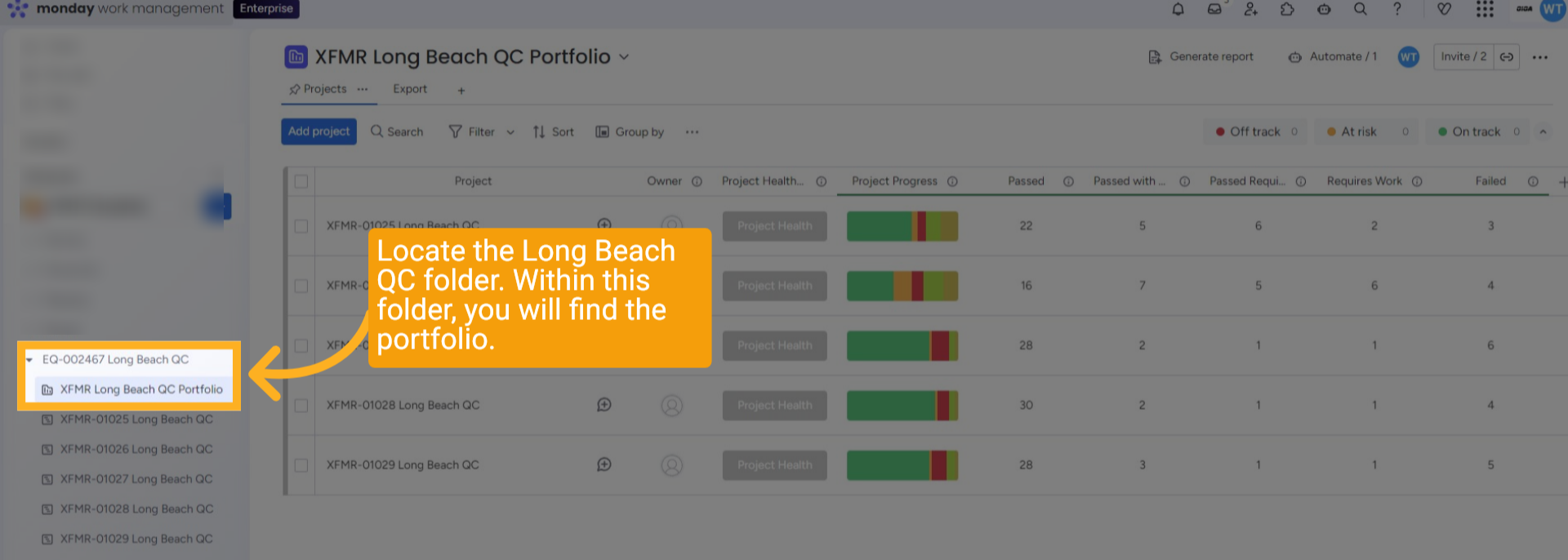
4 Finding the Portfolio
Please locate the Long Beach QC folder. Within this folder, you will find the portfolio.
5 QC for each Serial Number
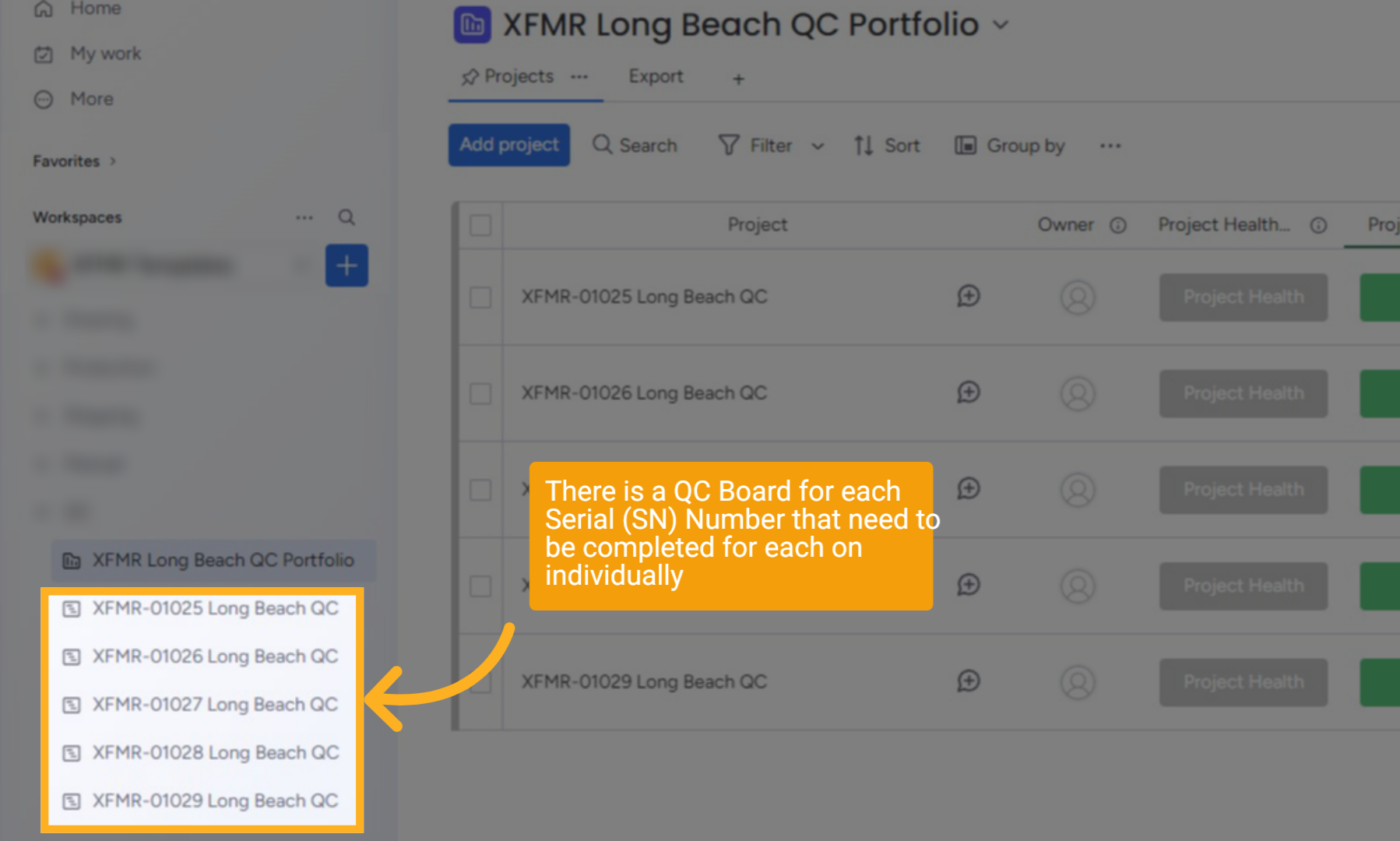
There is a QC Board for each Serial (SN) Number, which needs to be completed individually.
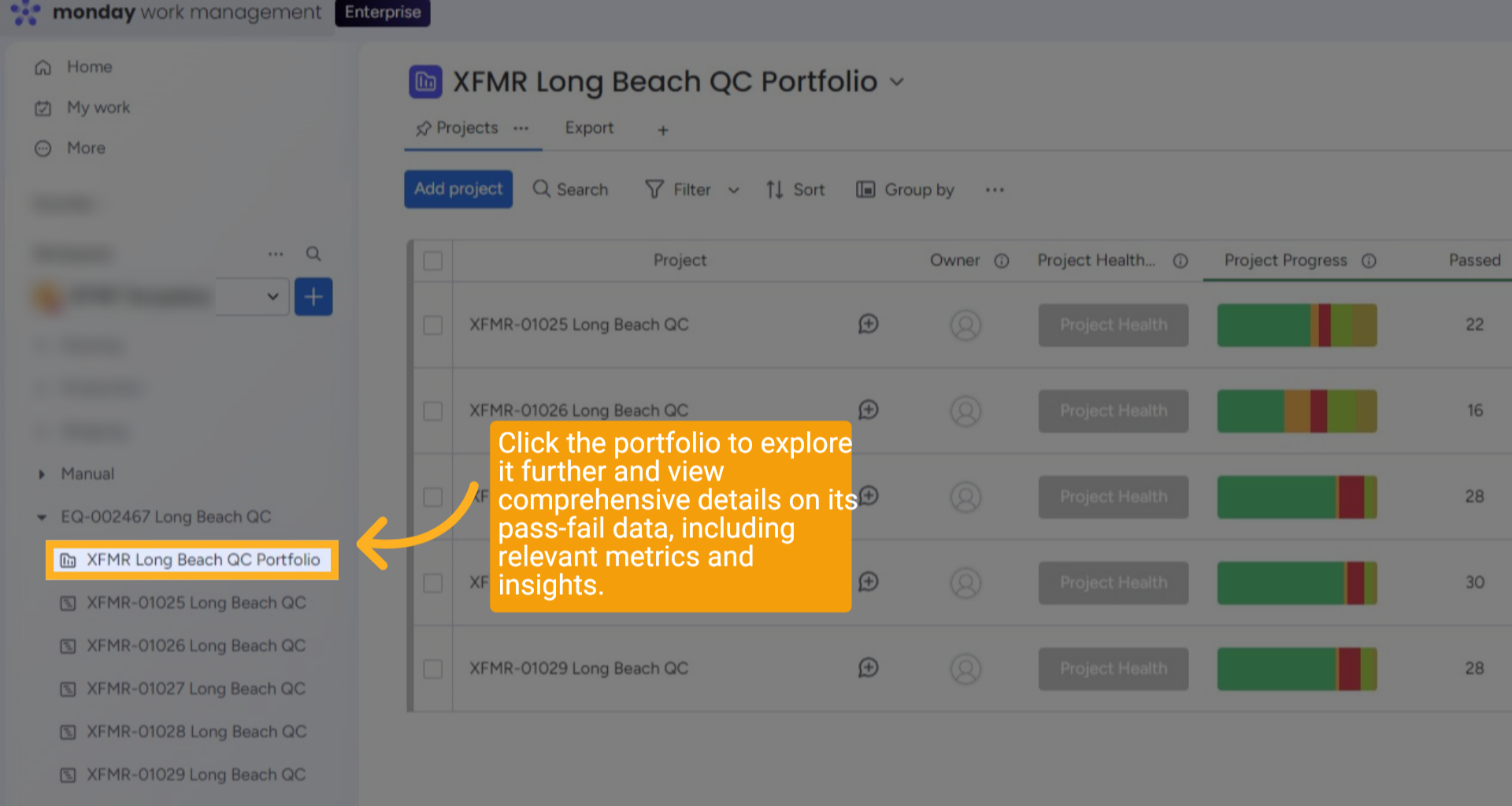
6 Finding the Portfolio
Click the portfolio to explore it further and view comprehensive details on its pass-fail data, including relevant metrics and insights.
7 Add Automatically
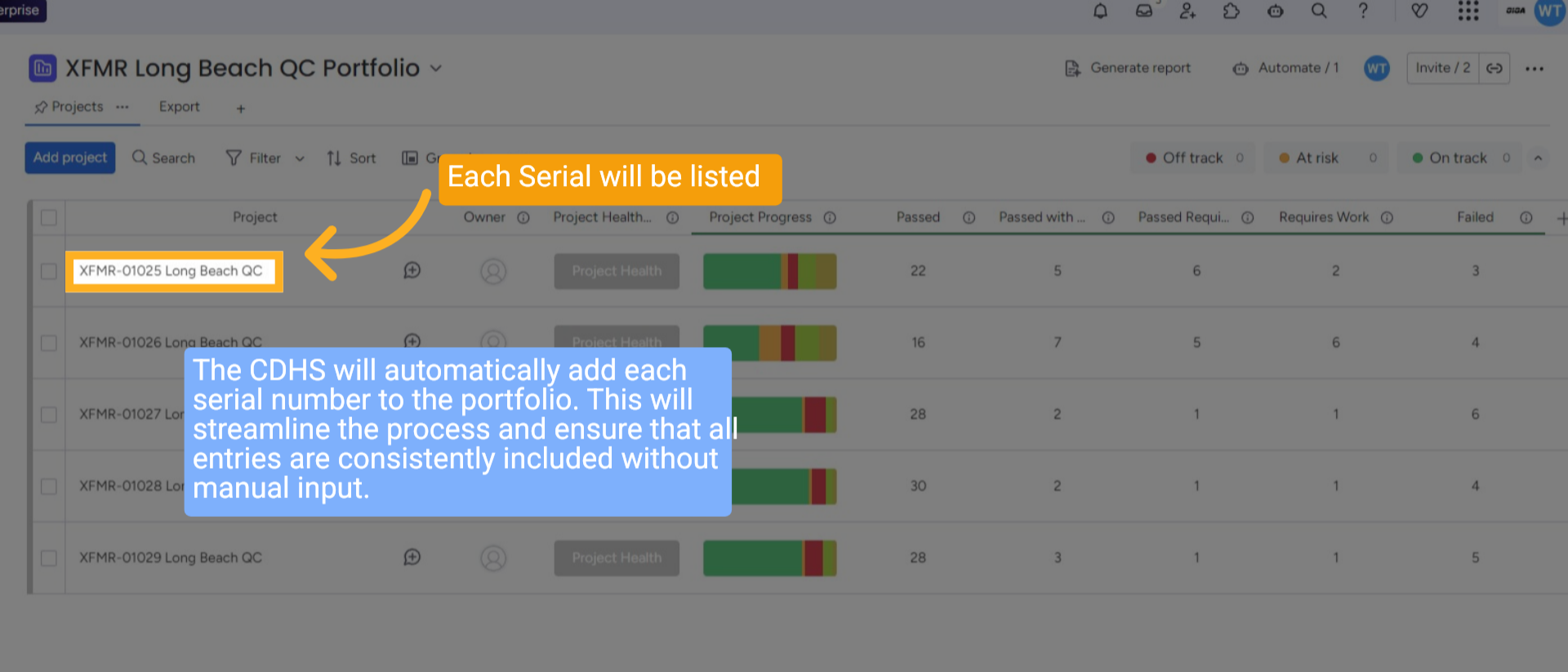
The CDHS will automatically add each serial number to the portfolio. This will streamline the process and ensure that all entries are consistently included without manual input.
8 Manual Input
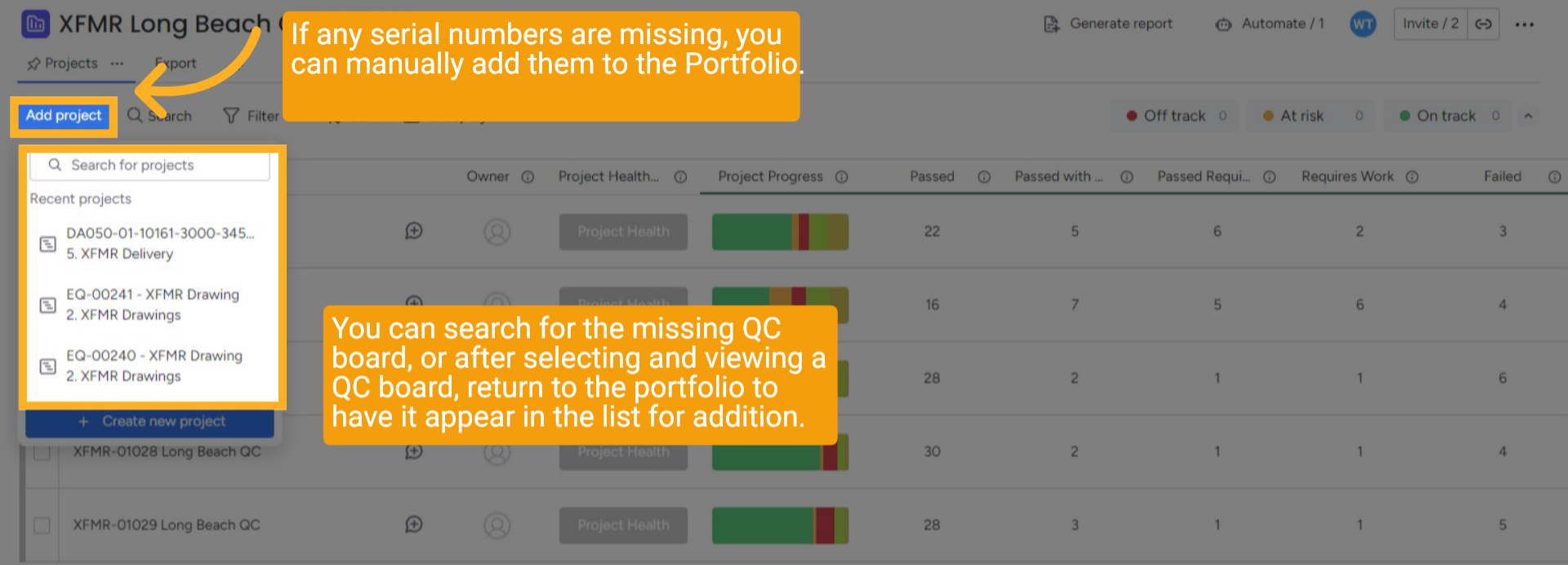
If any serial numbers are missing, you can manually add them to the Portfolio. You can search for the missing QC board, or after selecting and viewing a QC board, return to the portfolio to have it appear in the list for addition.
9 Status Updates
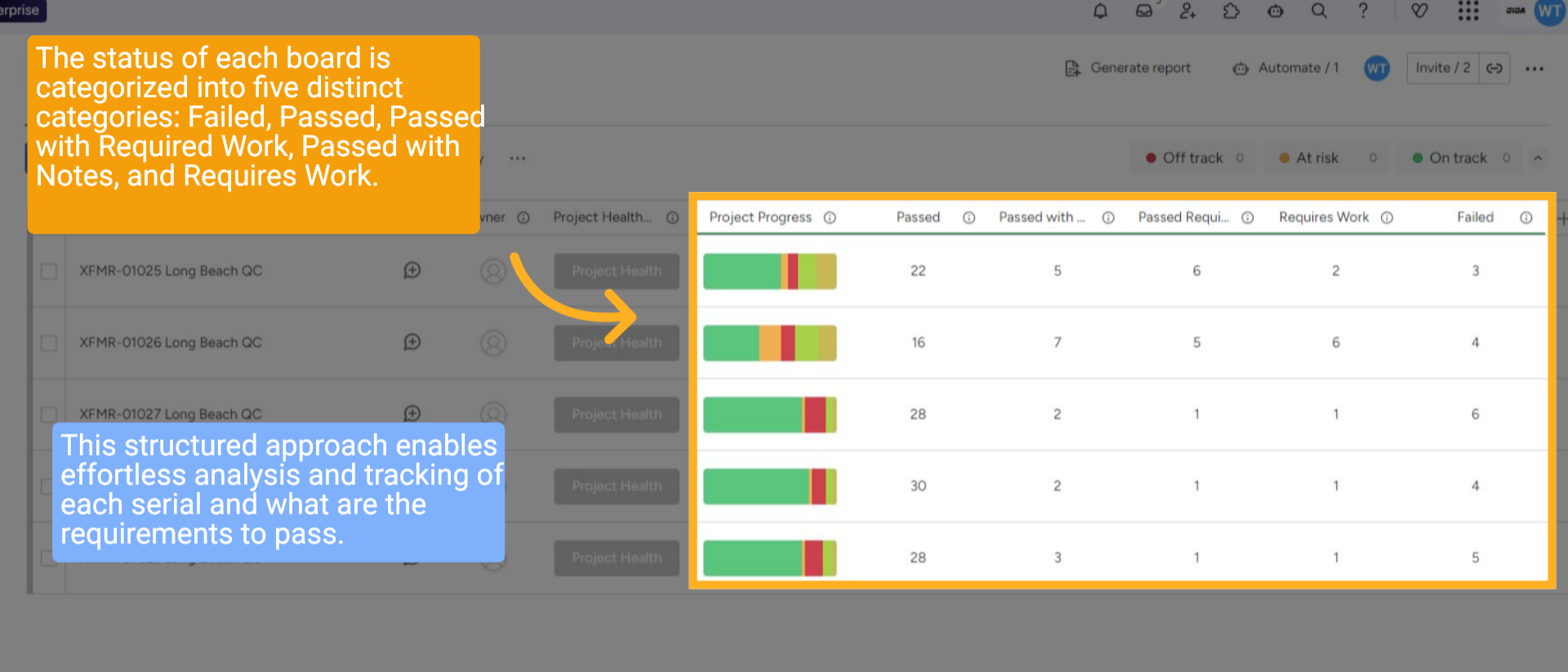
The status of each board is categorized into five distinct categories: Failed, Passed, Passed with Required Work, Passed with Notes, and Requires Work. This structured approach enables effortless analysis and tracking of each serial and what are the requirements to pass.
10 Exporting CSV
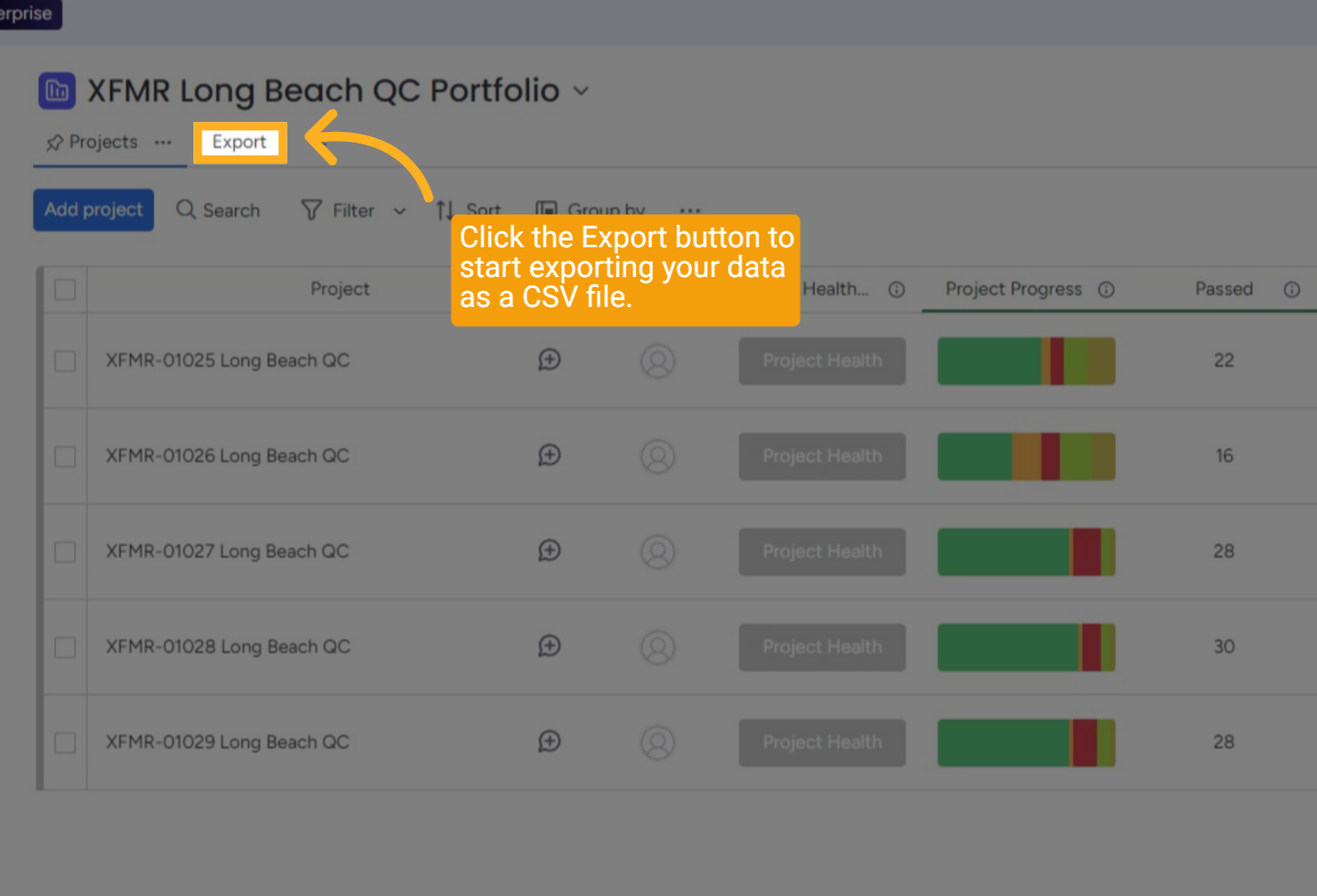
Click the Export View to start exporting your data as a CSV file.
11 Download CSV
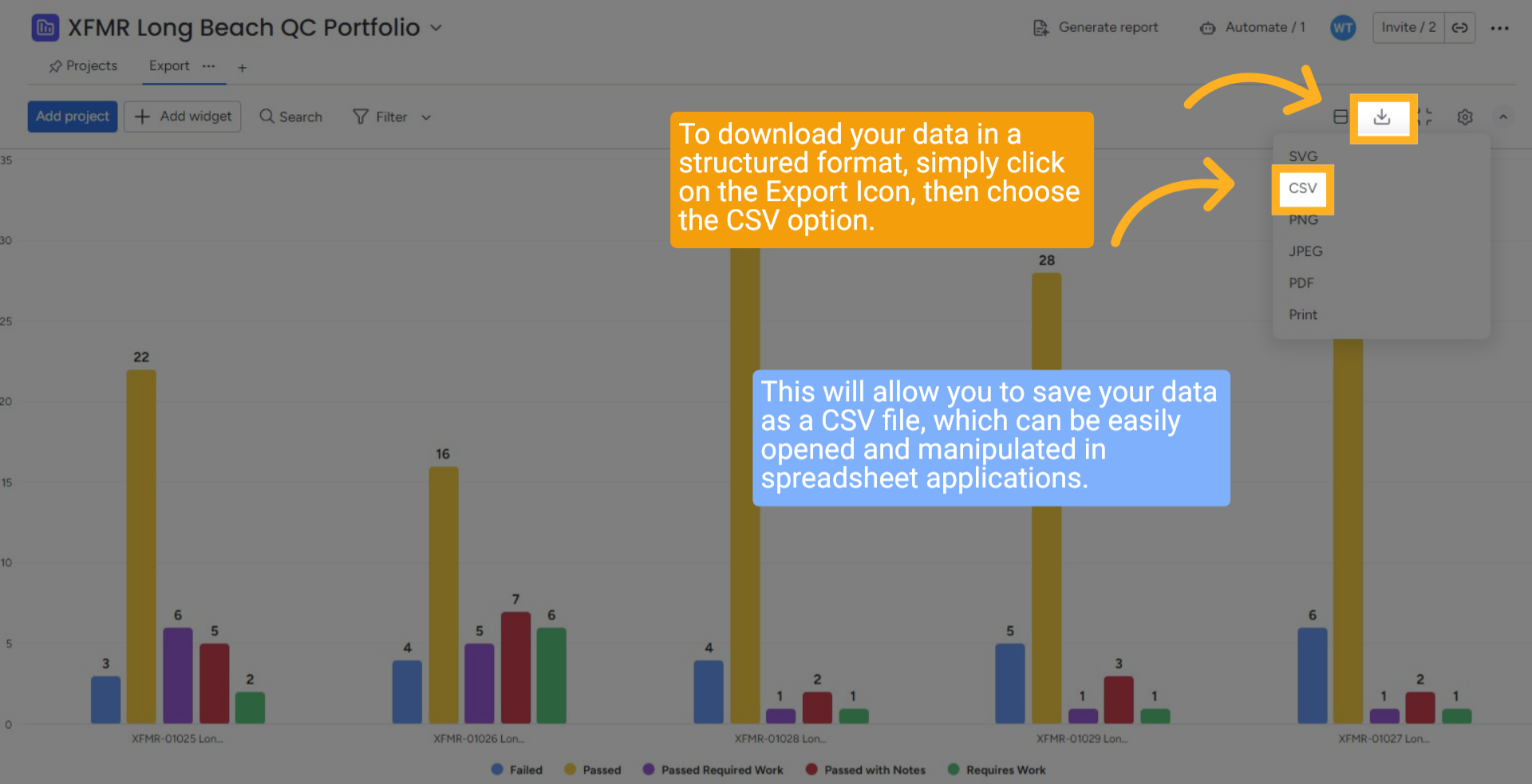
To download your data in a structured format, simply click on the Export Icon, then choose the CSV option. This will allow you to save your data as a CSV file, which can be easily opened and manipulated in spreadsheet applications.
12 Download CSV
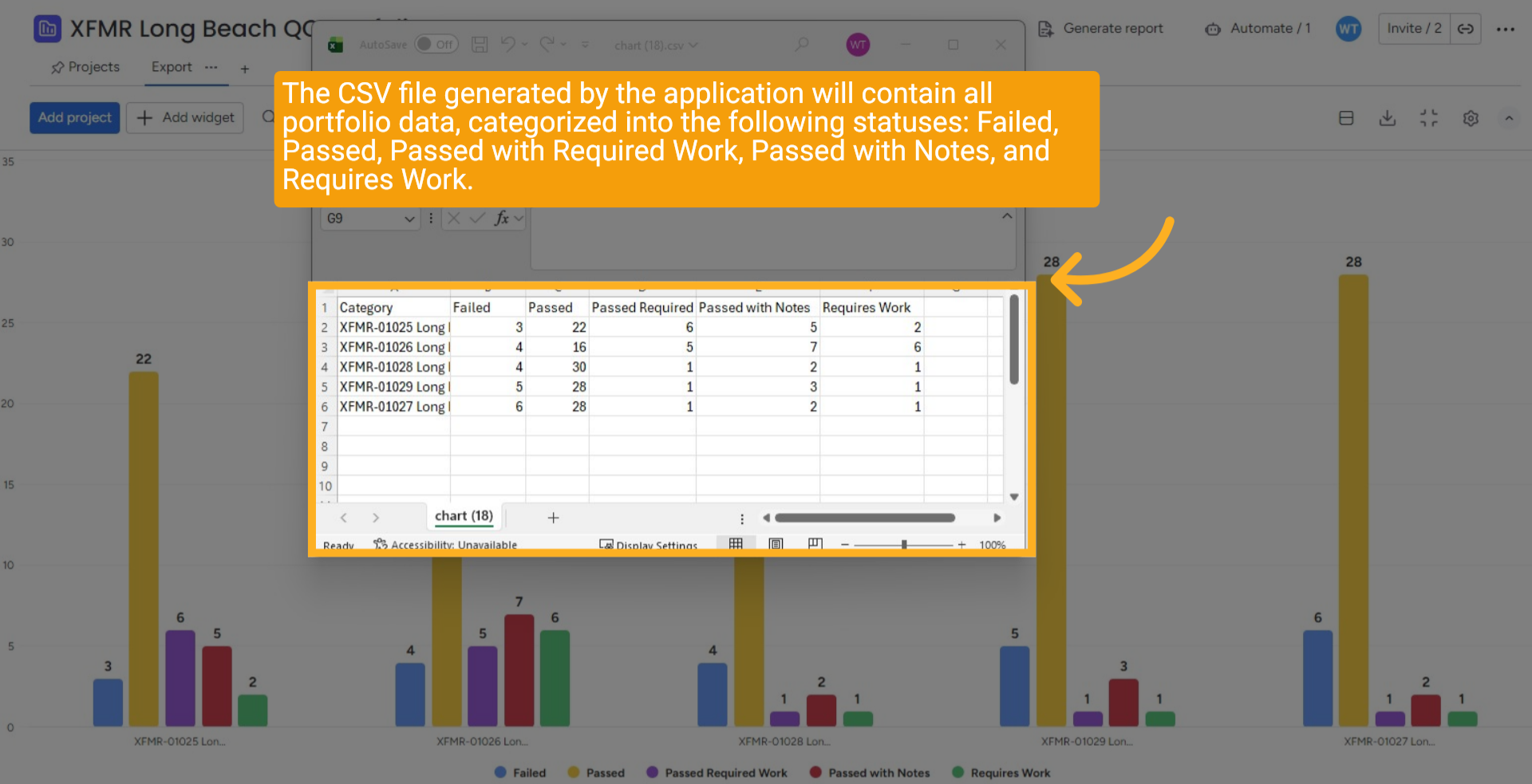
The CSV file generated by the application will contain all portfolio data, categorized into the following statuses: Failed, Passed, Passed with Required Work, Passed with Notes, and Requires Work.
13 Wrap up
This guide outlines how to access the Long Beach QC and its associated portfolio, enabling you to view data for each serial number categorized by status: Failed, Passed, Passed with Required Work, Passed with Notes, and Requires Work. The guide also provides instructions for exporting this data as a CSV file.
14 Thank You!
Thank You for Watching!