DC QC Boards
1 DC QC Boards
This guide explains how to locate the QC boards in production, enabling project managers and production coordinators to begin working on them. It focuses on updating the status of QC in Monday.com for DC Production.
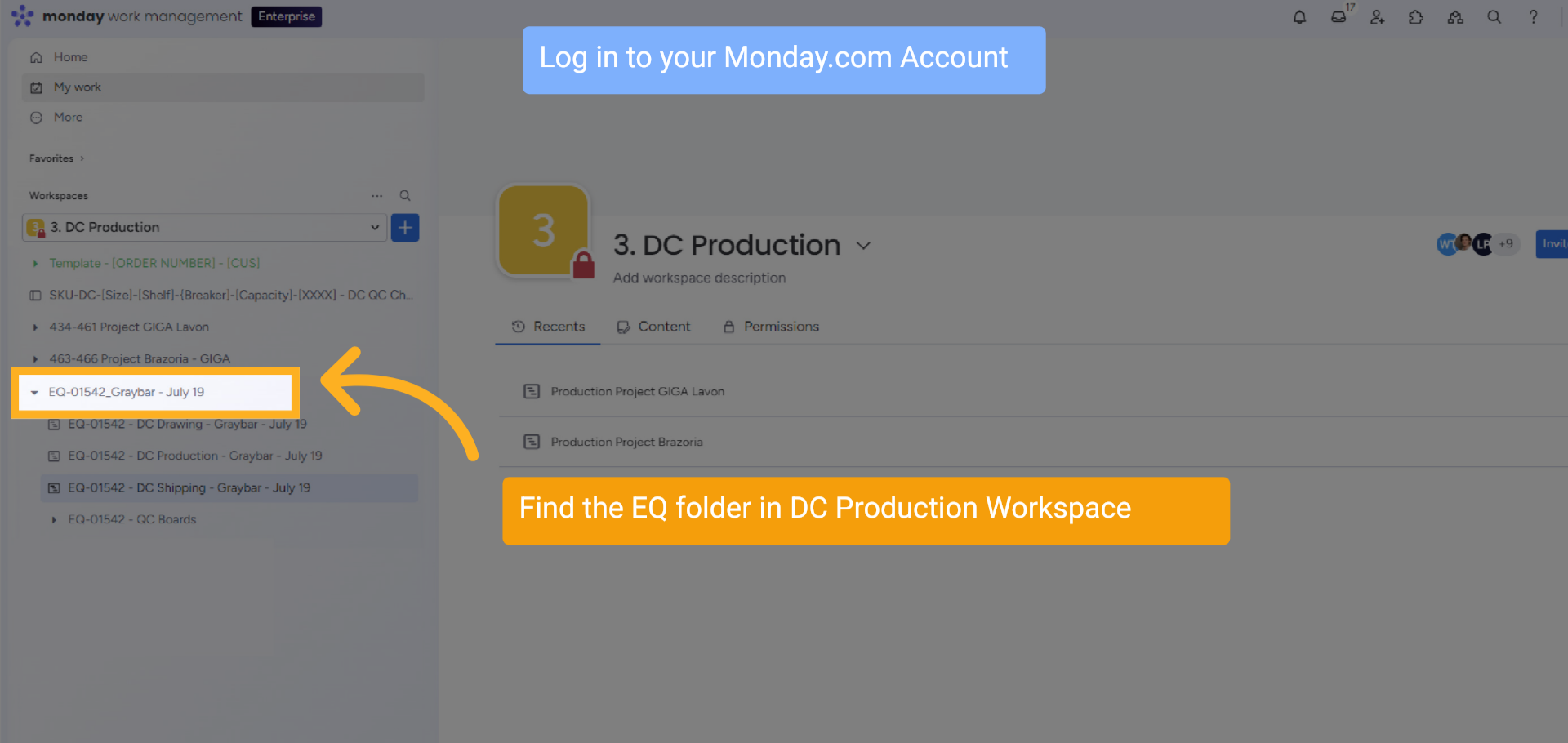
2 DC Production Board Moved
Log in to your Monday.com Account, Find the EQ folder in the DC Production Workspace
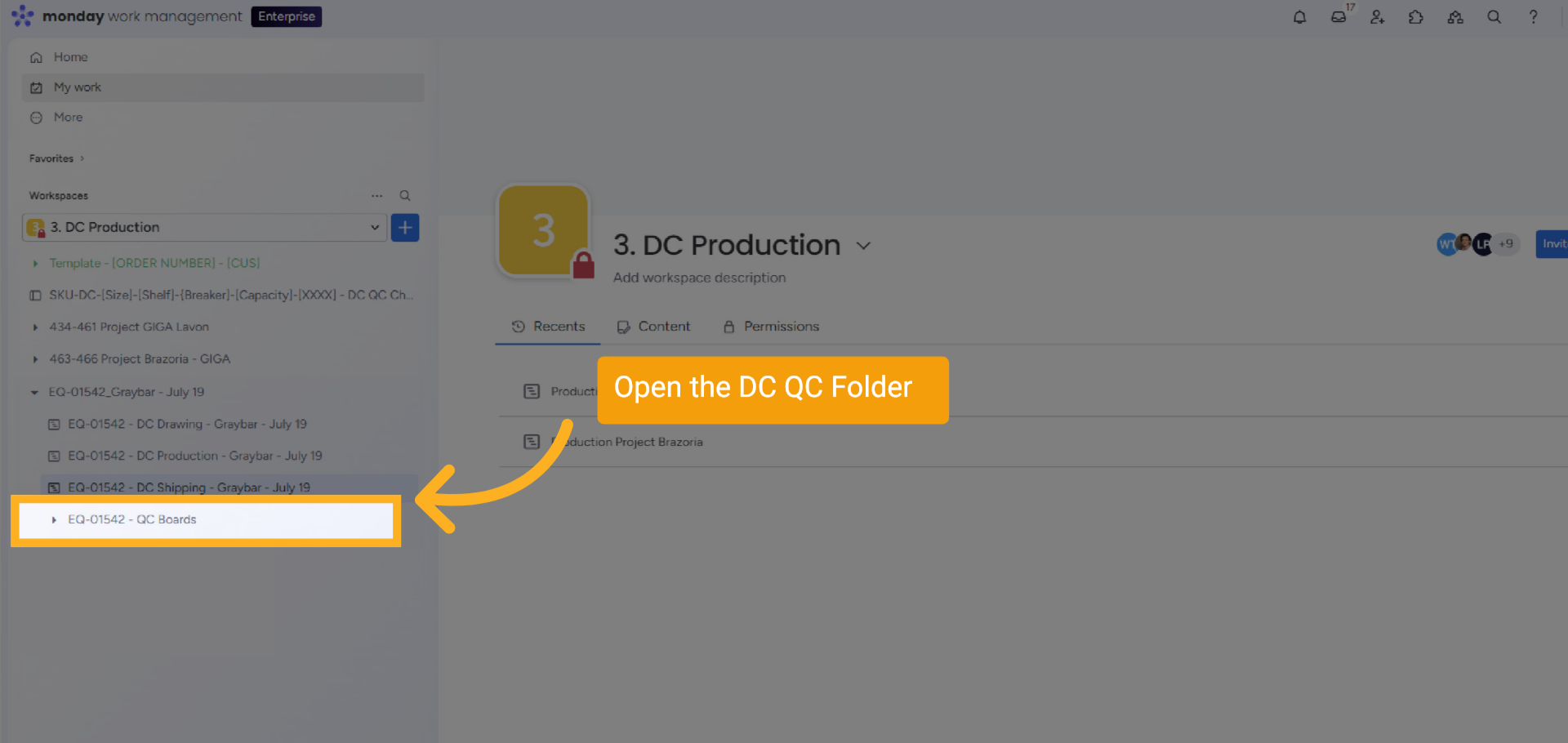
3 DC QC Board Created
The QC Board has been created in the QC folder with the EQ folder.
4 QC Folder
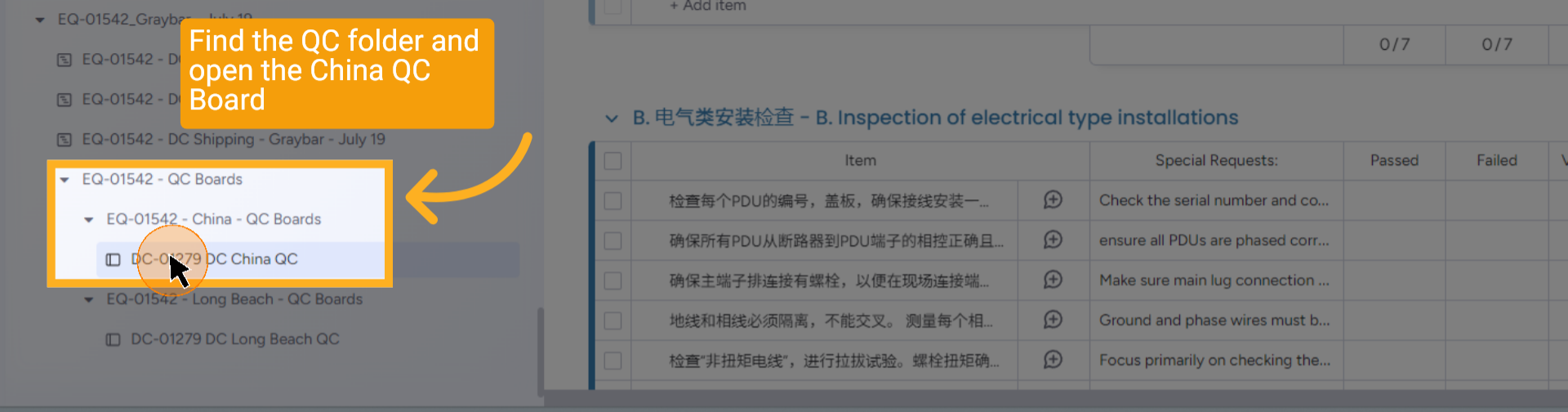
Find the QC folder and open the China QC Board
5 DC China QC Boards
DC China QC Boards
6 Pass or Fail
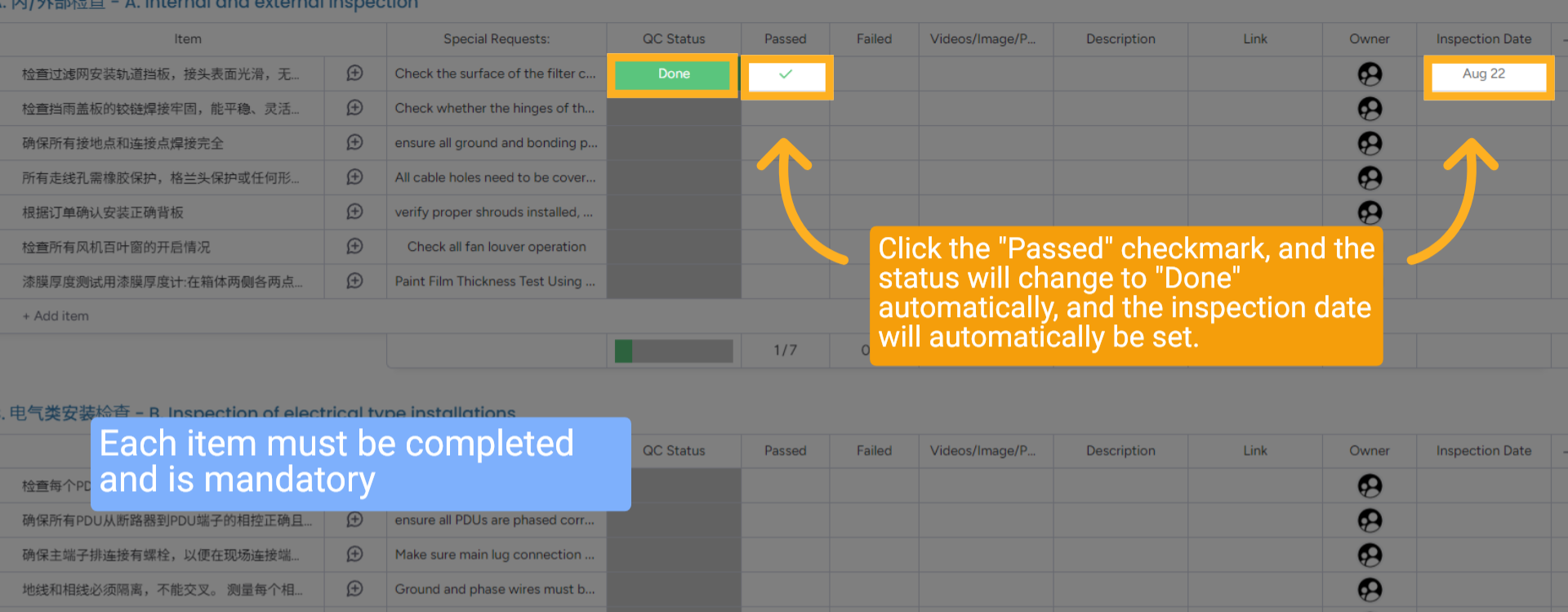
Each item must be completed and is mandatory. Click the "Passed" checkmark, and the status will change to "Done" automatically, and the inspection date will automatically be set.
7 Failed Inspection
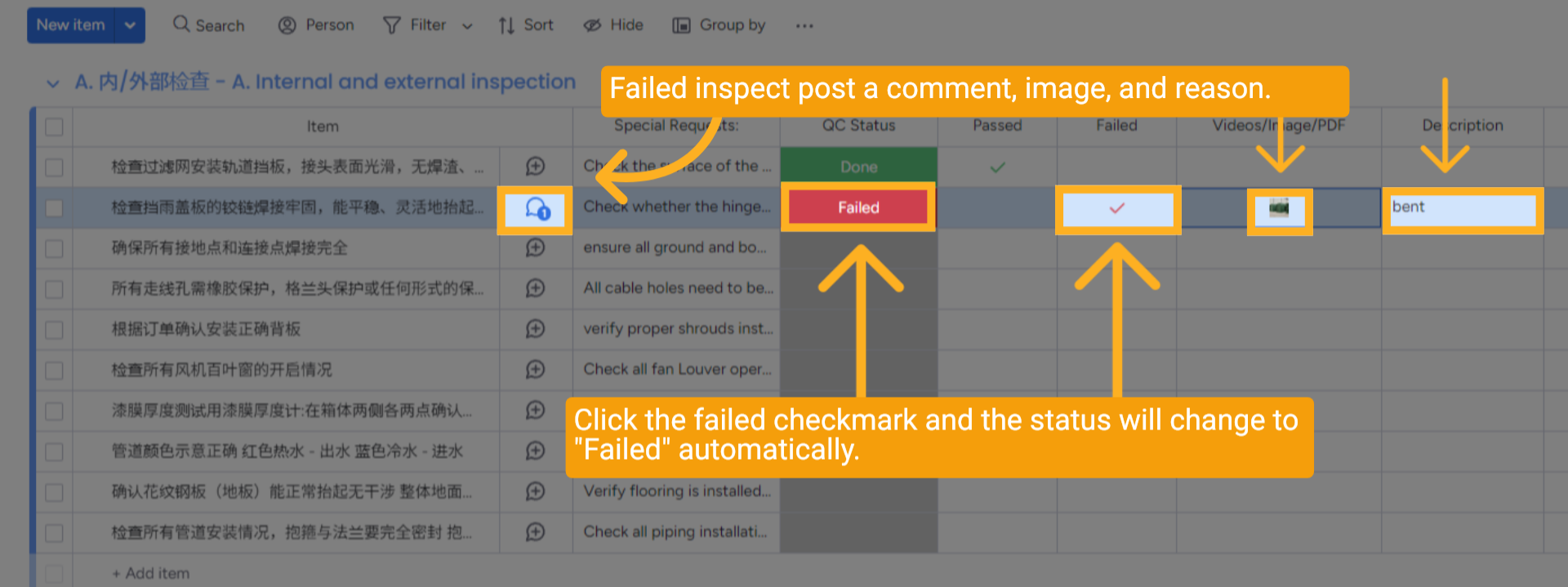
If an item fails the Quality Control (QC) inspection, please follow these steps: First, provide a thorough comment outlining the nature of the failure. Next, take a clear photograph of the item to visually document the issue. Finally, in the description column, detail the specific problem, ensuring to include all relevant information about the issue.
8 China QC QR Code
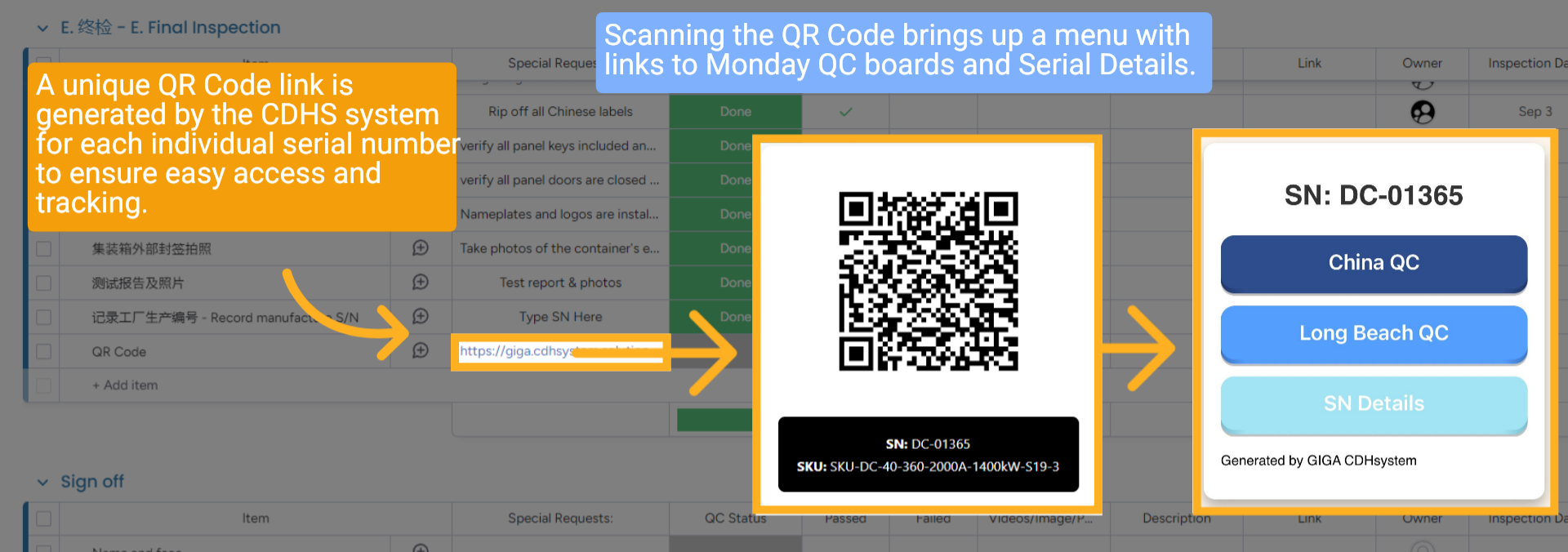
A unique QR Code link is generated by the CDHS system for each individual serial number to ensure easy access and tracking. Scanning the QR Code brings up a menu with links to Monday QC boards and Serial Details.
9 China QC Completed
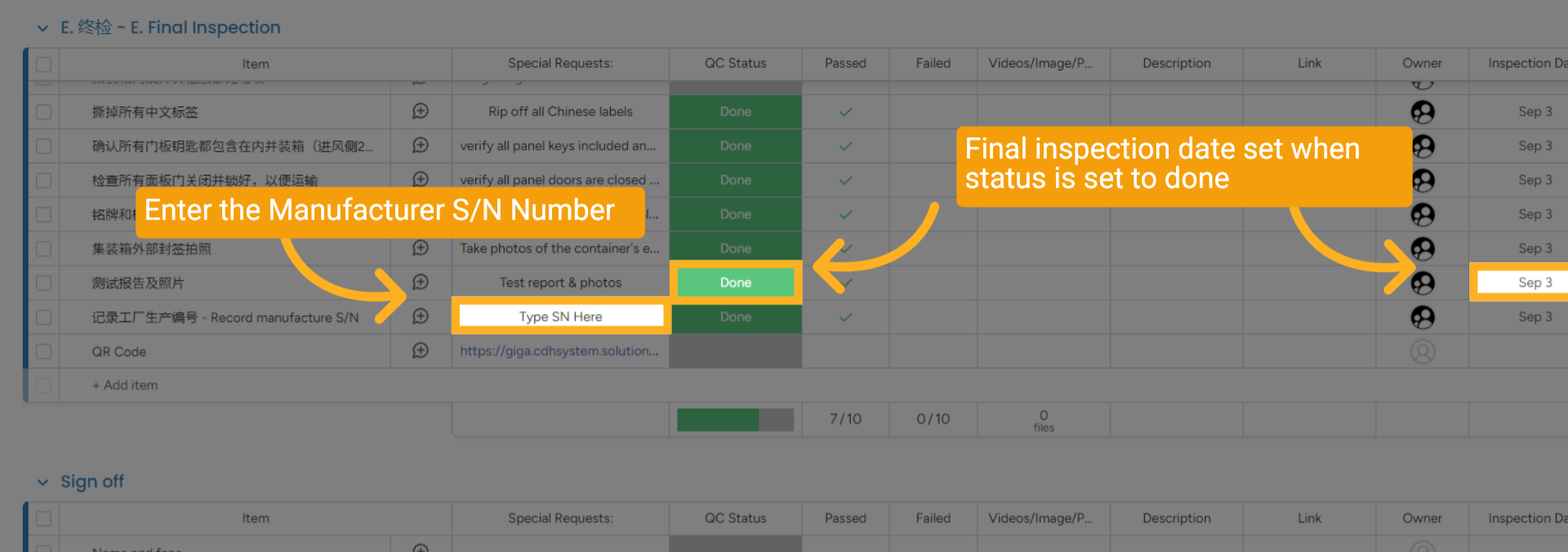
At the bottom of the Hydro and Air Cooled QC Boards, find the group "Final Inspection" and enter the "Manufacturer's Serial Number (S/N)" in the specified field. Final inspection date set when status is set to "Done".
10 DC Long Beach QC Boards
DC Long Beach QC Boards
11 Each item Completed
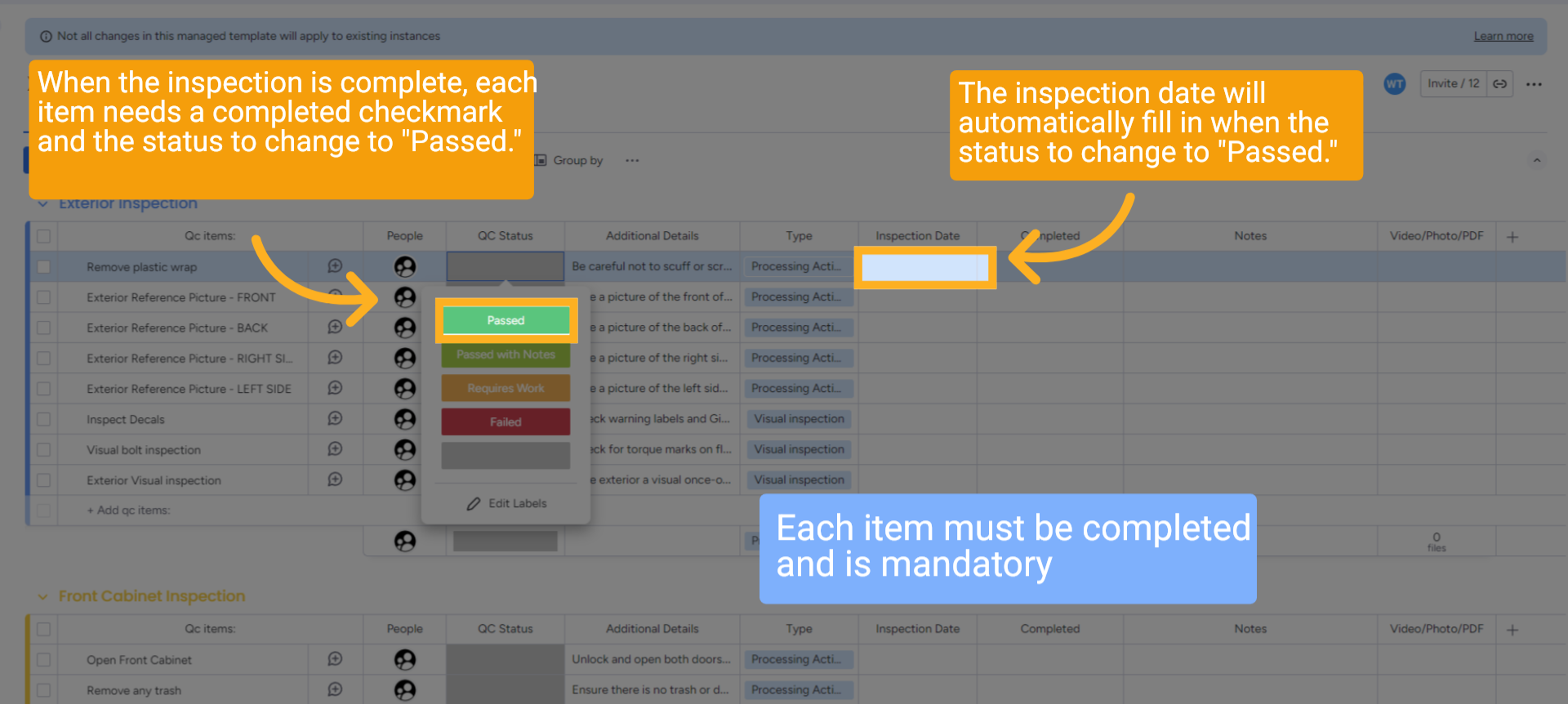
When the inspection is completed with no problems, each item needs a completed checkmark, and the inspection date will automatically fill in when the status changes to "Passed." Each item must be completed and is mandatory
12 Passed with Notes or Needs Work
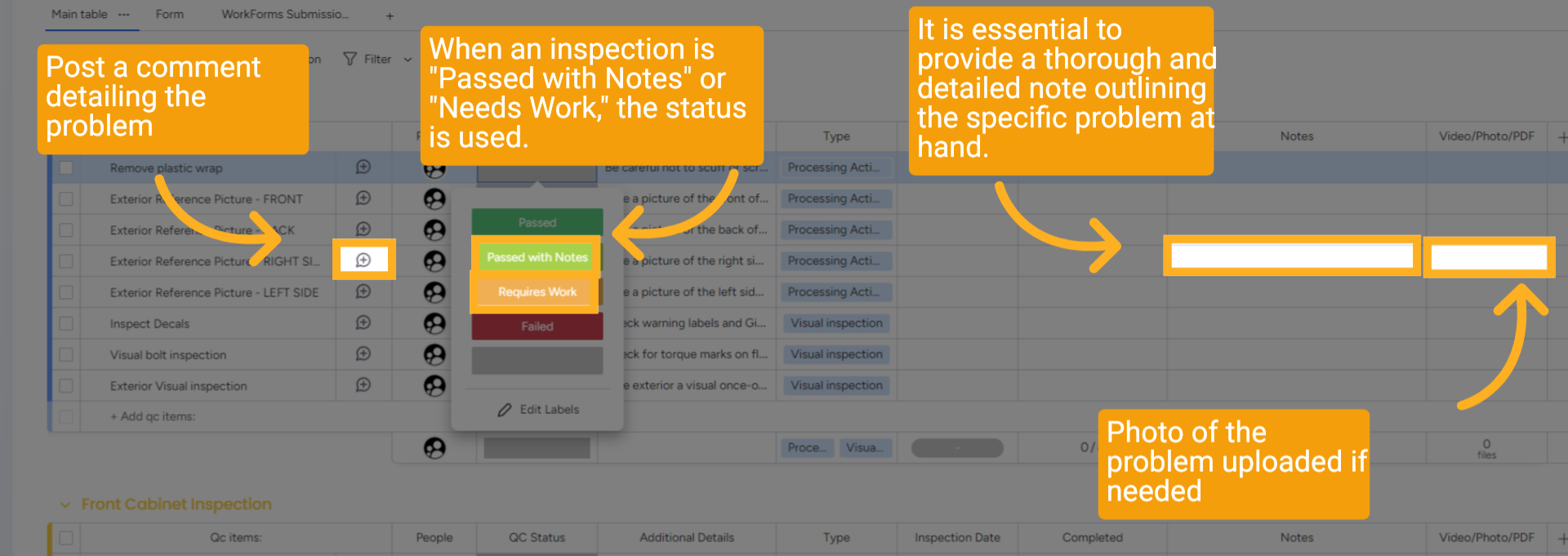
When an inspection is set as "Passed with Notes," or "Needs Work," as the status. It is essential to provide a thorough and detailed note outlining the specific problem at hand. To enhance understanding, post a comment along with a photo that visually illustrates the issue at hand. This will ensure that everyone involved is fully informed about the issues and can take appropriate corrective actions.
13 Long Beach QC Fails - What Should You Do?
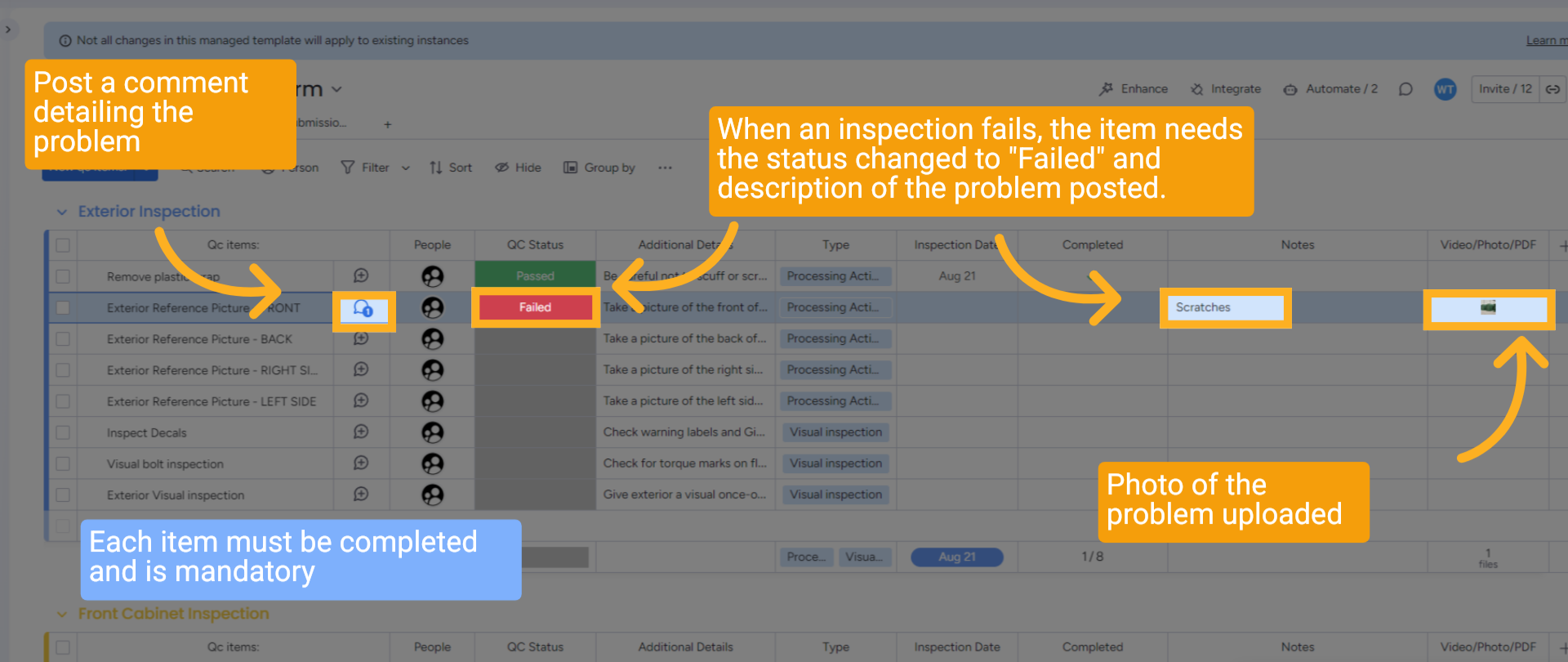
Long Beach QC Fails - What Should You Do? When an inspection fails, it is essential to promptly change the status of the item to "Failed." Additionally, make sure to provide a clear and detailed description of the specific problem encountered during the inspection. To enhance understanding, post a comment along with a photo that visually illustrates the issue at hand. This will ensure that everyone involved is fully informed about the failure and can take appropriate action to fix the problem.
14 Long Beach QC Completed
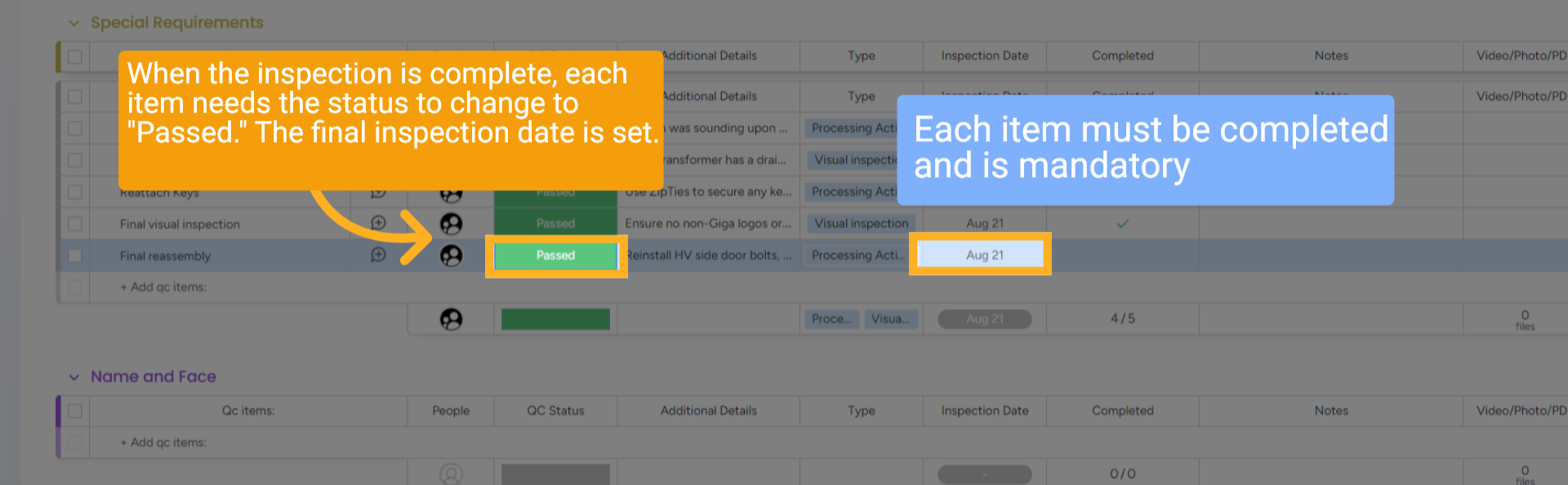
When the inspection is complete, each item needs the status to change to "Passed." The final inspection date is set. Each item must be completed and is mandatory.
15 Wrap up
This guide covers updating the production workflow for an order in HubSpot and Monday.com, including changing statuses from production start to ready to ship, ensuring all stages, like component readiness, logistics booking, and factory acceptance, are properly tracked.
16 Thank You!
Thank You for Watching!